
Step 4 of 6
Code execution: run it on your computer and see the evidence
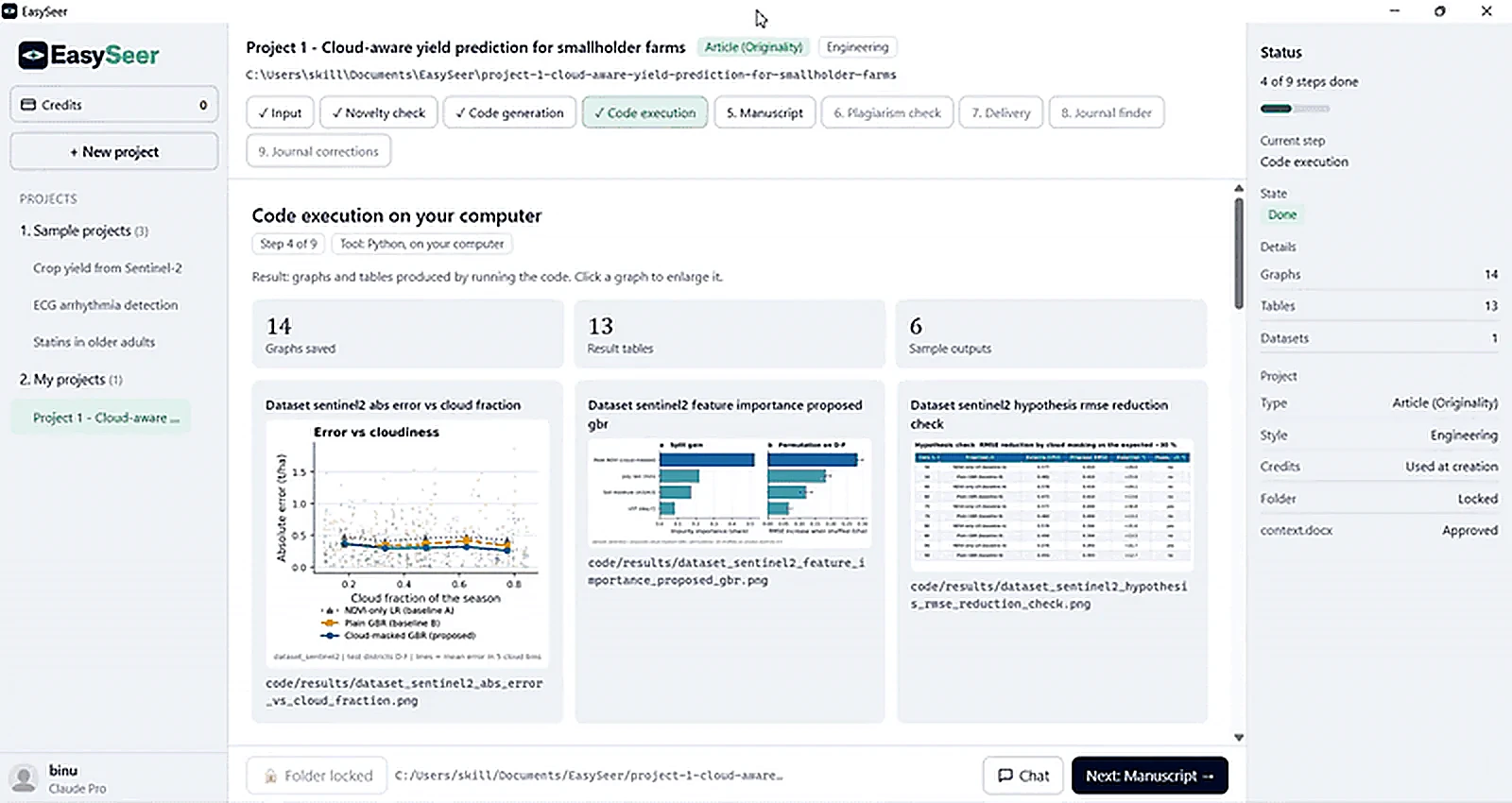
EasySeer runs the code on your computer with Python and saves graphs, result tables and sample outputs with their file paths. Weak results are reported as they are.
- Step
- 4 of 6
- Tool
- Python, on your computer
- Output
- Graphs, tables, sample outputs, run log
- Rule
- No invented numbers
What you see in the tool
- Summary tiles: graphs saved, result tables, sample outputs
- Result cards with the figure or table and its file path; click to enlarge
- The status panel counts graphs, tables and datasets
- A full log you can open
Why this stage matters
A paper is only as honest as its results. Running code, fixing environment errors, saving figures and recording what happened can eat days. The execution stage runs the approved code on your own computer, keeps a full log and gathers the outputs in one place, so every number in your paper can be traced to a real run.
Attach your dataset or use the project sample files. EasySeer runs the code, records the run log and collects the outputs.
If a run fails, the log shows why. If results are weak, EasySeer reports them as they are. It does not hide poor results or invent numbers.
How it works
Prepare the run
EasySeer checks the Python environment, the packages and your dataset path before starting.
Run the pipeline
The files run in order. You see a live progress bar and which step is running.
Handle errors
If a step fails, the log shows the error. EasySeer proposes a fix, applies it only after you agree and runs again.
Collect outputs
Graphs, tables and sample outputs are saved with file names you can find later.
Review
You open the results, compare them with the baselines and approve, re-run or change the code.
What you give it
- Approved code
- Your dataset
- Run settings such as the random seed
What you get
- Saved graphs and result tables
- A complete run log with timestamps
- Sample outputs for checking
- A results summary used by the manuscript stage
What you must check
- Open the logs and tables yourself
- Confirm the results make sense for your data
- Decide honestly whether the results support your claim
Honest limits
- Runs happen on your computer, so speed depends on your hardware.
- EasySeer reports weak results as they are. It does not tune results to reach a target or invent numbers.
- Very large datasets may need more time than the estimates on this site.
Questions about this stage
Where does my code run?
On your own computer, inside your project folder. Your data stays in the folder you chose.
What if my results are poor?
They are reported as they are. You can change the method, add data or rethink the idea. EasySeer will not fake an improvement.
Can I keep the logs?
Yes. Logs, tables and figures are saved in the project and can be exported.
On the blog: How to share research code so others can reproduce your results (6 min read)
Related guides
- How to generate and run the code: Generate code from the approved context.docx (Step 3), read it, then run it on your own computer (Step 4). Che…
Make your first project See it in the tour All features
Last updated 2026-11-09. EasySeer is AI. It creates only an initial draft from the novel concept you provide, and it is designed to follow academic ethical guidelines.