
Product tour
Watch EasySeer turn a concept into a manuscript
The tour shows EasySeer with real screens, a recording of the tool taking a project from input to manuscript, and two finished projects you can step through from concept to formatted paper.
Two ways to look. First, real screens from the tool. Then a recording of the tool at work and two finished projects, with the concept, the code, the results, the manuscript and the final paper, in viewers you can scroll, zoom and jump around in.
Part 1
Inside the tool
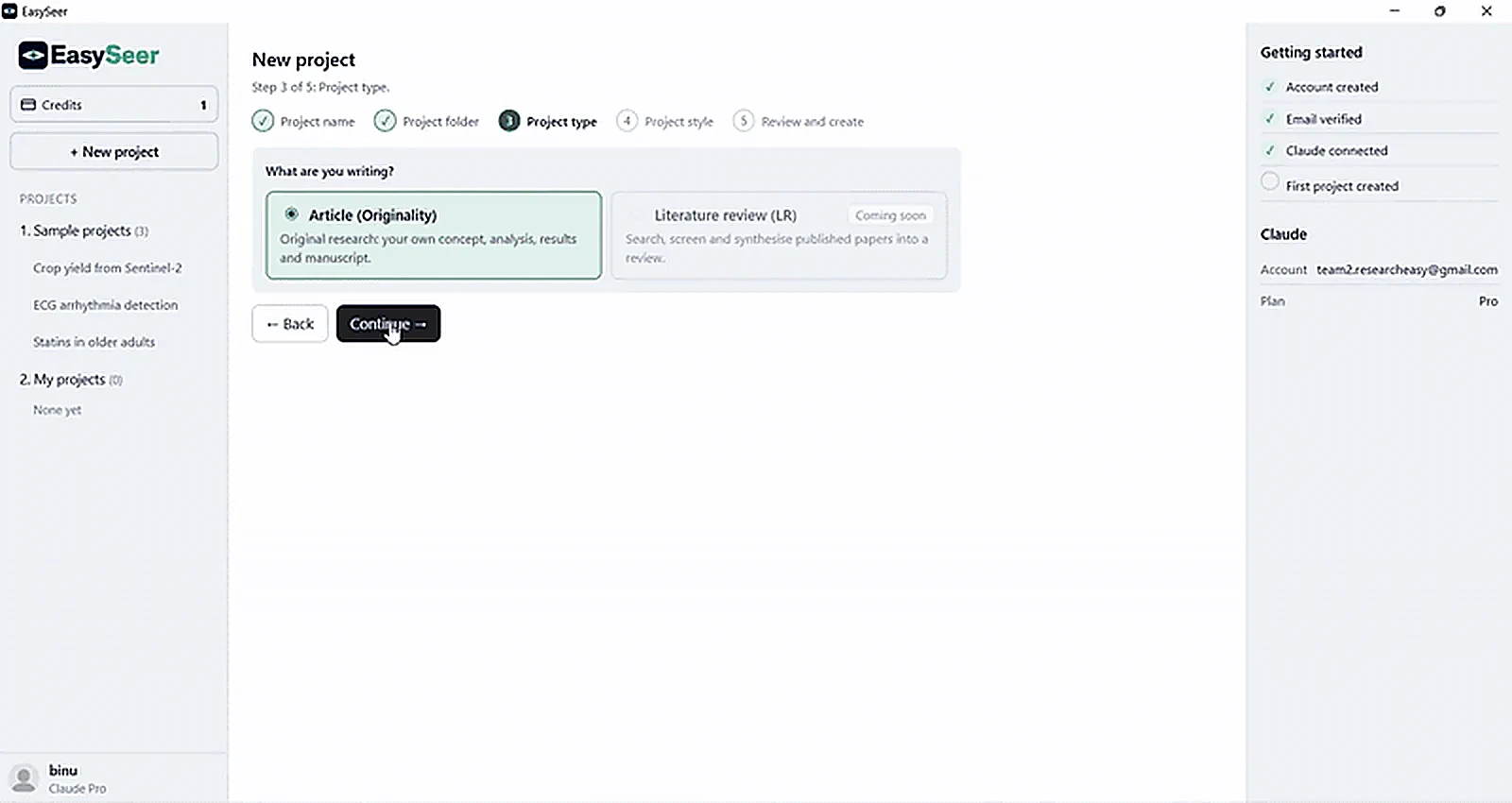
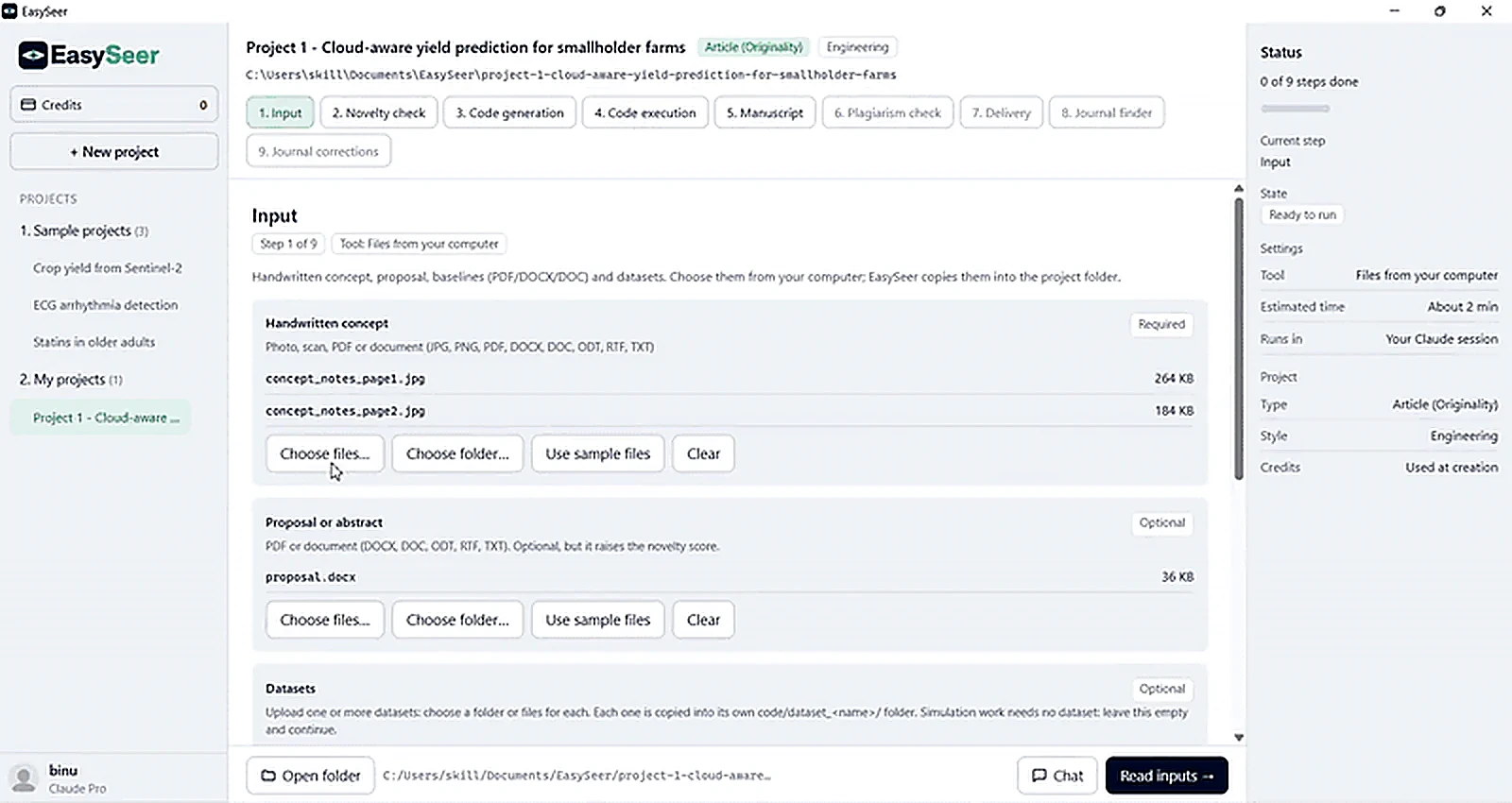
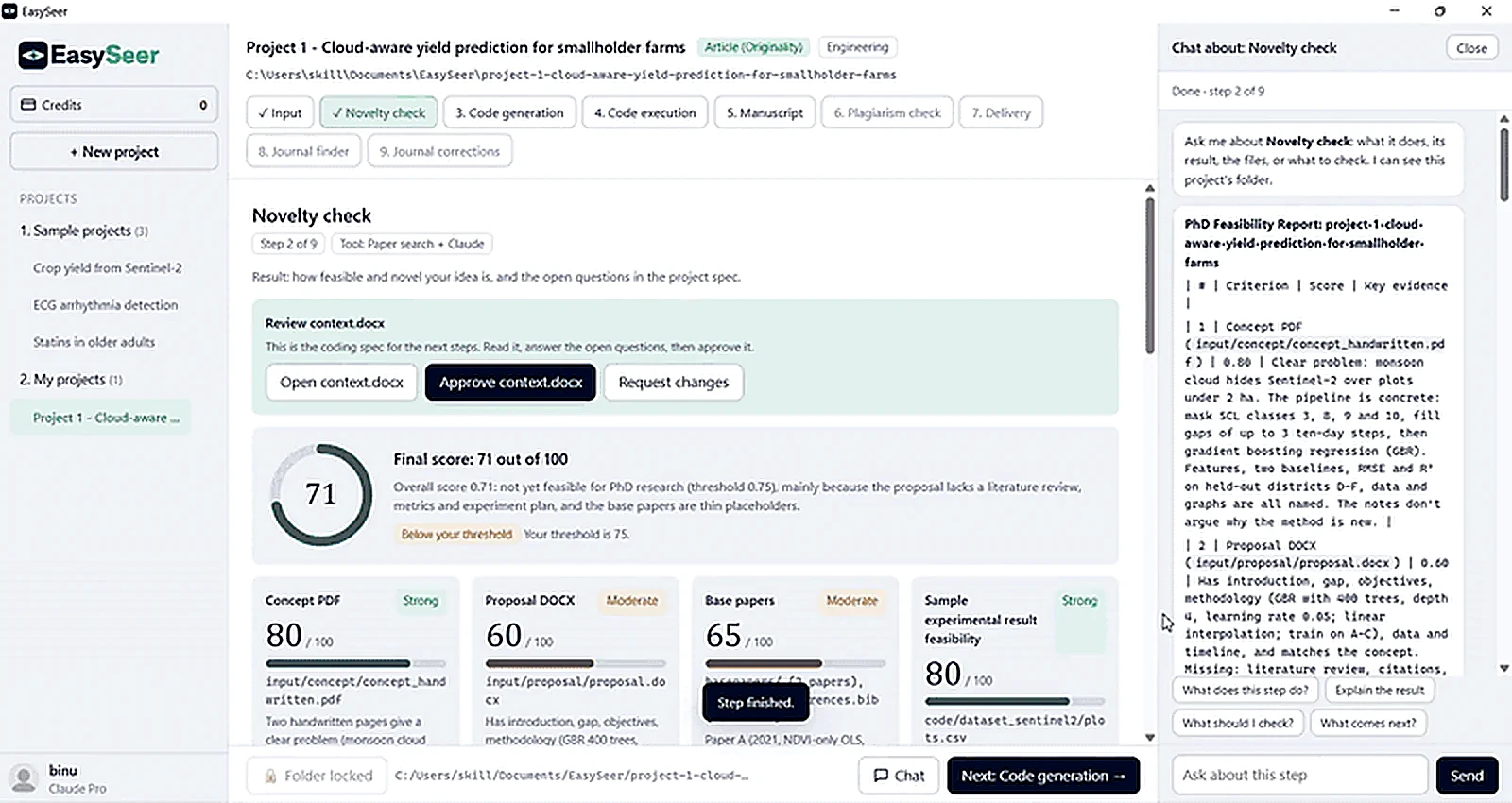
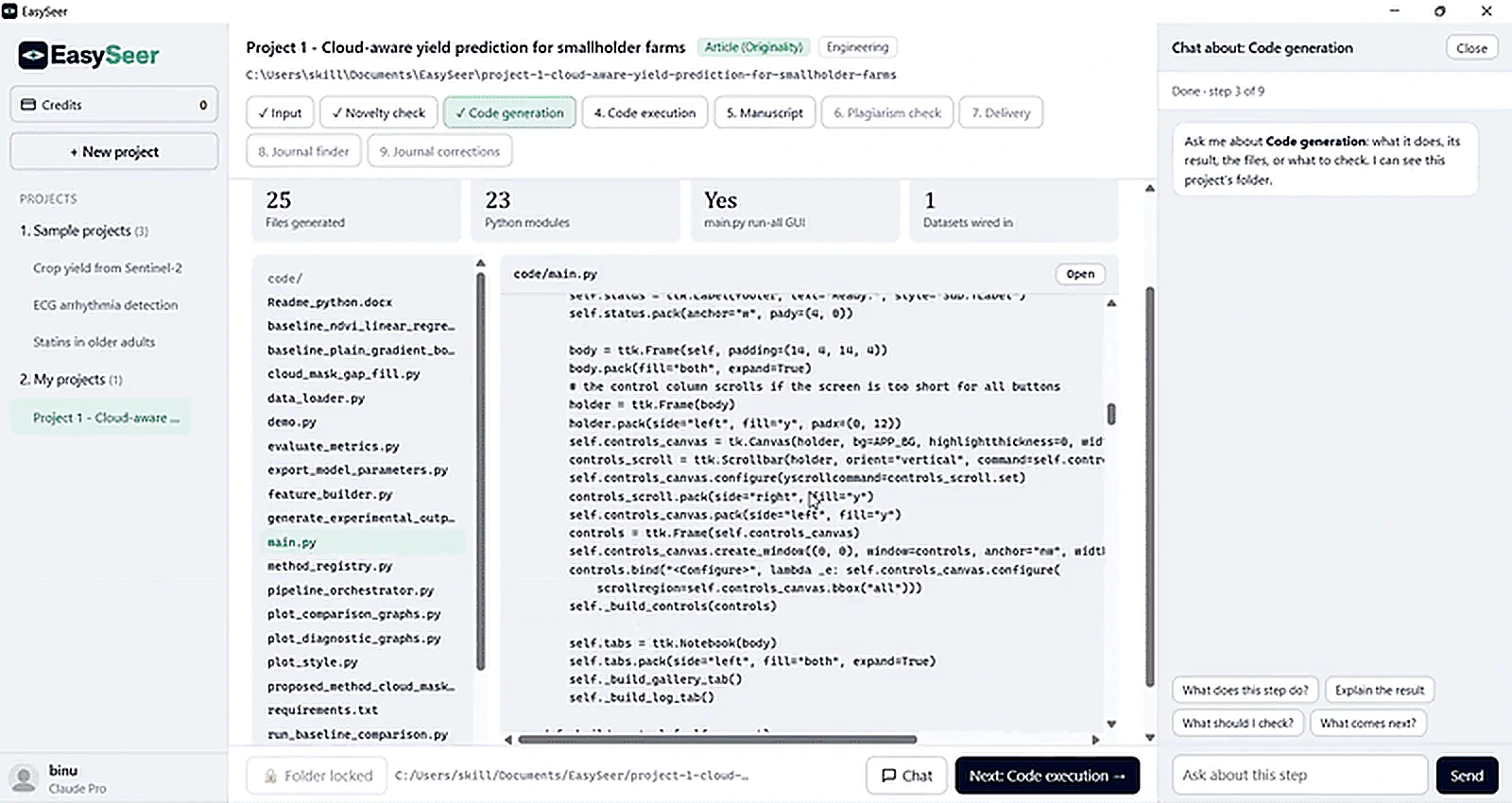
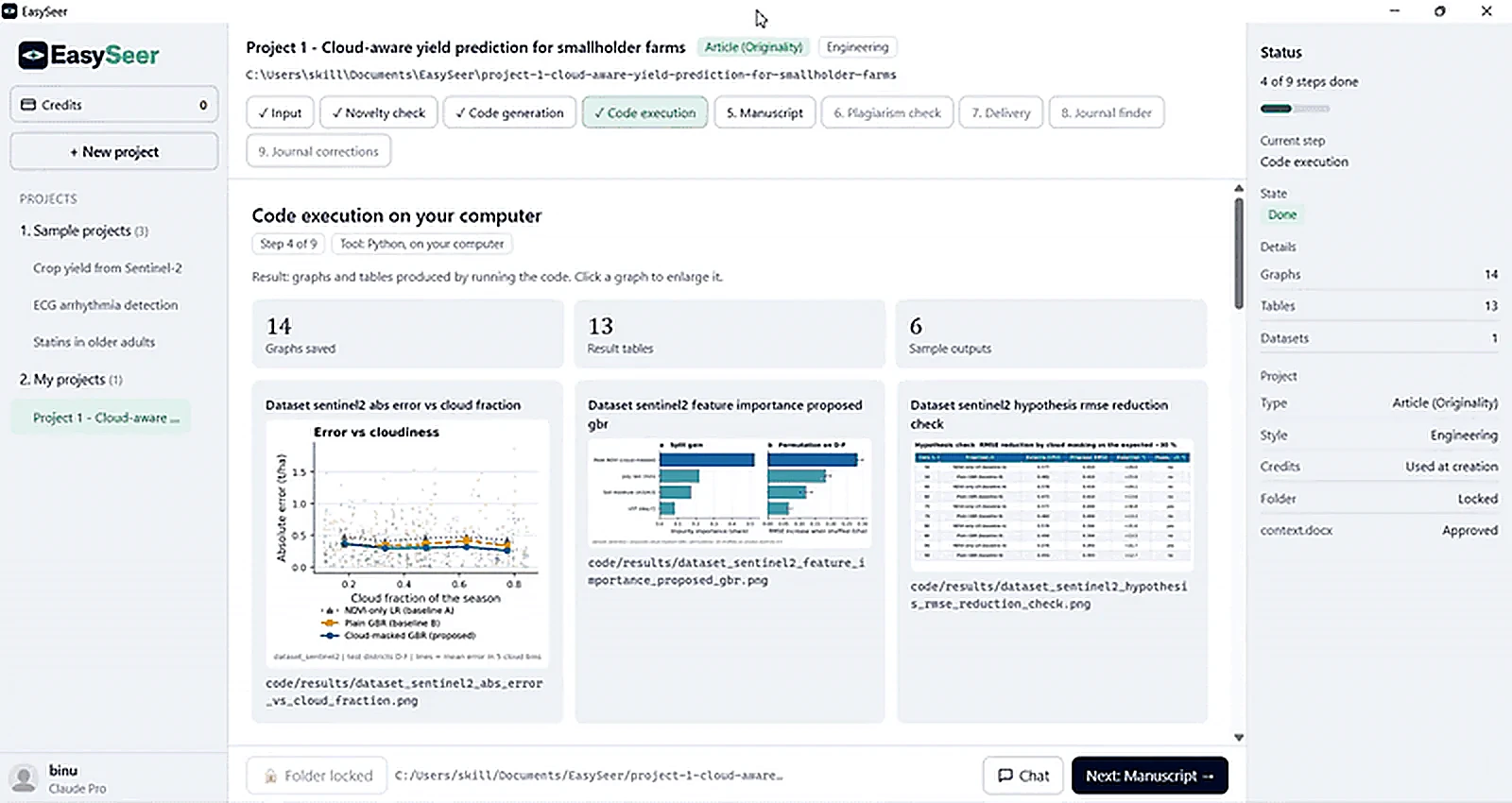
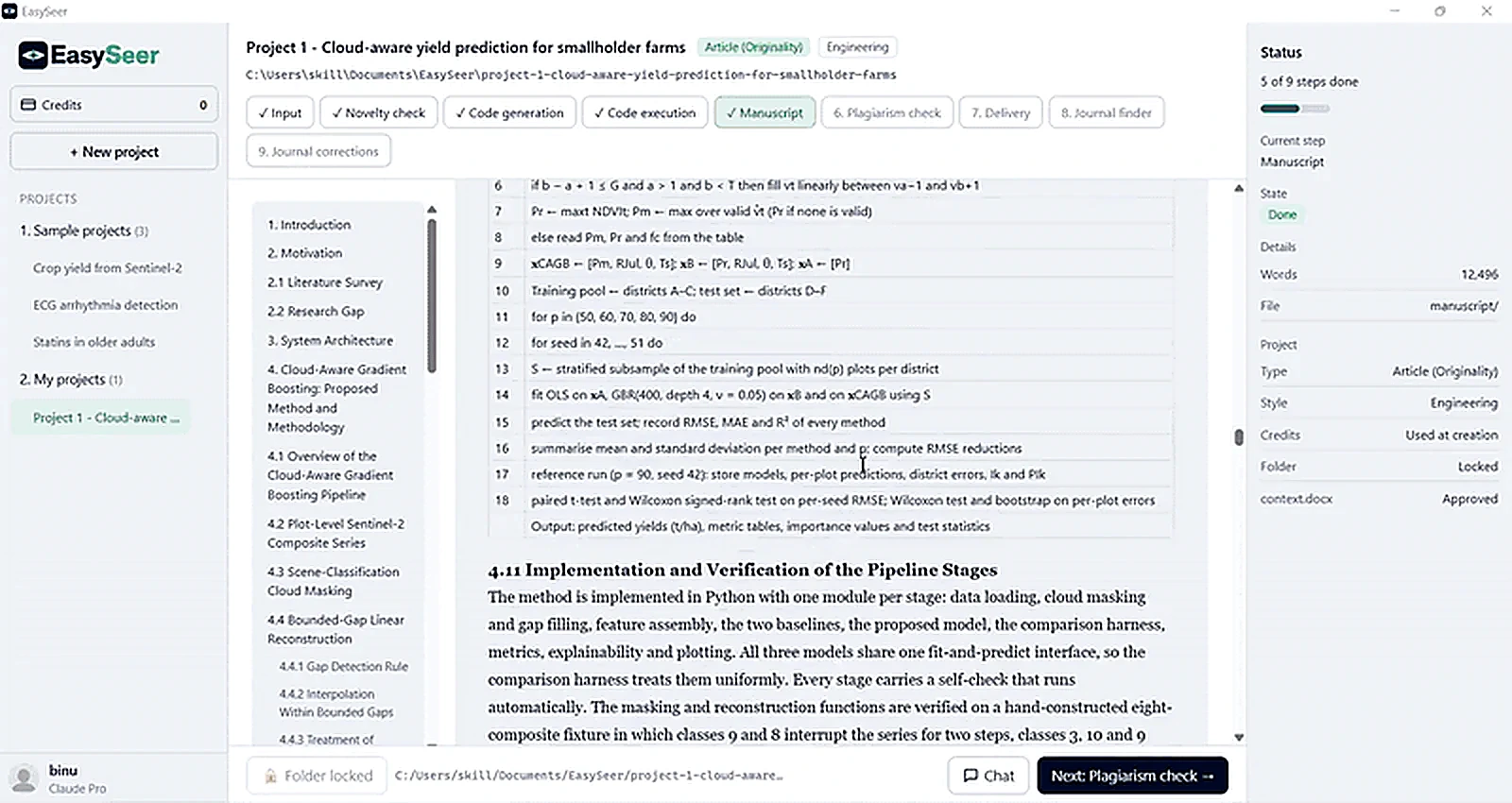
Create a project, add your concept, then follow the novelty check, the code, the results and the manuscript. Click a screen to enlarge it.
Part 2
The recording and two finished projects
Watch the fruit-grading project go from input to manuscript. Then step through both finished projects, stage by stage: the concept document, the generated code, the run, every result graph, the manuscript and the formatted IEEE paper.
Text description of the recording
The recording shows the EasySeer desktop tool with a fruit classification and grading project. It is narrated.
- Input: the scholar chooses the project folder that holds the base papers and the code folder.
- Novelty check: a progress list runs, then the tool scores the idea and asks for a yes or no before continuing.
- Code generation: the tool lists the generated Python files and shows the main program. A chat panel explains each step.
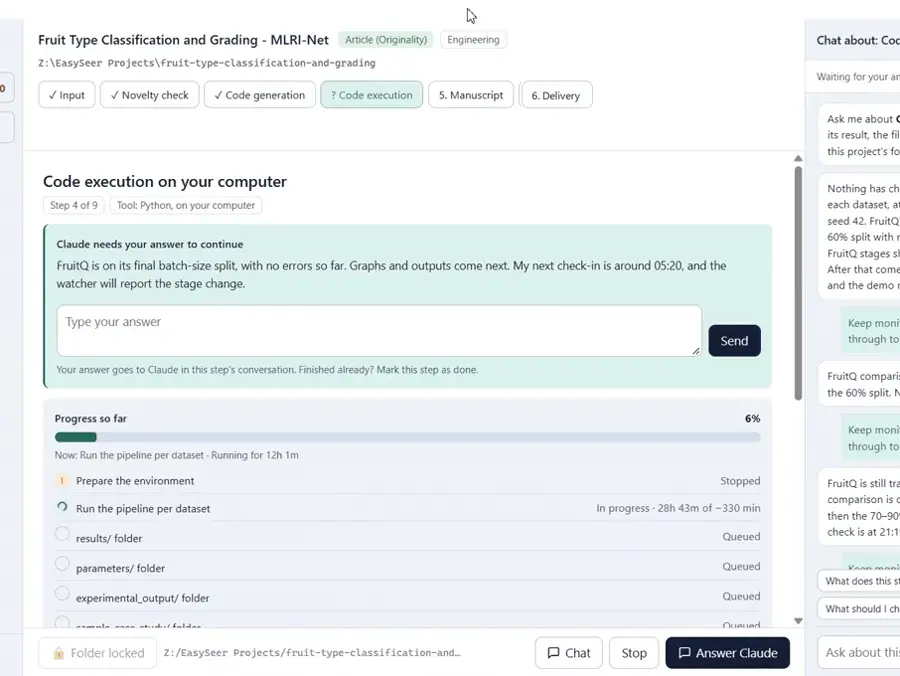
- Code execution: the code runs on the scholar's computer with a live progress list while the chat reports interim results.
- Manuscript generation: the paper appears in a reader with a section outline, ready to verify.
Step through a finished project
Loading the PDF… 0%
Everything starts from the concept document, together with the proposal, base papers and datasets in one project folder. Each is read and scored before anything is written.
- Concept PDF, 9 handwritten pages
- Proposal DOCX
- Base papers, 16 PDFs
- FruitNet and FruitQ datasets
The concept document is the starting point. Scroll through all 9 handwritten pages in the viewer.
"""MLRI-Net project hub (tkinter GUI).

* "Run Full Pipeline & Show Graphs" runs every stage for the selected dataset(s)
  on a background thread, then shows all graphs in the built-in gallery.
* Every stage can also be run on its own, as can the sample case study, the
  self-checks and the demo.
* Settings (data percentage, per-class cap, epochs, ...) are saved to run_settings.json.

Start:  python main.py
"""
import os
import queue
import random
import subprocess
import sys
import threading
import tkinter as tk
import traceback
from pathlib import Path
from tkinter import messagebox, scrolledtext, ttk

from PIL import Image, ImageTk

import run_config as cfg
from data_loader import discover_datasets
from feature_cache_builder import PipelineCancelled
from full_pipeline_runner import STAGE_ORDER, STAGE_TITLES, run_full_pipeline
from project_paths import (CODE_DIR, EXPERIMENTAL_OUTPUT_DIR, PARAMETERS_DIR, RESULTS_DIR, SAMPLE_CASE_STUDY_DIR,
                           ensure_output_folders)

ACCENT = "#882255"
PANEL_BG = "#F7F4F2"
THUMB = 230


def open_folder(path):
    path = Path(path)
    path.mkdir(parents=True, exist_ok=True)
    if sys.platform.startswith("win"):
        os.startfile(str(path))                                  # noqa: S606 (Windows only)
    elif sys.platform == "darwin":
        subprocess.Popen(["open", str(path)])
    else:
        subprocess.Popen(["xdg-open", str(path)])


class GraphGallery(ttk.Frame):
    """Scrollable grid of result graphs; click a thumbnail to enlarge it."""

    def __init__(self, master):
        super().__init__(master)
        top = ttk.Frame(self)
        top.pack(fill="x", pady=(4, 2))
        ttk.Label(top, text="Show:").pack(side="left", padx=(6, 2))
        self.filter = ttk.Combobox(top, state="readonly", width=34)
        self.filter.pack(side="left")
        self.filter.bind("<<ComboboxSelected>>", lambda _e: self.refresh())
        ttk.Button(top, text="Reload graphs", command=self.refresh).pack(side="left", padx=6)
        self.count_label = ttk.Label(top, text="")
        self.count_label.pack(side="left", padx=6)
        self.canvas = tk.Canvas(self, background="white", highlightthickness=0)
        scroll = ttk.Scrollbar(self, orient="vertical", command=self.canvas.yview)
        self.inner = tk.Frame(self.canvas, background="white")
        self.inner.bind("<Configure>", lambda _e: self.canvas.configure(scrollregion=self.canvas.bbox("all")))
        self.canvas.create_window((0, 0), window=self.inner, anchor="nw")
        self.canvas.configure(yscrollcommand=scroll.set)
        self.canvas.pack(side="left", fill="both", expand=True)
        scroll.pack(side="right", fill="y")
        self.canvas.bind_all("<MouseWheel>", lambda e: self.canvas.yview_scroll(int(-e.delta / 120), "units"))
        self.canvas.bind_all("<Button-4>", lambda _e: self.canvas.yview_scroll(-1, "units"))
…
"""Proposed method - MLRI-Net (Mean Squared LogCosh loss based Residual Inception Network).
Pipeline (context.docx Sec. 3): CIEWF -> DLNet -> CutMix/MixUp -> {f1 CS-LMP, f2 ResNeXt-101}
-> MLRI-Net -> fruit type + fruit grade -> XAI.
Architecture (Sec. 3.6):
image branch : segmented image Sm (128x128) -> frozen ResNet18 conv1..layer3 (cached)
-> trainable layer4 -> SE channel attention (residual) -> inception (1024 ch) -> GAP
fusion : [1024 image | 256 from f1 CS-LMP | 256 from f2 ResNeXt-101] = 1536-D
heads : FC1 (1024) -> FC2 (128) -> fruit-type head and grade head
loss : L_Tot = 0.5 RMSLE + 0.5 LogCosh on softmax outputs, summed over both heads
optimiser : Adam (beta1 0.9, beta2 0.999, eps 1e-8), lr 1e-3, ReduceLROnPlateau, early stopping
Ablation variants (Sec. 4.7.2) reuse the class with a different configuration:
without DLNet -> image branch, f1 and f2 computed on the CIEWF image (no background isolation)
without augmentation -> no CutMix / MixUp
"""
import torch
import torch.nn as nn
import run_config as cfg
from comparison_method_interface import NeuralTwoHeadMethod
from loss_rmsle_logcosh import MeanSquaredLogCoshLoss
from rai_net_blocks import RAIImageBranch, TwoHeadClassifier
from texture_features_cslmp import CSLMP_DIM
class MLRINet(nn.Module):
def __init__(self, n_types, n_grades, cslmp_dim=CSLMP_DIM, resnext_dim=1000, proj=256, dropout=None):
super().__init__()
dropout = cfg.DROPOUT if dropout is None else dropout
self.image_branch = RAIImageBranch()
self.cslmp_proj = nn.Sequential(nn.Linear(cslmp_dim, proj), nn.ReLU(inplace=True), nn.Dropout(dropout))
self.resnext_proj = nn.Sequential(nn.Linear(resnext_dim, proj), nn.ReLU(inplace=True), nn.Dropout(dropout))
self.classifier = TwoHeadClassifier(RAIImageBranch.out_dim + 2 * proj, n_types, n_grades,
fc1=1024, fc2=128, dropout=dropout)
def forward(self, layer3_maps, vectors, return_maps=False):
f1, f2 = vectors
if return_maps:
image_vec, maps = self.image_branch(layer3_maps, return_maps=True)
else:
image_vec = self.image_branch(layer3_maps)
fused = torch.cat([image_vec, self.cslmp_proj(f1), self.resnext_proj(f2)], dim=1)
type_logits, grade_logits, embedding = self.classifier(fused)
if return_maps:
return type_logits, grade_logits, embedding, maps
return type_logits, grade_logits, embedding
class MLRINetMethod(NeuralTwoHeadMethod):
key = "mlri_net"
display_name = "MLRI-Net (proposed)"
source = "Proposed method (context.docx Sec. 3)"
map_key = "layer3_seg"
vector_keys = ("cslmp_seg", "resnext_seg")
augment = "mix"
default_batch_size = None # -> run_config.BATCH_SIZE at run time
def build_model(self):
return MLRINet(self.n_types, self.n_grades)
def build_optimizer(self, model):
params = [p for p in model.parameters() if p.requires_grad]
return torch.optim.Adam(params, lr=cfg.LEARNING_RATE, betas=(cfg.ADAM_BETA1, cfg.ADAM_BETA2),
eps=cfg.ADAM_EPSILON)
def loss(self):
return MeanSquaredLogCoshLoss()
…"""Building blocks of RAI-Net (Residual-Attention-Inception Network).
Source: Maurya et al., "RAI-Net: Tomato Plant Disease Classification Using
Residual-Attention-Inception Network" (IEEE Access 2025), Sec. IV, Fig. 2:
ResNet18 (fine-tuned last layers) -> 512x4x4 maps
-> channel attention (squeeze-and-excitation), applied residually: y_CA = CA(x) + x (Eq. 8)
-> inception module, concat of 1x1 | 1x1-3x3 | 1x1-5x5 | maxpool-1x1 (Eq. 9) -> 1024x4x4
-> global average pooling -> FC1 -> FC2 (128) -> classes
"""
import torch
import torch.nn as nn
from pretrained_backbones import pretrained_resnet18_layer4
class SqueezeExcitationAttention(nn.Module):
"""Eqs. (1)-(5): F_avg -> conv + ReLU -> conv -> sigmoid = M_c; F_hat = F * M_c."""
def __init__(self, channels=512, reduction=16):
super().__init__()
self.pool = nn.AdaptiveAvgPool2d(1)
self.reduce = nn.Conv2d(channels, channels // reduction, 1)
self.expand = nn.Conv2d(channels // reduction, channels, 1)
self.detach_gate = False # True while computing LRP (gate treated as constant)
def forward(self, x):
gate = torch.sigmoid(self.expand(torch.relu(self.reduce(self.pool(x)))))
if self.detach_gate:
gate = gate.detach()
return x * gate + x # Eq. (8): y_CA = CA(x) + x
def _conv_bn_relu(cin, cout, k):
return nn.Sequential(nn.Conv2d(cin, cout, k, padding=k // 2, bias=False),
nn.BatchNorm2d(cout), nn.ReLU(inplace=True))
class InceptionModule(nn.Module):
"""Eq. (9): multi-scale branches concatenated along channels (512 -> 1024)."""
def __init__(self, cin=512, branch=256):
super().__init__()
self.b1 = _conv_bn_relu(cin, branch, 1)
self.b3 = nn.Sequential(_conv_bn_relu(cin, branch // 2, 1), _conv_bn_relu(branch // 2, branch, 3))
self.b5 = nn.Sequential(_conv_bn_relu(cin, branch // 4, 1), _conv_bn_relu(branch // 4, branch, 5))
self.bp = nn.Sequential(nn.MaxPool2d(3, stride=1, padding=1), _conv_bn_relu(cin, branch, 1))
def forward(self, x):
return torch.cat([self.b1(x), self.b3(x), self.b5(x), self.bp(x)], dim=1)
class RAIImageBranch(nn.Module):
"""Trainable part of RAI-Net on top of the frozen layer3 maps (256x8x8 -> 1024-D)."""
out_dim = 1024
def __init__(self):
super().__init__()
self.layer4 = pretrained_resnet18_layer4() # residual blocks, ImageNet initialised
self.attention = SqueezeExcitationAttention(512)
self.inception = InceptionModule(512, 256)
self.pool = nn.AdaptiveAvgPool2d(1)
def forward(self, layer3_maps, return_maps=False):
l4 = self.layer4(layer3_maps)
att = self.attention(l4)
inc = self.inception(att)
pooled = torch.flatten(self.pool(inc), 1)
if return_maps:
return pooled, {"layer4": l4, "attention": att, "inception": inc}
…"""Stage 3.2 - Contextual Image Enhancement Wiener Filter (CIEWF).
Source: Sudhakar et al., "High-performance parallel multi-scale attention network
with explainable AI for intelligent diagnosis of leaf diseases in agricultural
systems", p. 5, Eqs. (1)-(3):
CIEWF[I(x1,x2)] = alpha + (beta^2 - beta_n^2) / beta^2 * (I(x1,x2) - alpha)
alpha = local mean over the surrounding window s
beta^2 = local variance over s, beta_n^2 = noise variance
This is a locally adaptive (Lee / Wiener) filter. In flat regions the local
variance is close to the noise variance, so the pixel is pulled to the local
mean (noise removed). On edges the variance is large, so the pixel is kept
(detail preserved). The paper says CIEWF "selects the most suitable window"
but gives no size, so each image is filtered with every candidate window in
CIEWF_WINDOWS and the window that removes the most noise while keeping at
least half of the edge energy is kept.
"""
import cv2
import numpy as np
from skimage.metrics import peak_signal_noise_ratio, structural_similarity
import run_config as cfg
def wiener_filter_channel(channel, window, noise_variance=None):
"""Apply Eq. (1) to one float channel in [0, 1]."""
alpha = cv2.blur(channel, (window, window)) # local mean, Eq. (2)
beta_sq = cv2.blur(channel * channel, (window, window)) - alpha ** 2 # local variance, Eq. (3)
beta_sq = np.maximum(beta_sq, 0.0)
if noise_variance is None: # beta_n^2 estimate
noise_variance = float(beta_sq.mean())
gain = np.maximum(beta_sq - noise_variance, 0.0) / np.maximum(beta_sq, noise_variance + 1e-12)
return alpha + gain * (channel - alpha)
def estimate_noise_sigma(gray):
"""Immerkaer's fast noise estimate (sigma) of a float grey image in [0, 1]."""
kernel = np.array([[1, -2, 1], [-2, 4, -2], [1, -2, 1]], dtype=np.float32)
conv = cv2.filter2D(gray.astype(np.float32), -1, kernel)
h, w = gray.shape
return float(np.sqrt(np.pi / 2.0) * np.abs(conv[1:-1, 1:-1]).sum() / (6.0 * (w - 2) * (h - 2)))
def _edge_energy(gray):
return float(cv2.Laplacian(gray.astype(np.float32), cv2.CV_32F).var()) + 1e-12
def enhance_image_ciewf(rgb_uint8, windows=None):
"""Enhance one RGB uint8 image. Returns (enhanced uint8, info dict)."""
windows = windows or cfg.CIEWF_WINDOWS
image = rgb_uint8.astype(np.float32) / 255.0
gray_in = cv2.cvtColor(image, cv2.COLOR_RGB2GRAY)
edge_in = _edge_energy(gray_in)
best = None
for window in windows:
out = np.stack([wiener_filter_channel(image[..., c], window) for c in range(3)], axis=-1)
out = np.clip(out, 0.0, 1.0)
gray_out = cv2.cvtColor(out, cv2.COLOR_RGB2GRAY)
noise = estimate_noise_sigma(gray_out)
edge_keep = _edge_energy(gray_out) / edge_in
# Prefer the lowest residual noise among windows that keep >= 50 % edge energy.
key = (edge_keep < 0.5, noise)
if best is None or key < best[0]:
best = (key, window, out, noise, edge_keep)
_, window, out, noise, edge_keep = best
enhanced = (out * 255.0 + 0.5).astype(np.uint8)
info = {
"ciewf_window": window,
"noise_sigma_before": estimate_noise_sigma(gray_in),
…EasySeer writes the project as separate Python files with a main program. Open any file, read it, and ask the chat what it does.
- In the project
- 48 Python files, plus requirements and a readme
- Shown
- The first lines of four real files
The code runs on your own computer. Every file, log and result is saved to the project folder, so nothing is hidden.
- Datasets
- FruitNet and FruitQ
- Compared with
- Five baseline methods
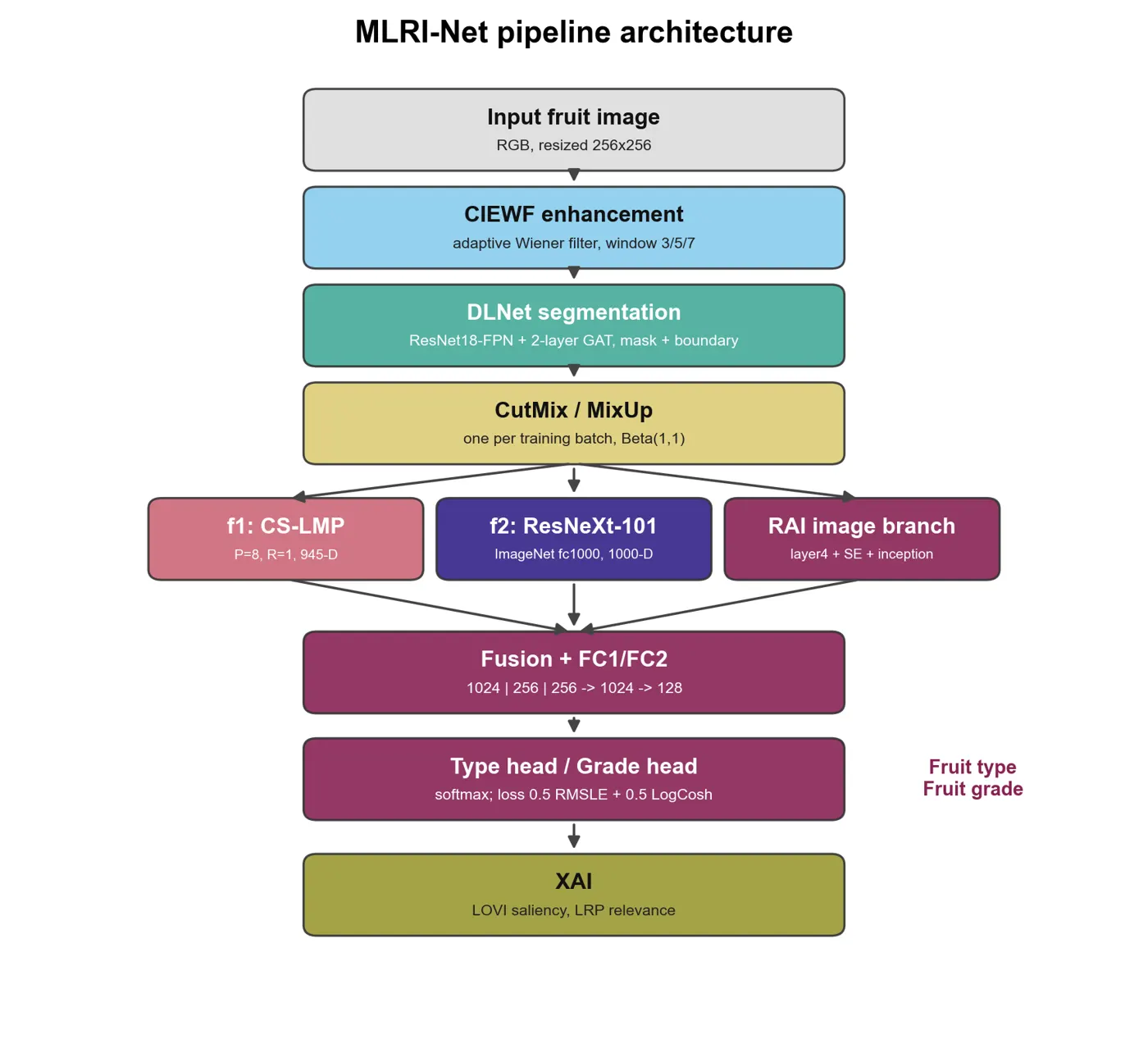
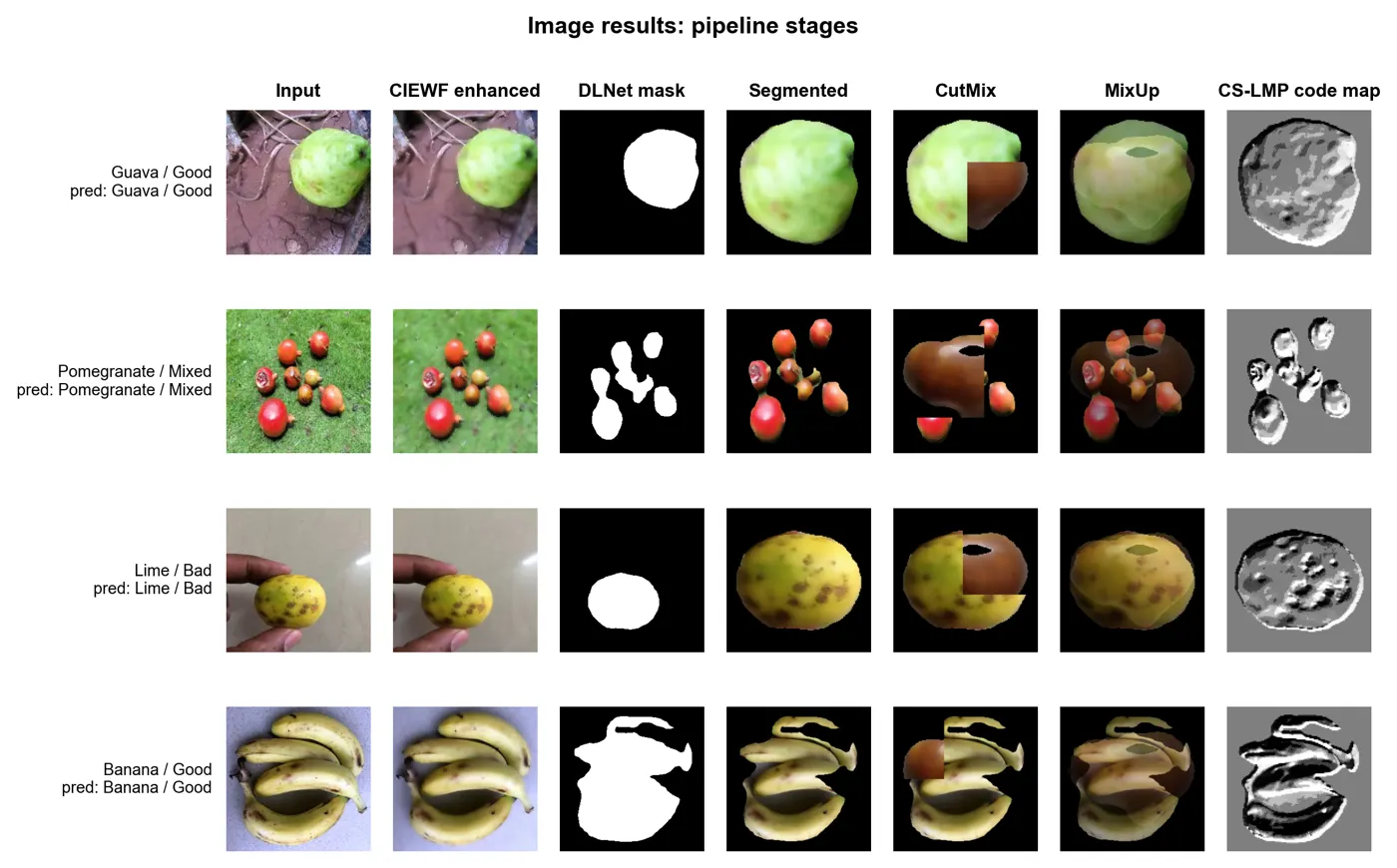
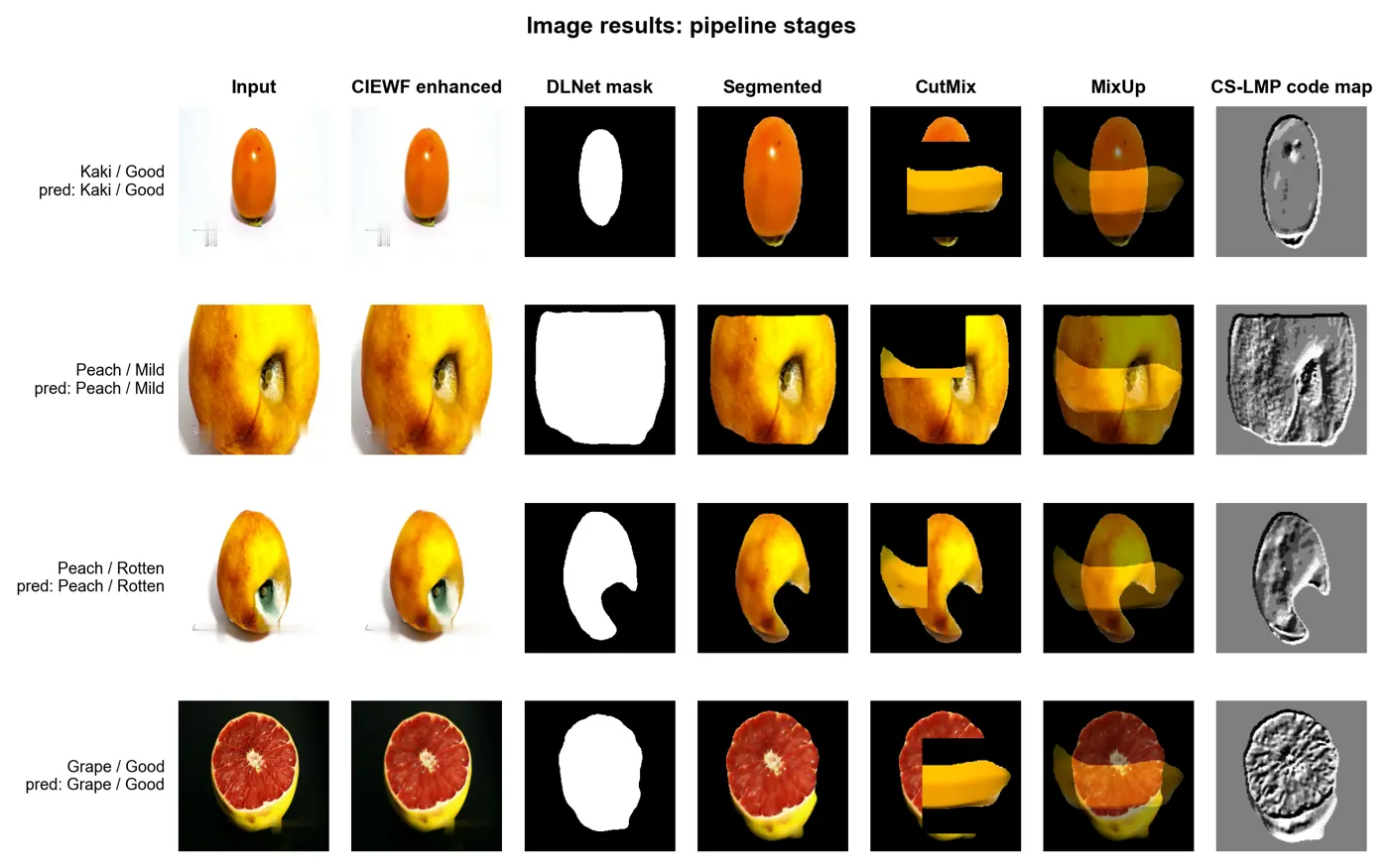
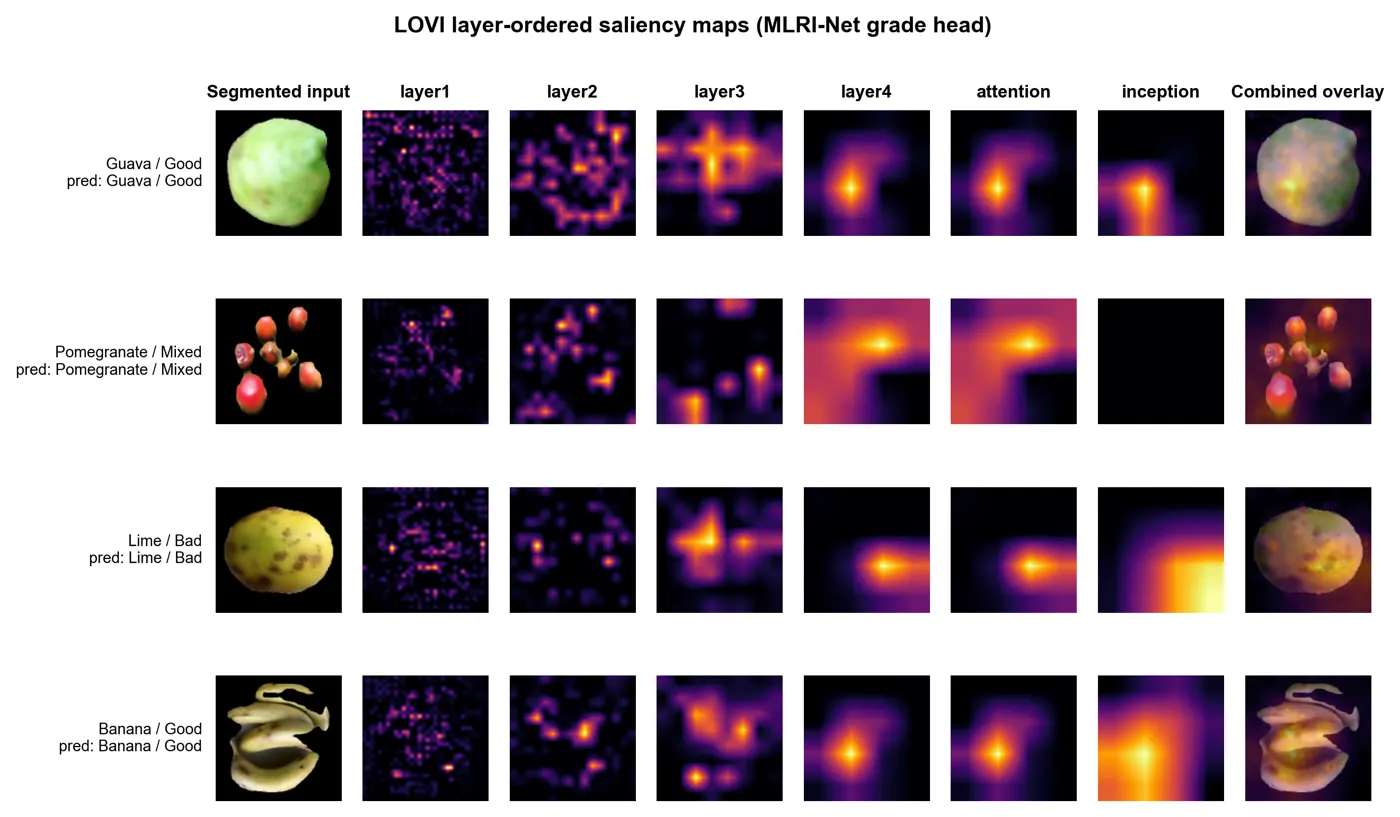
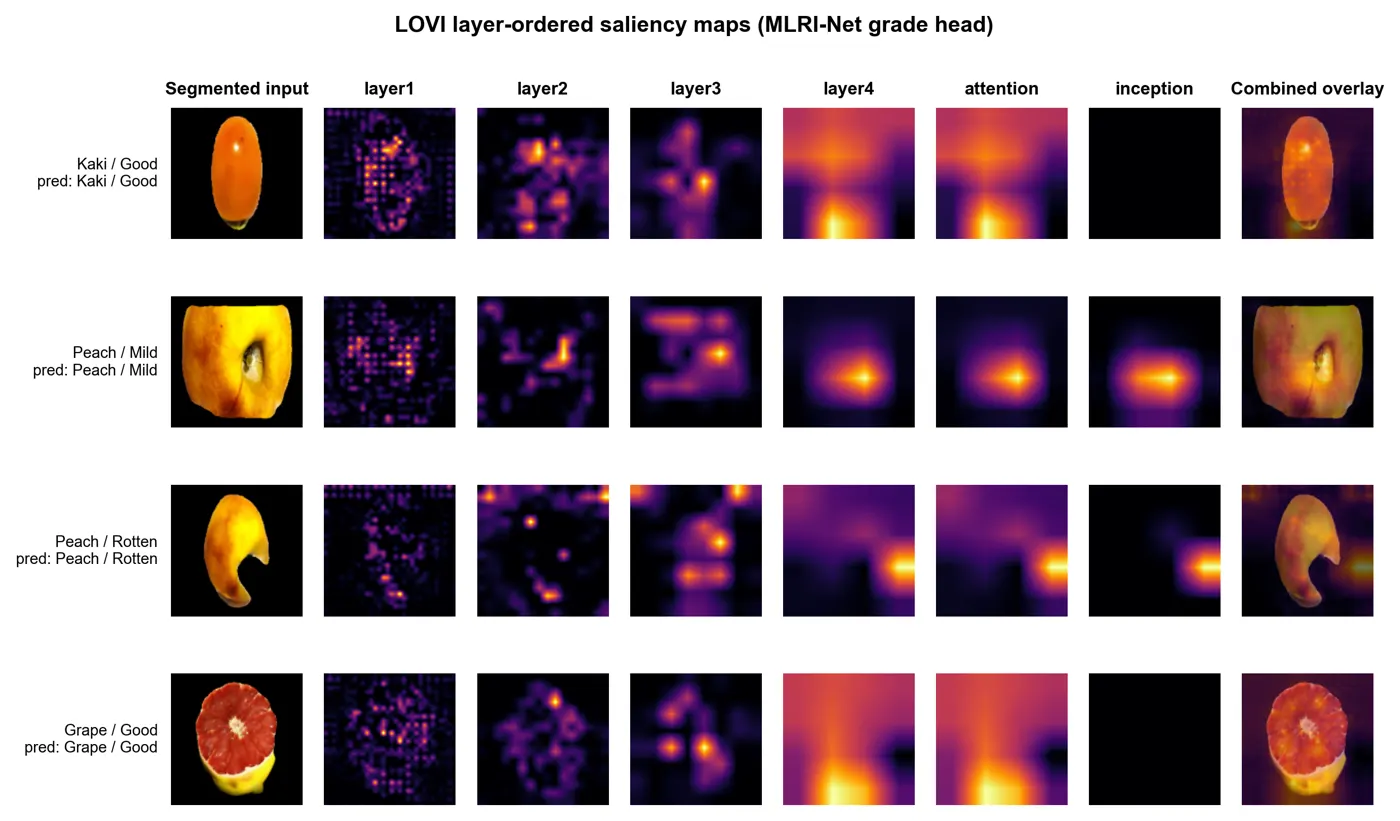
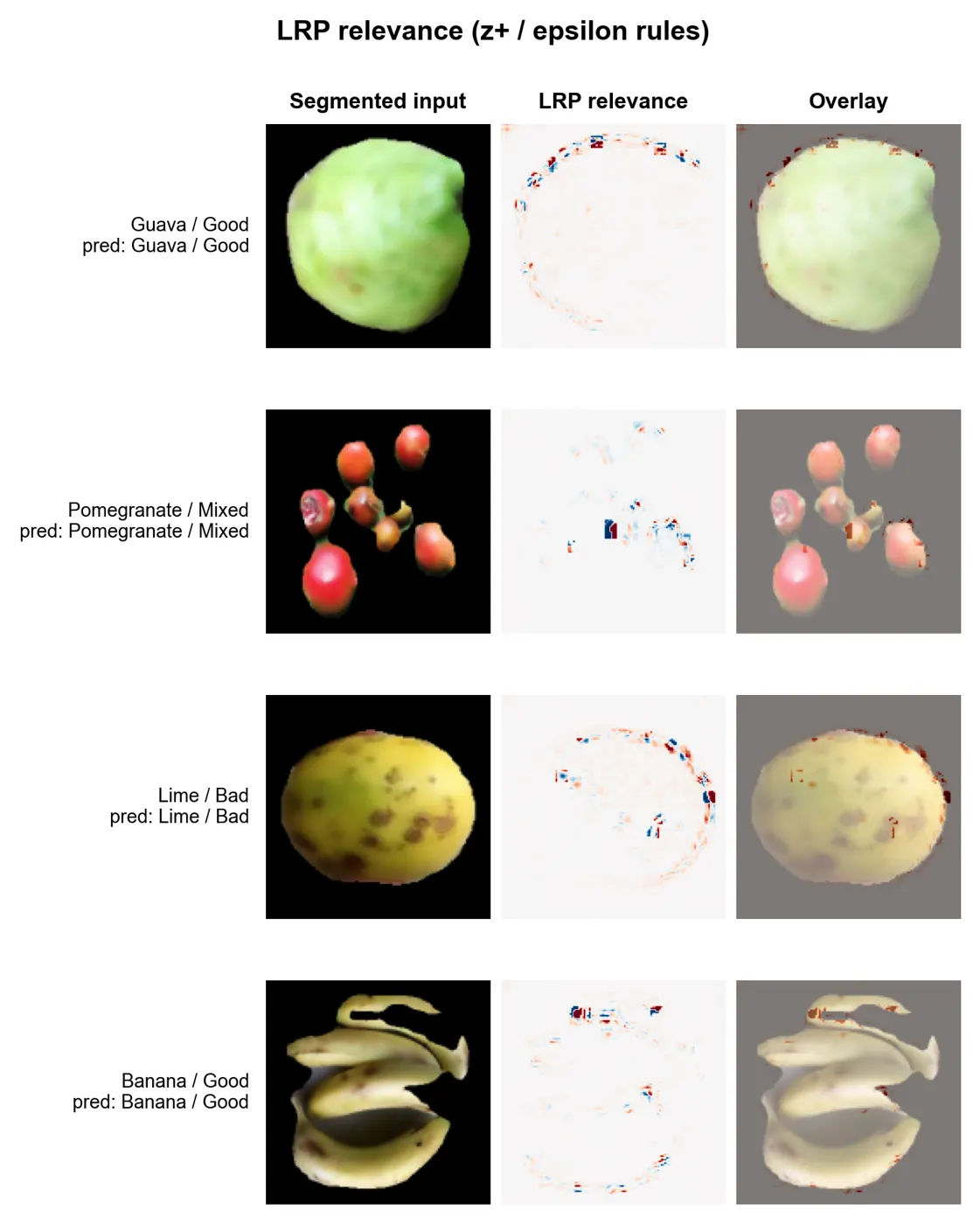
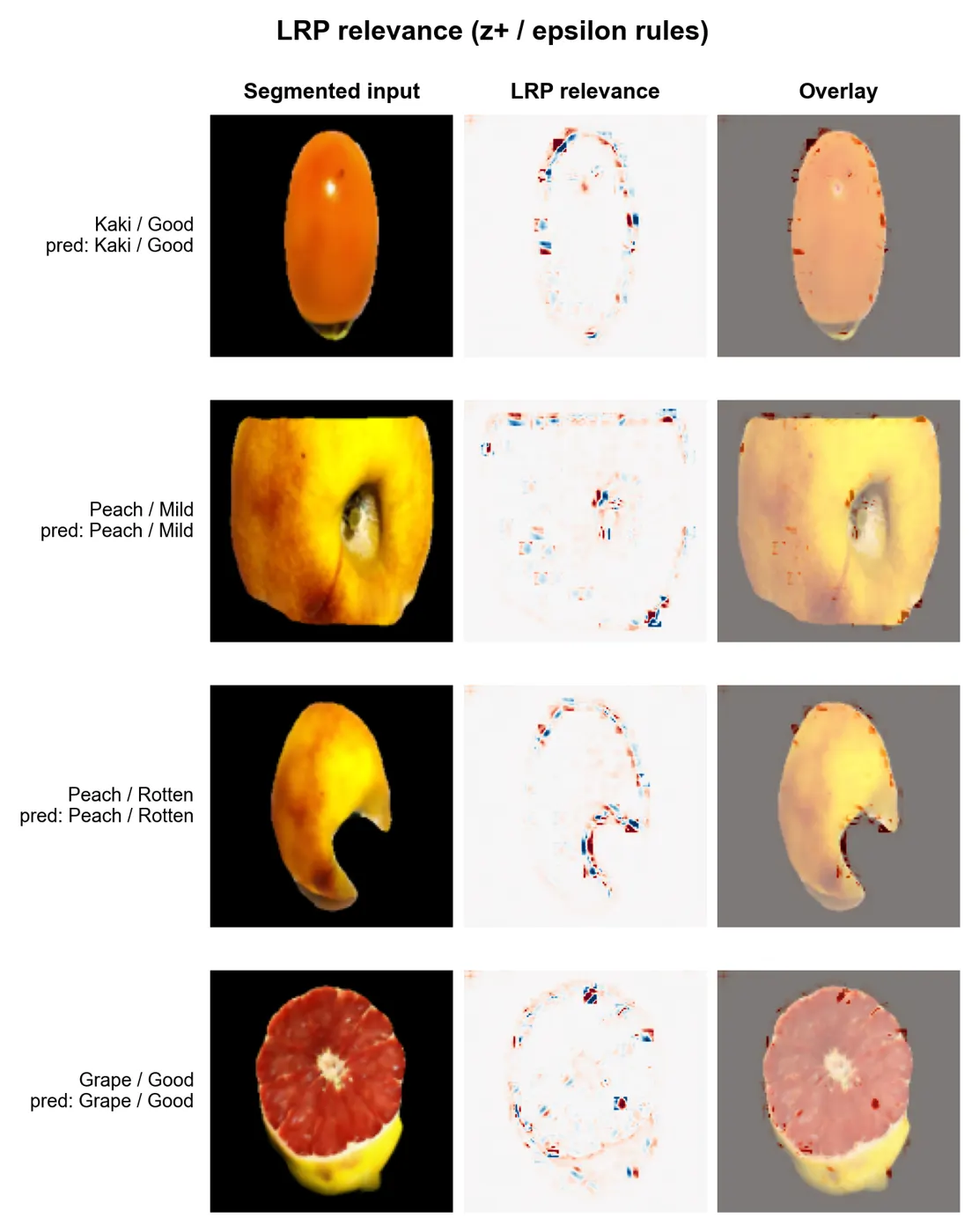
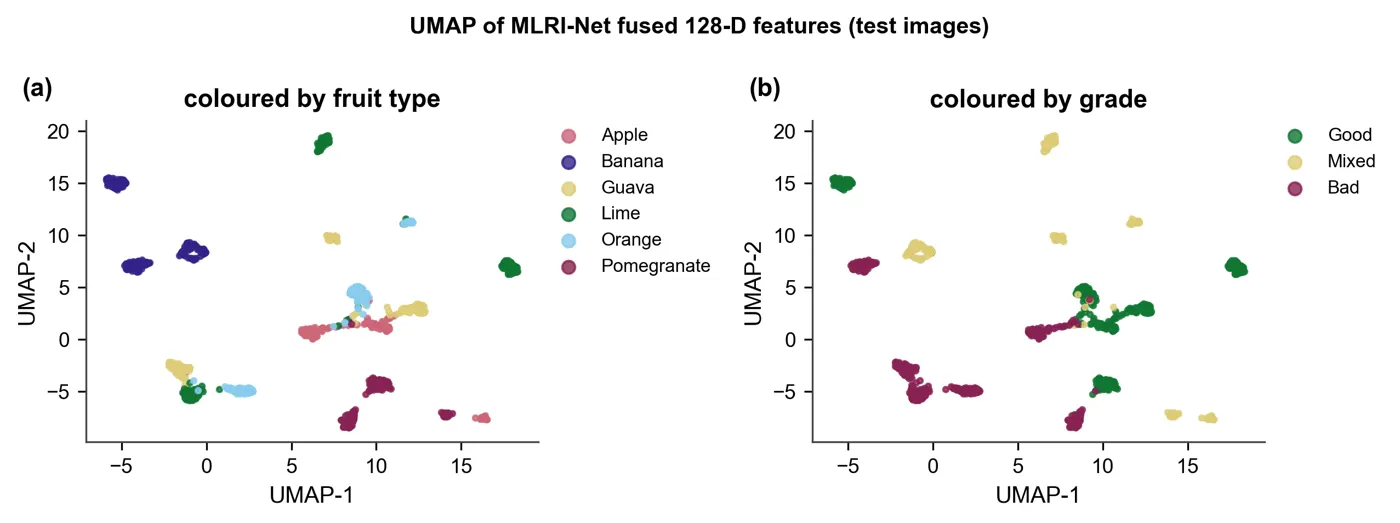
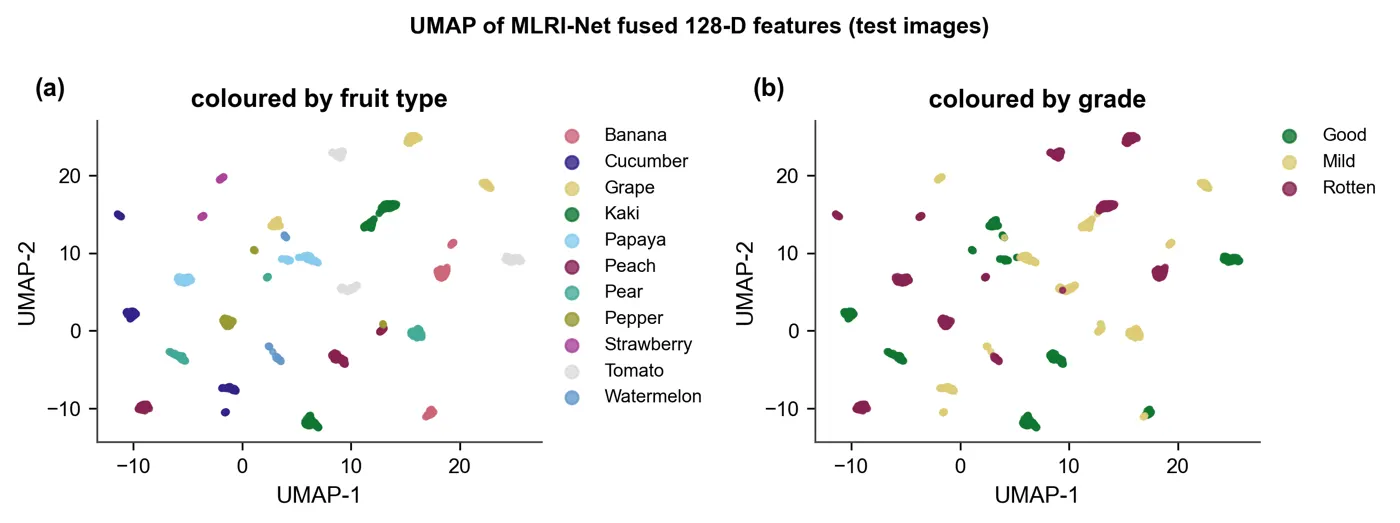
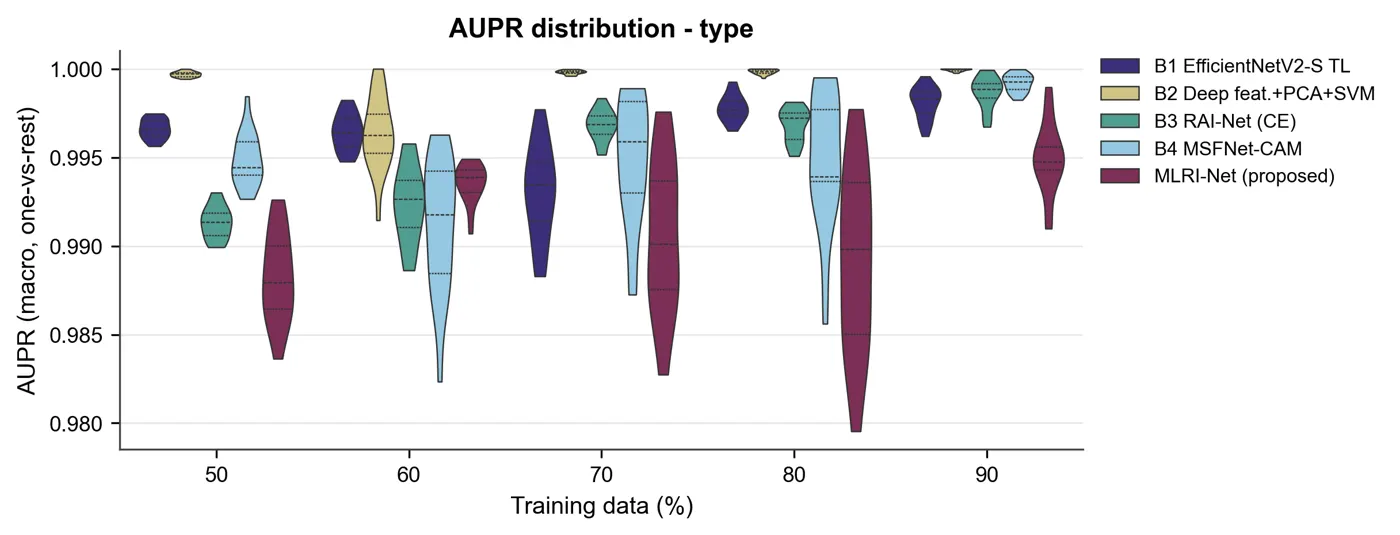
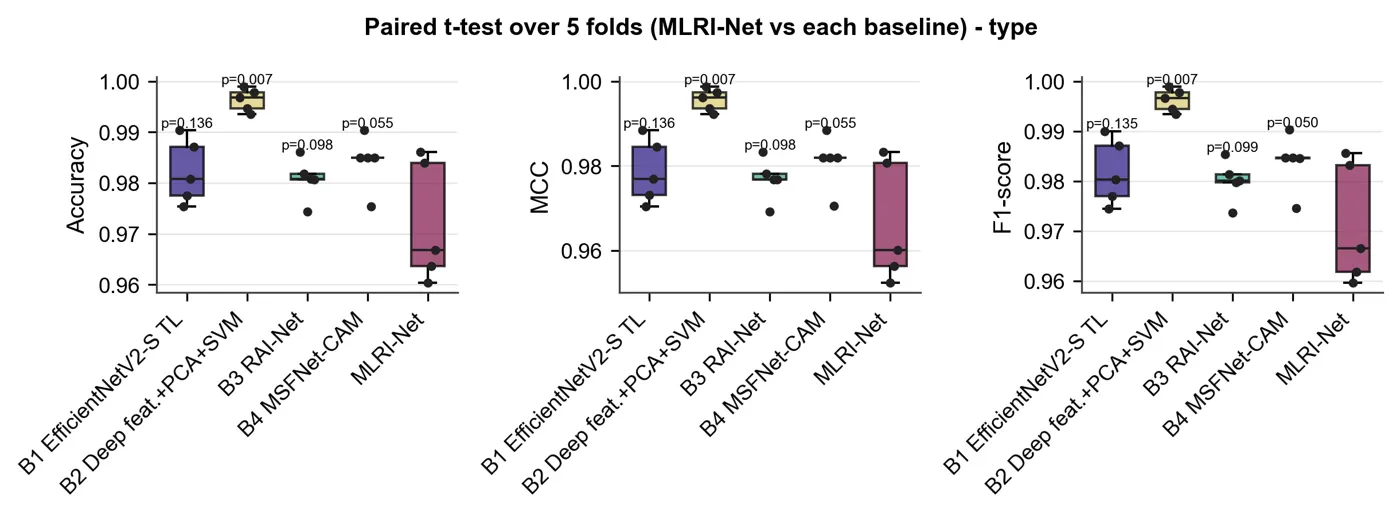
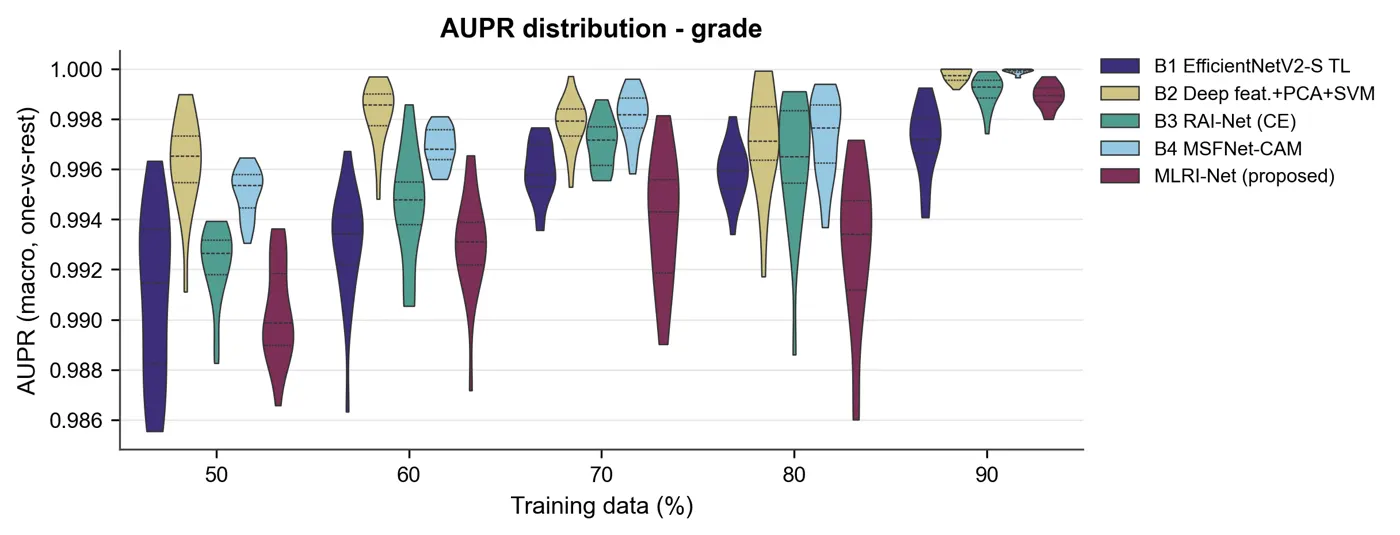
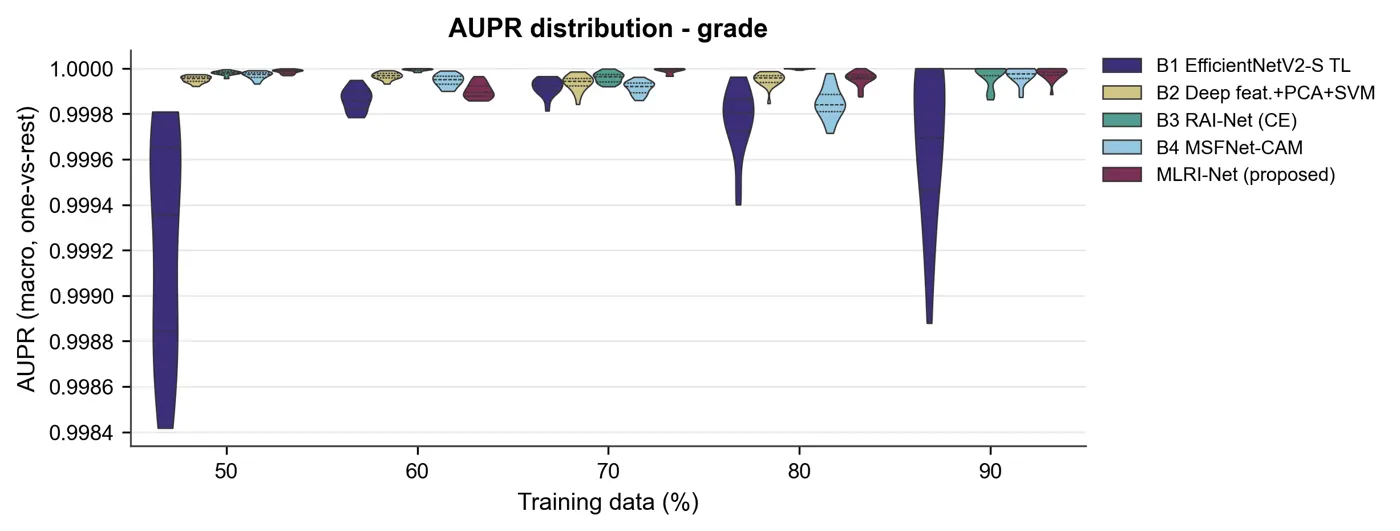
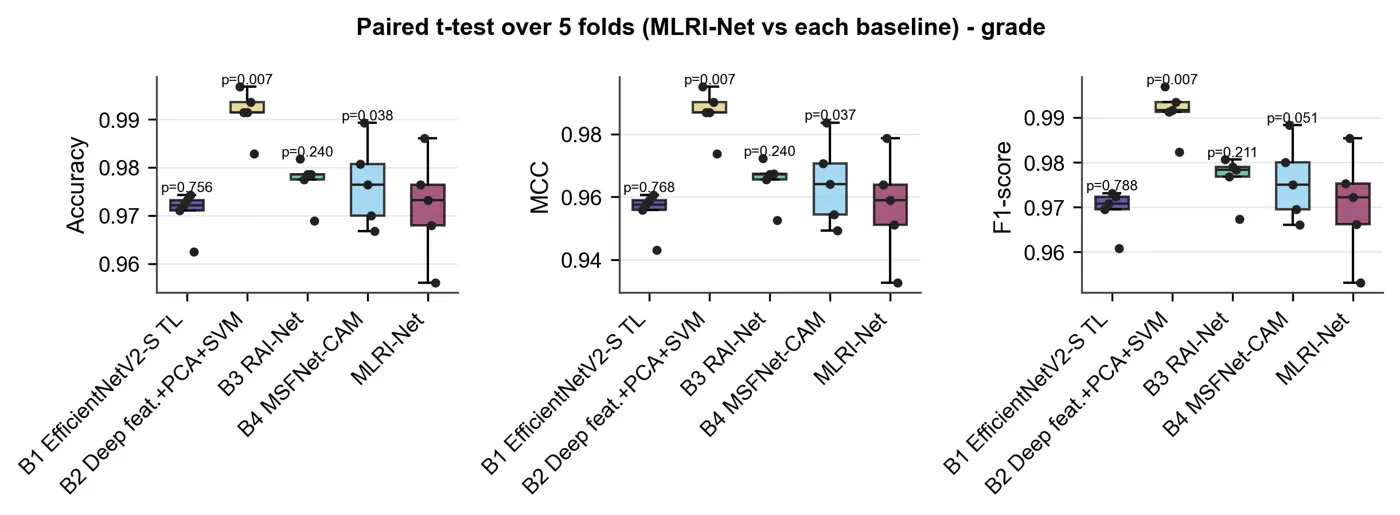
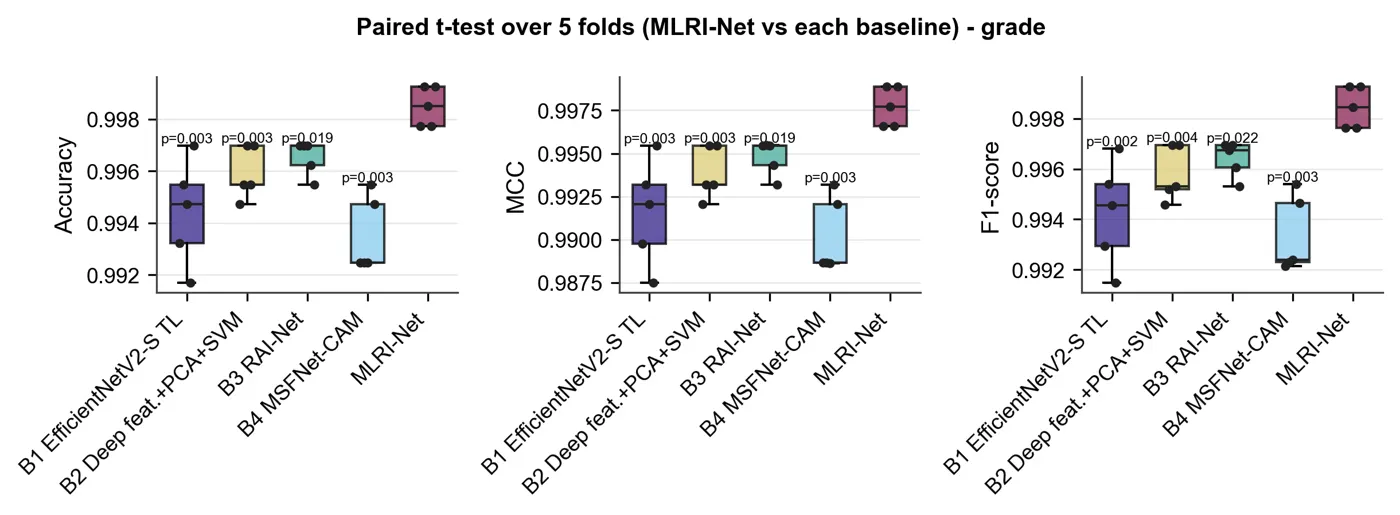
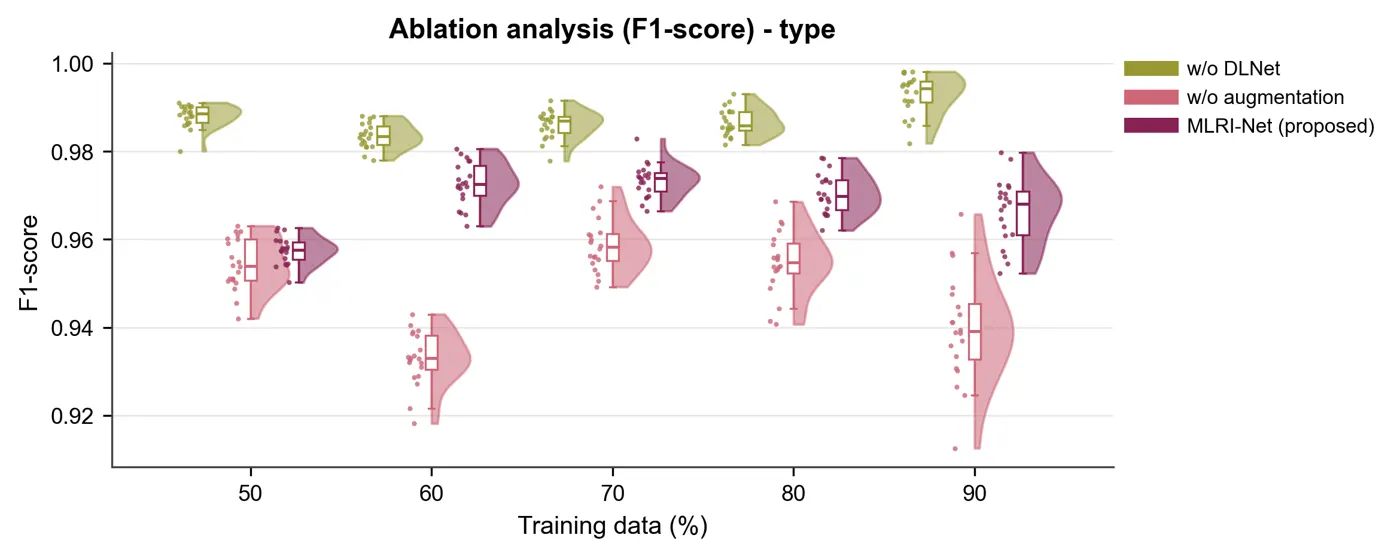
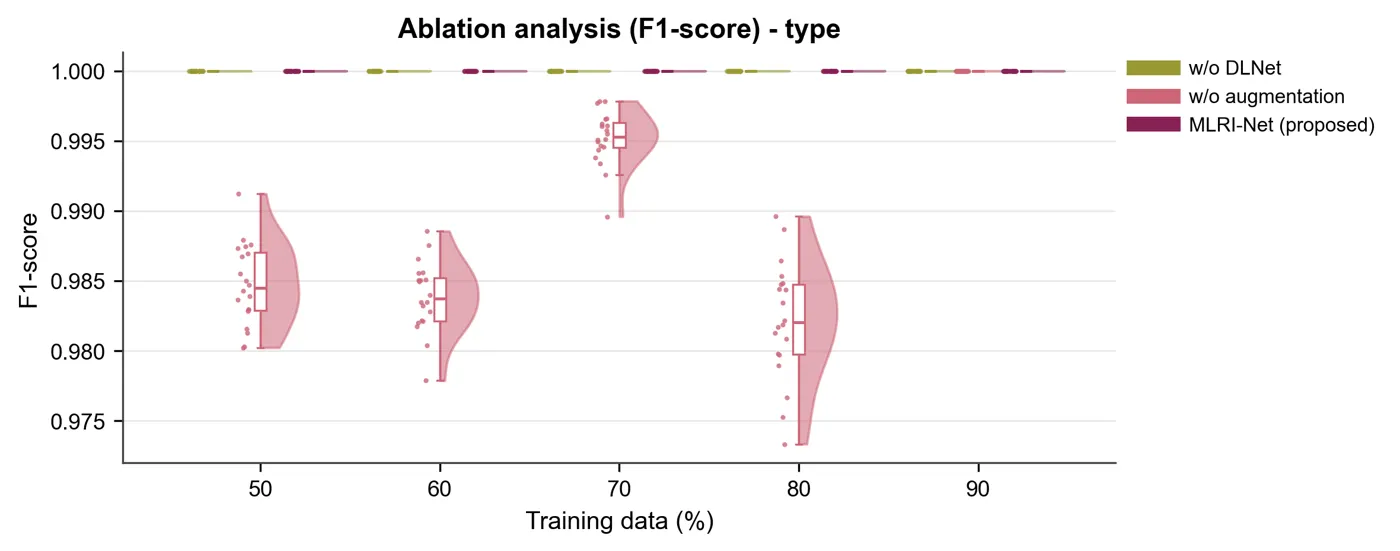
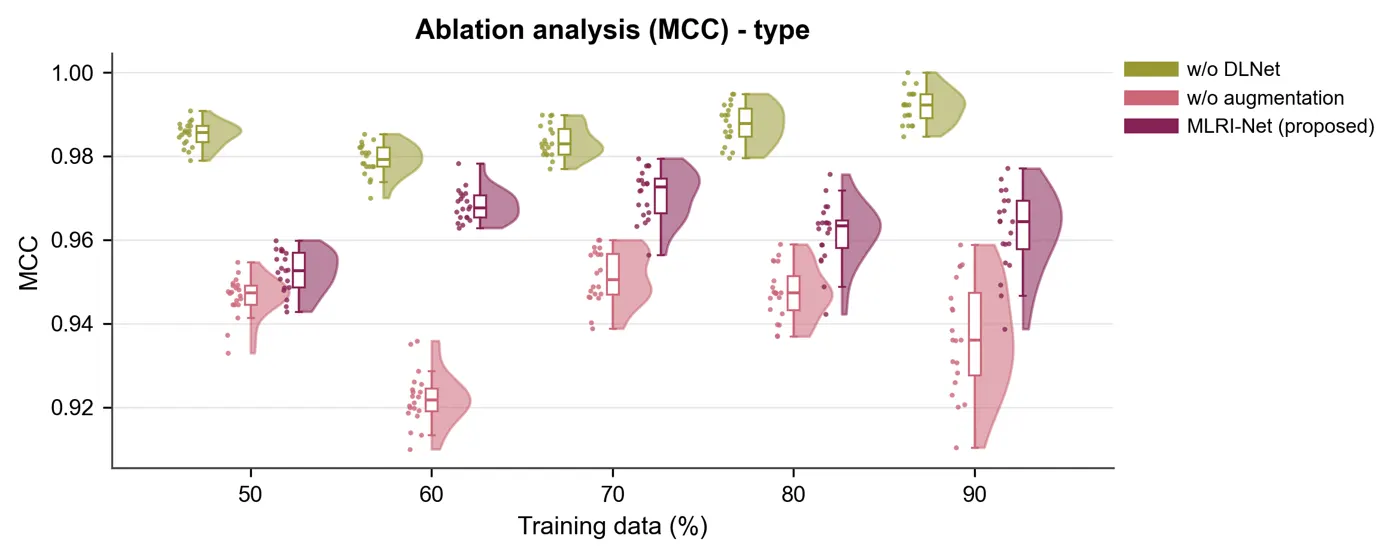
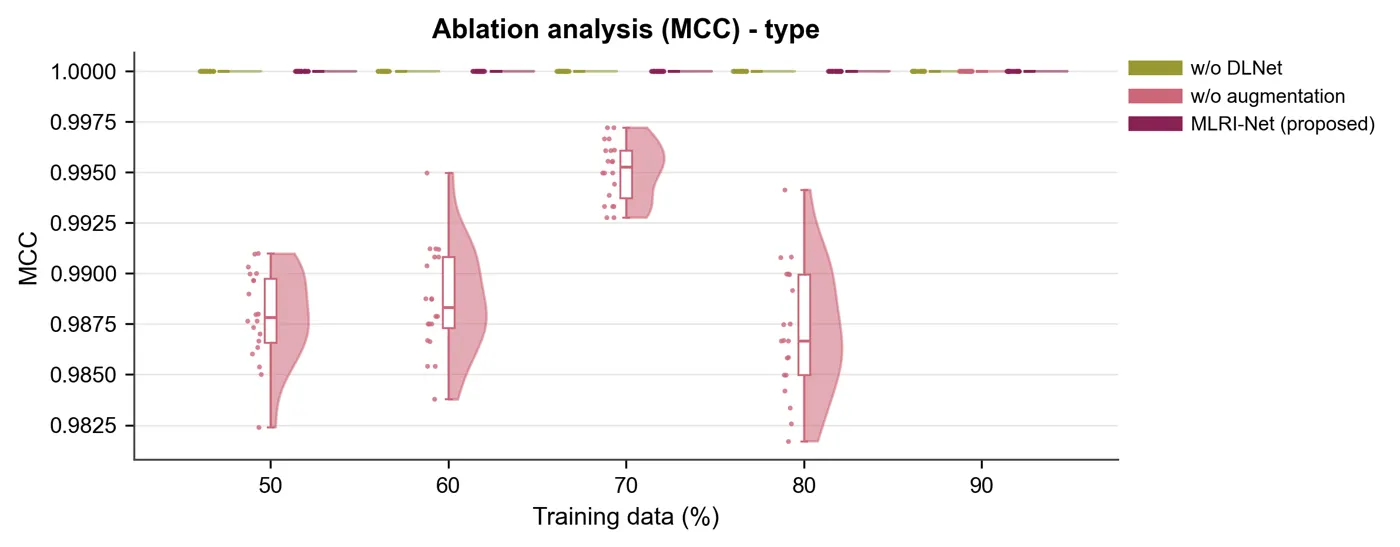
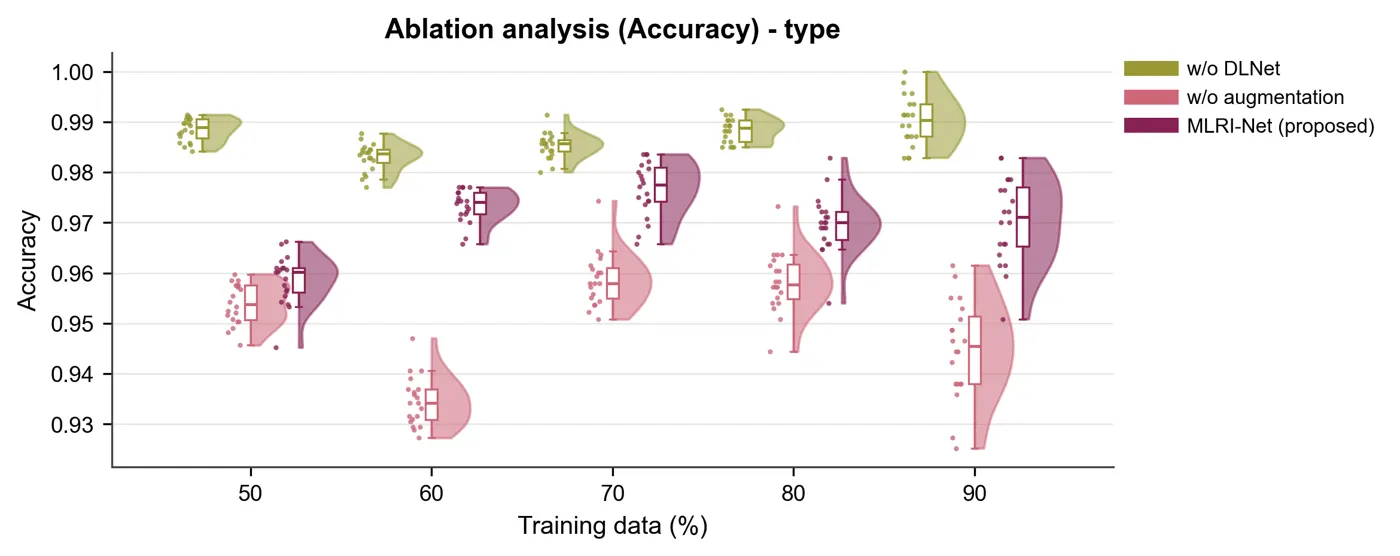
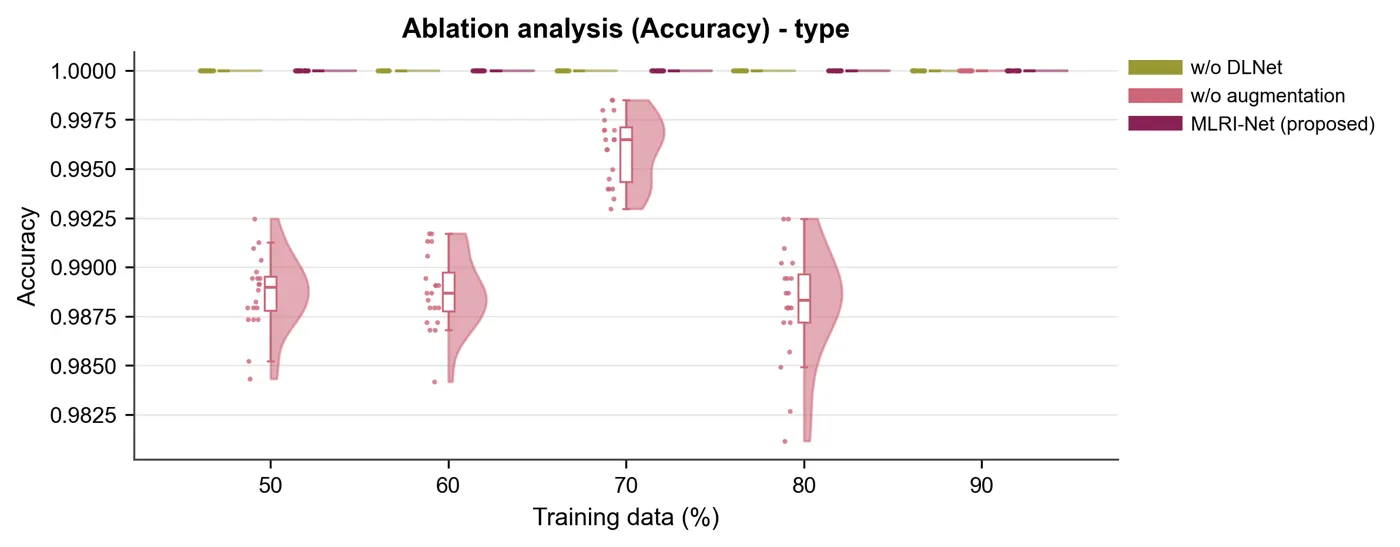
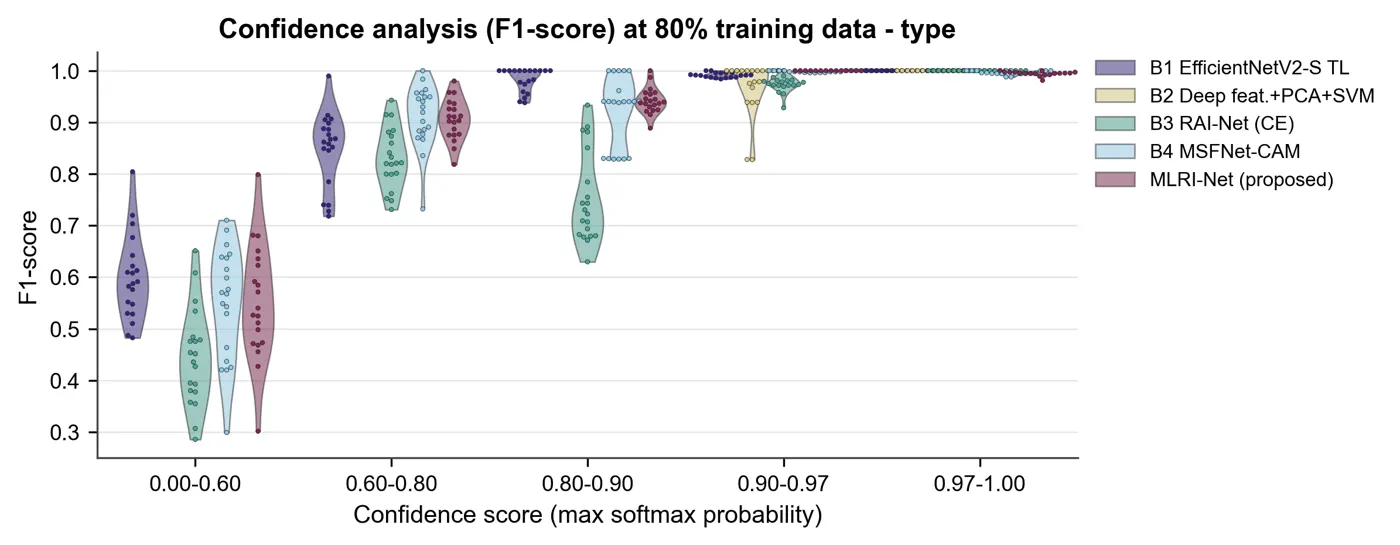
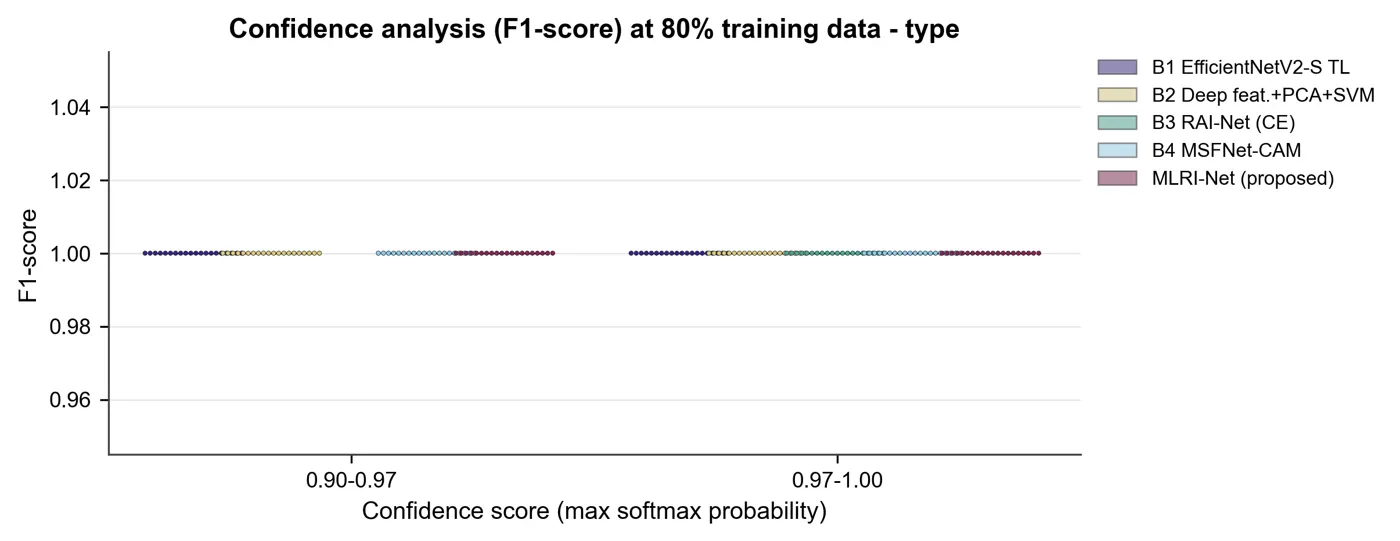
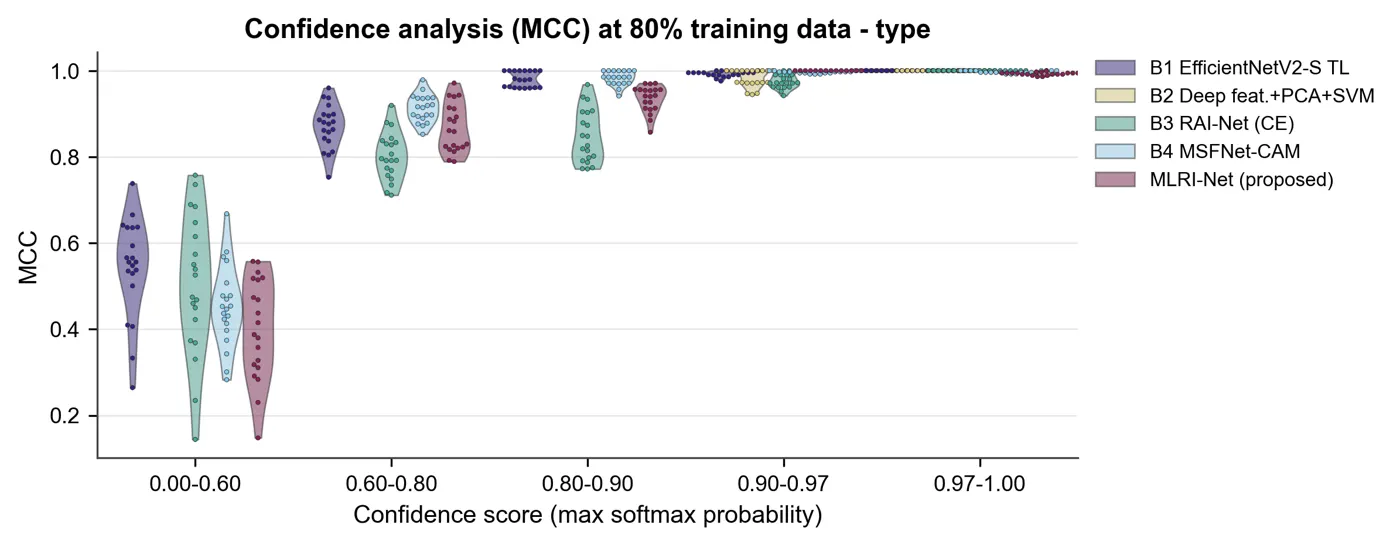
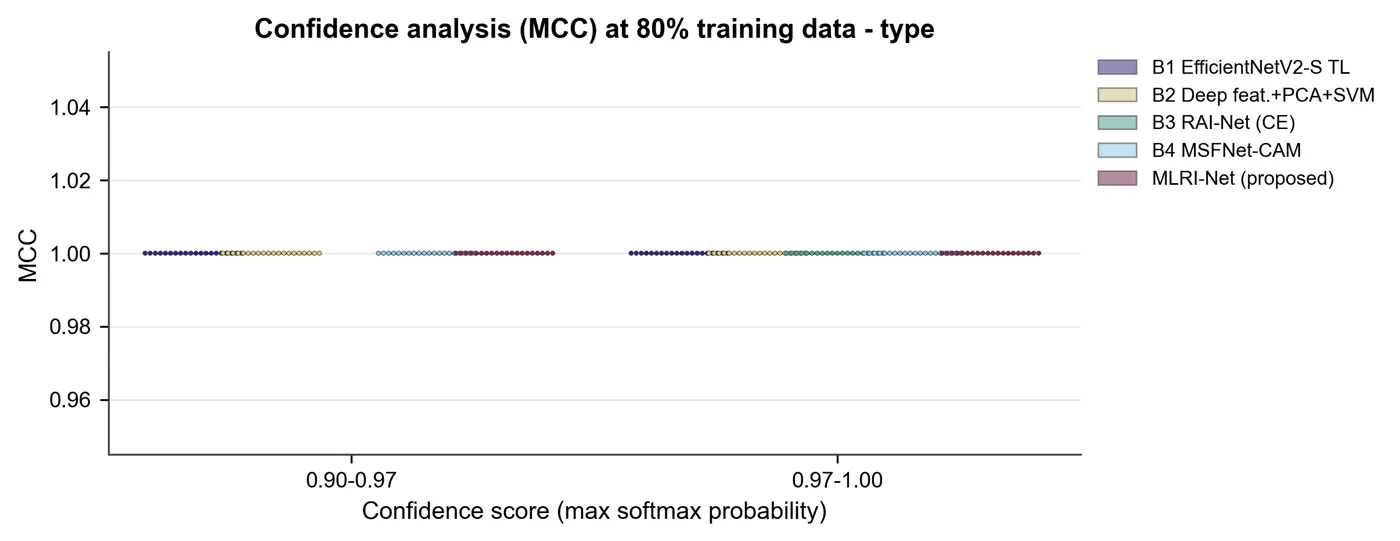
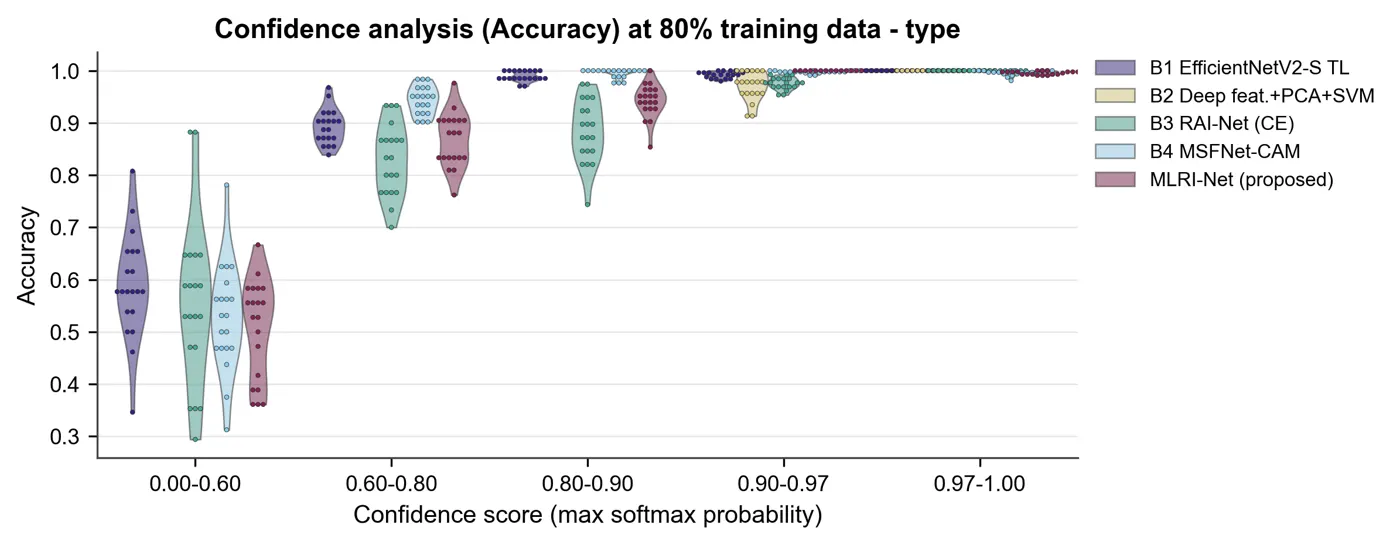
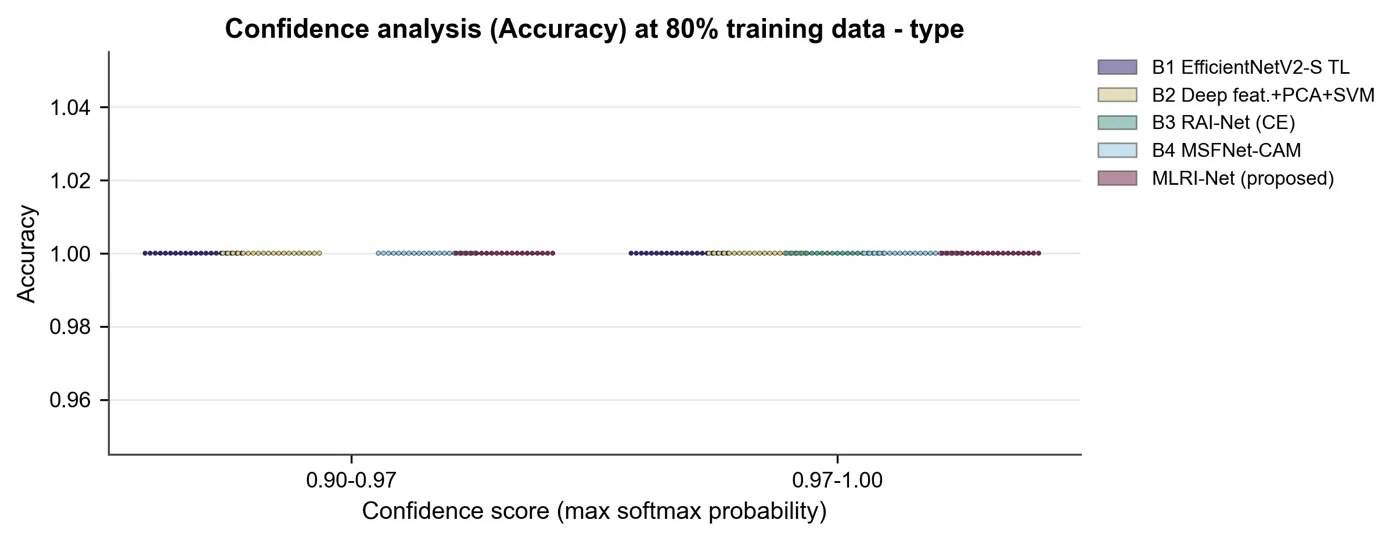
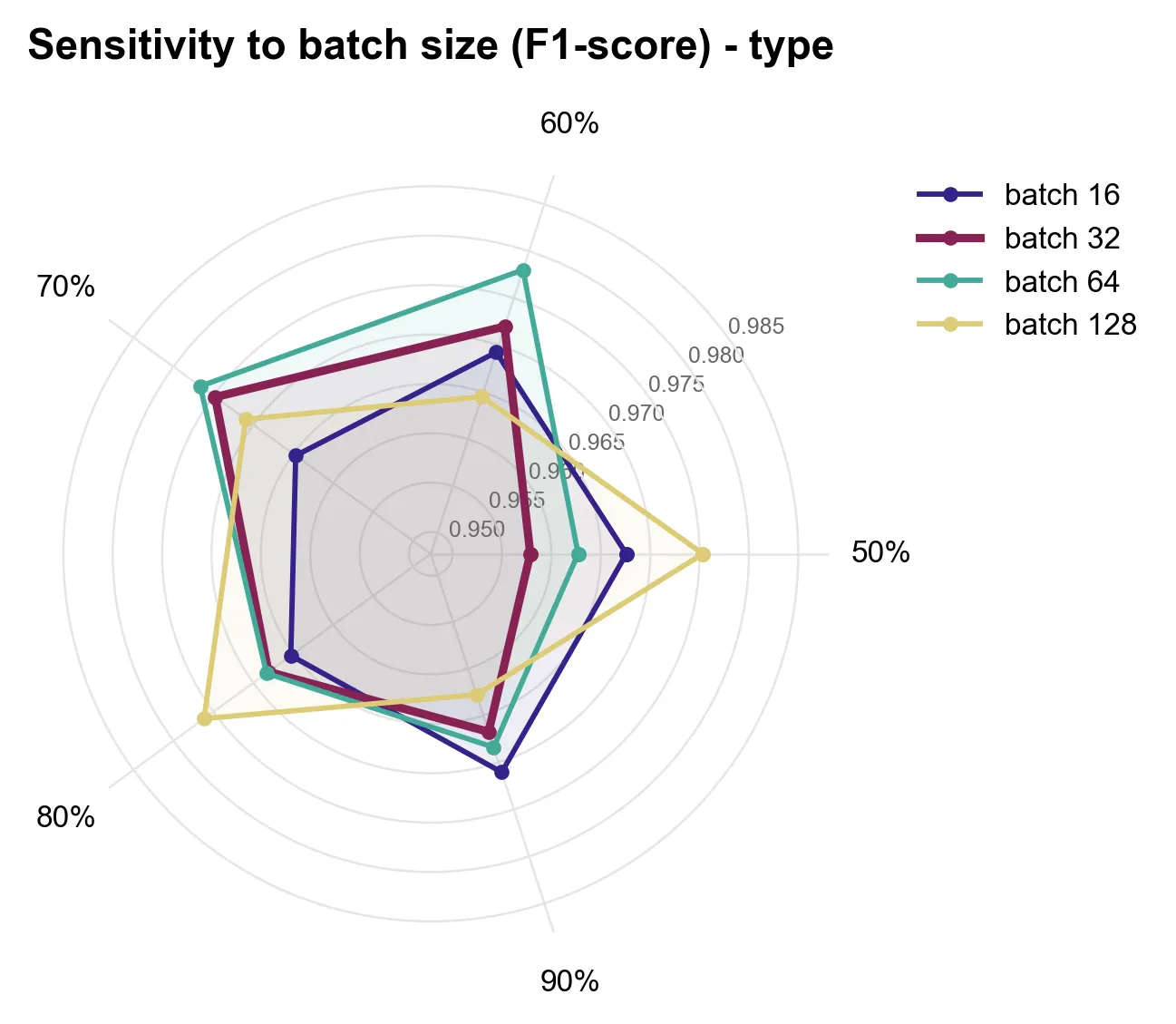
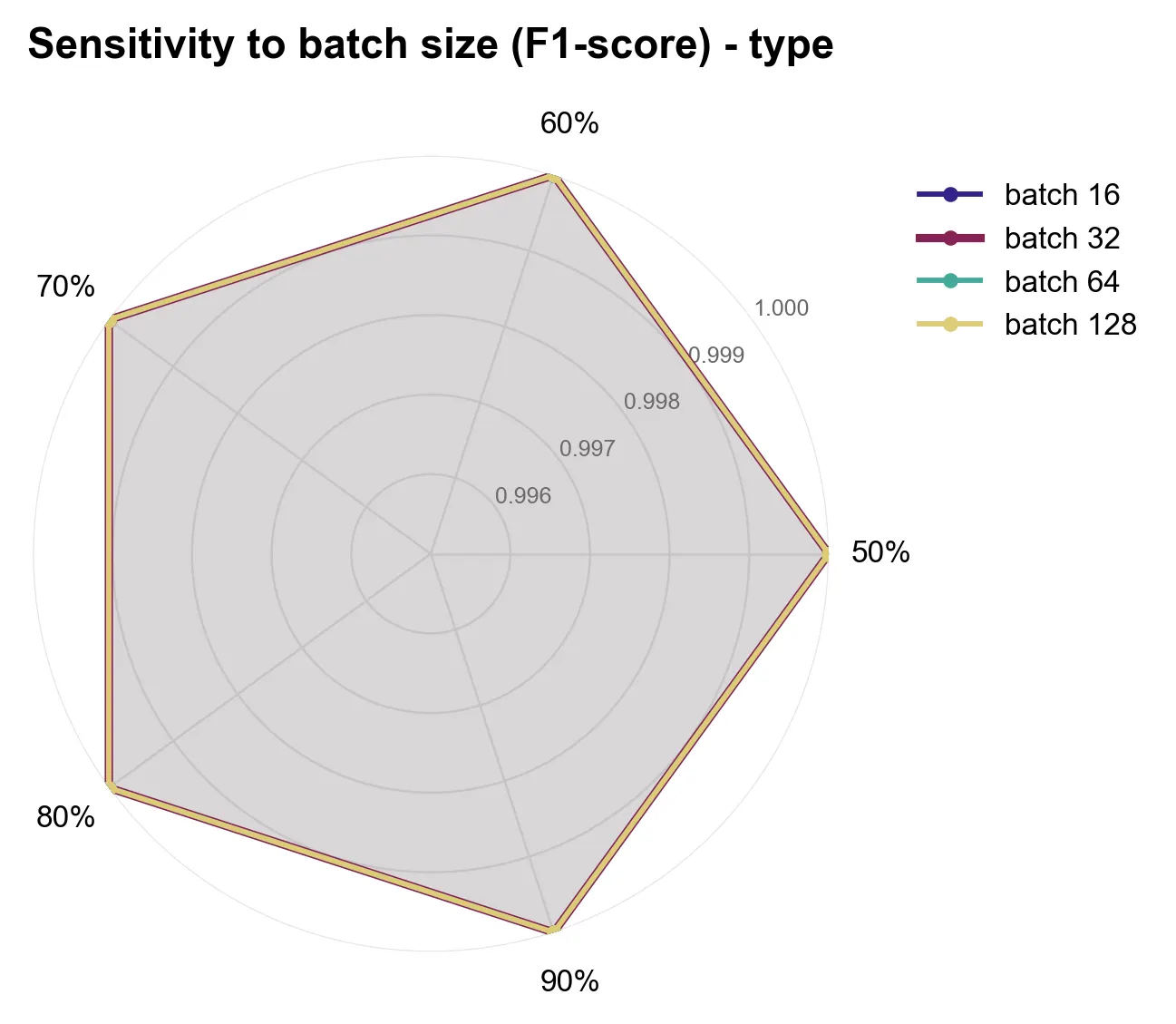
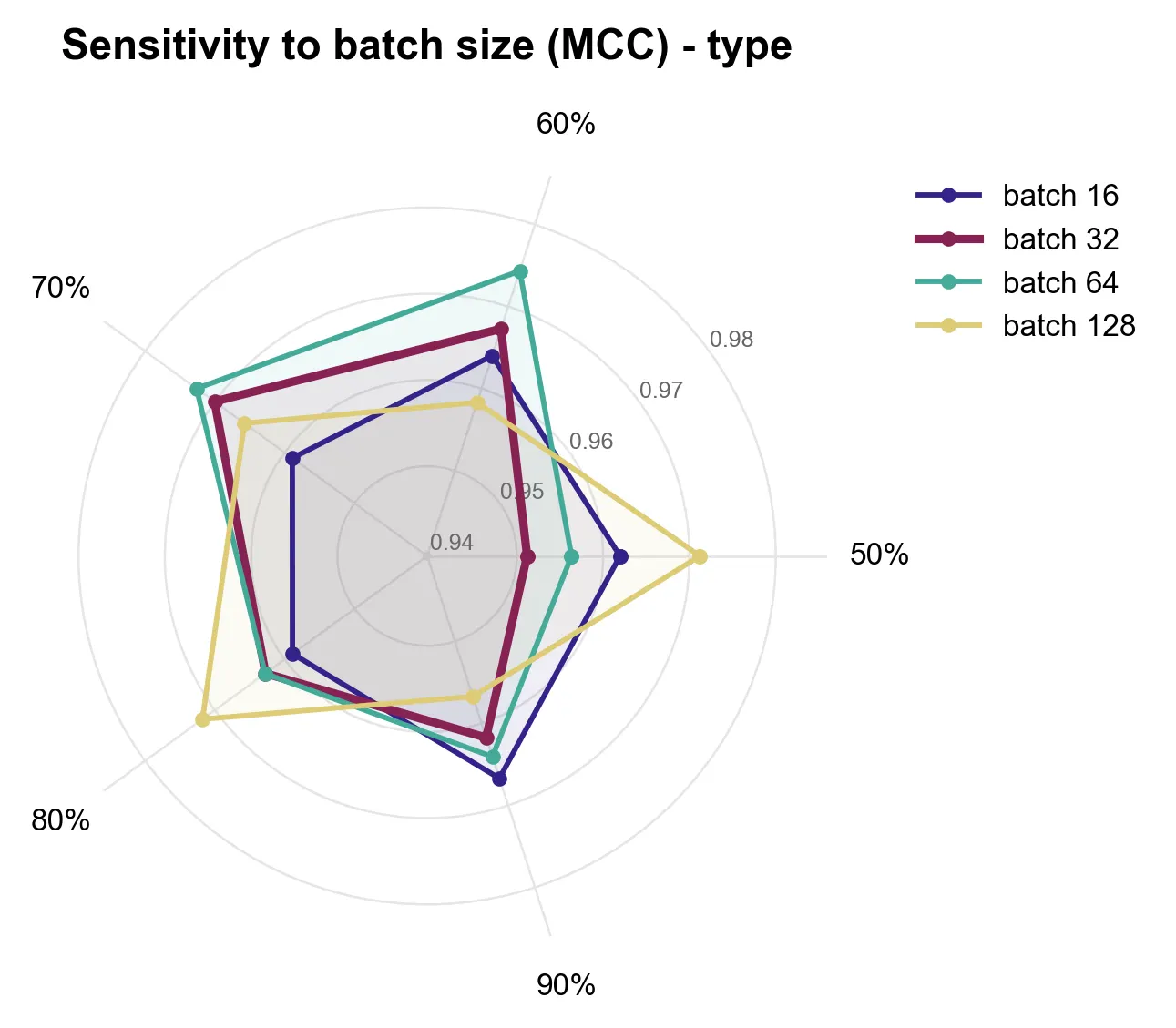
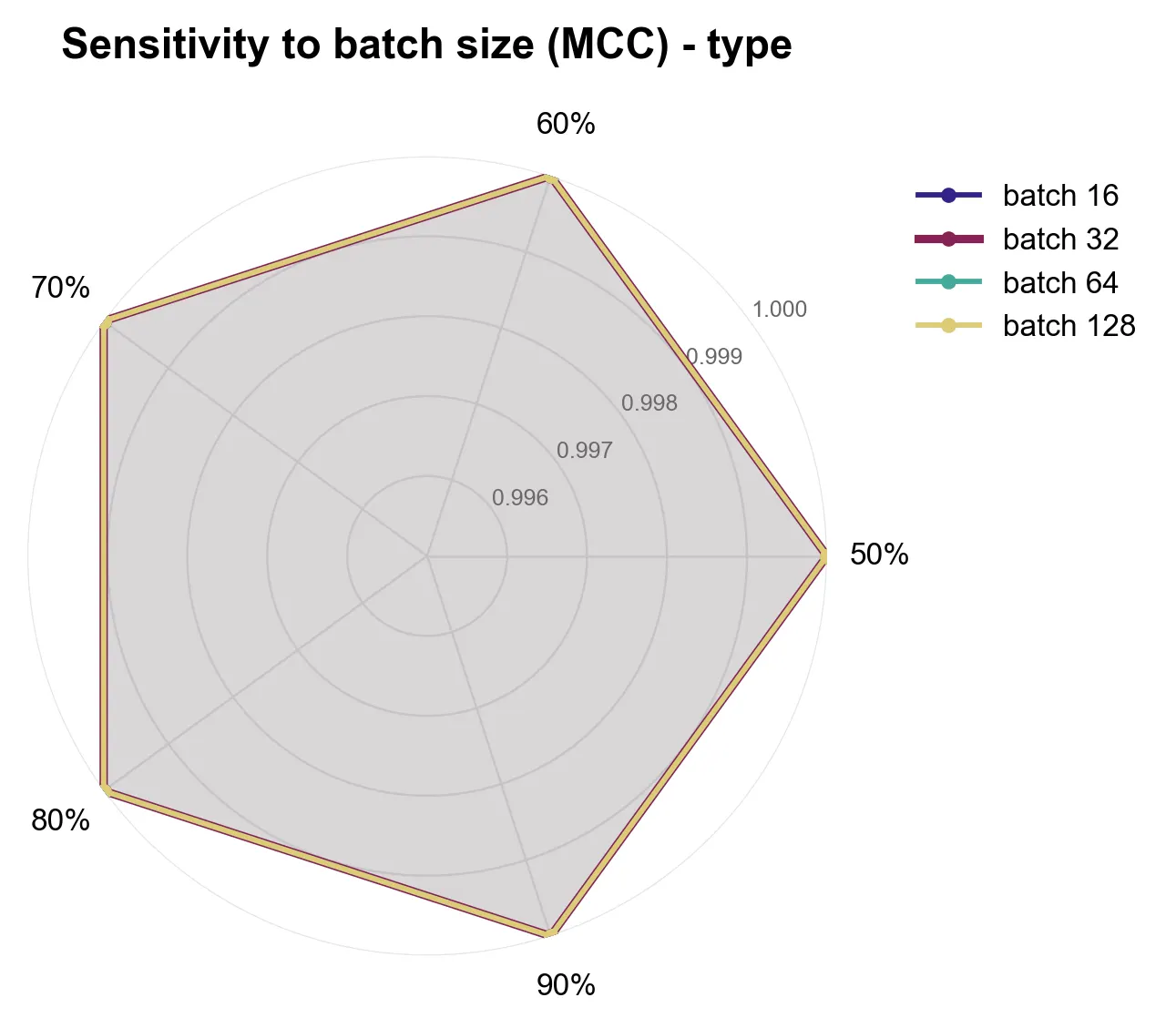
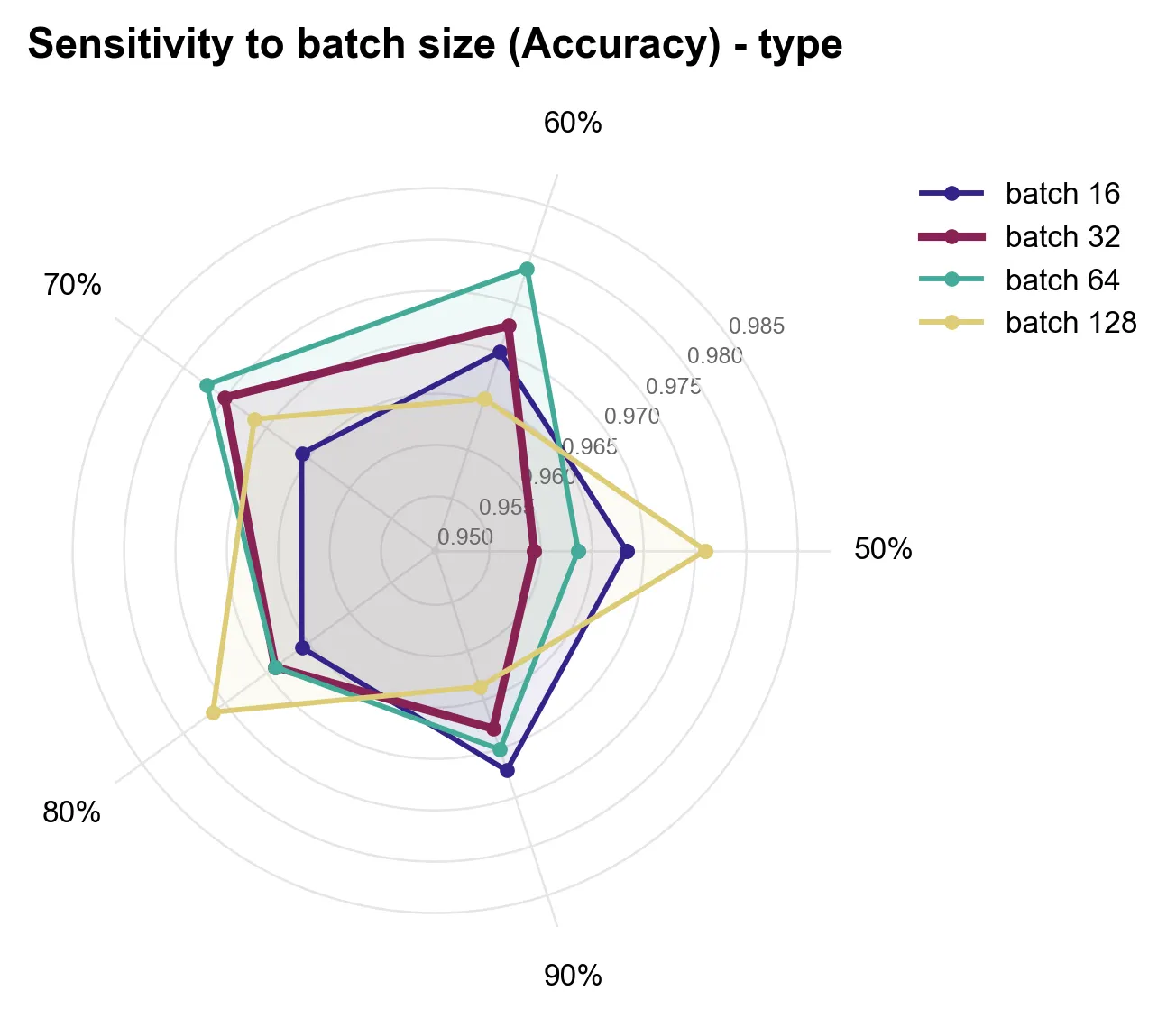
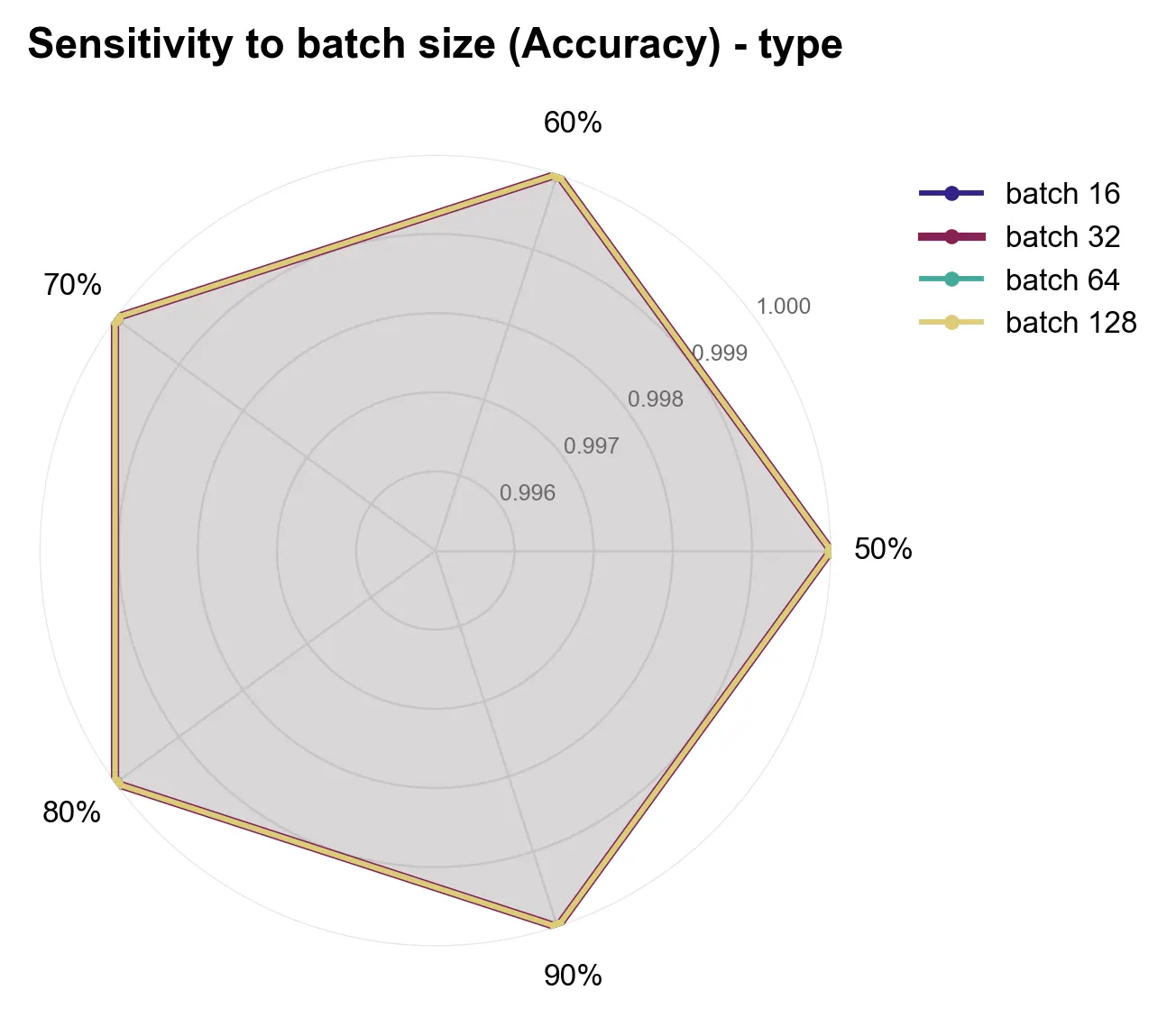
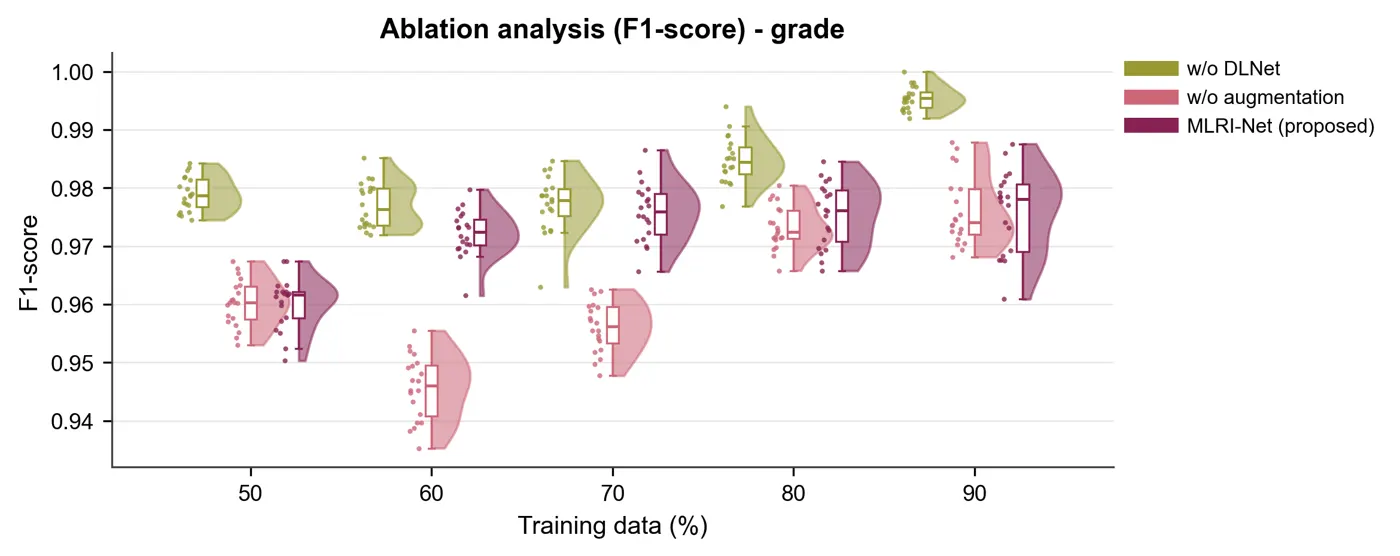
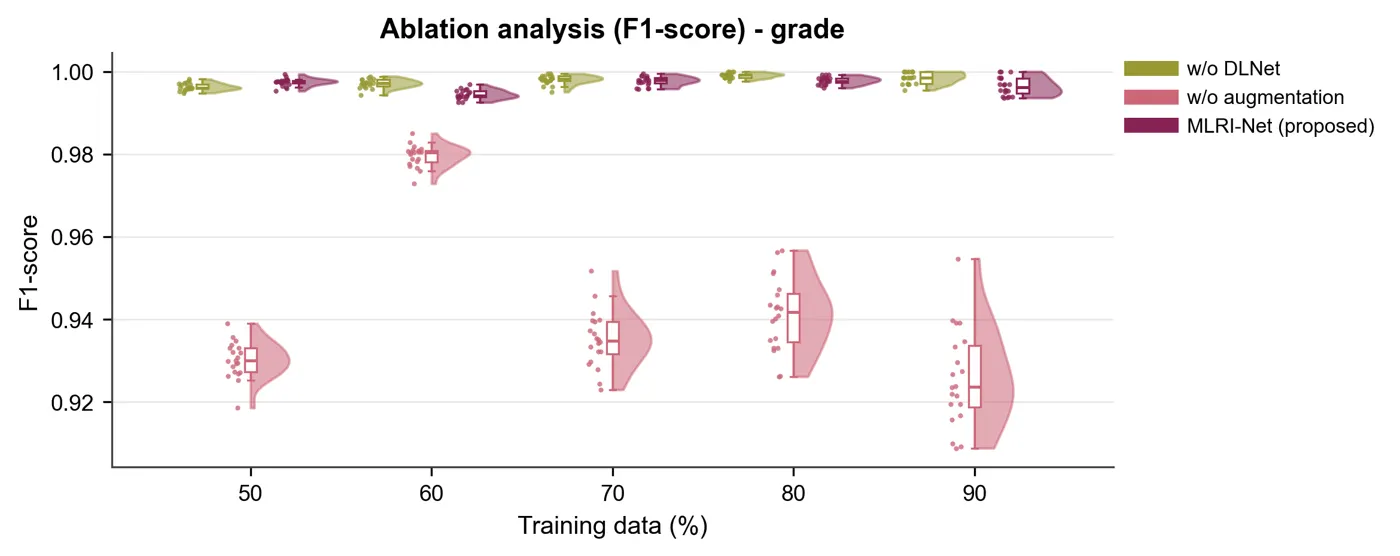
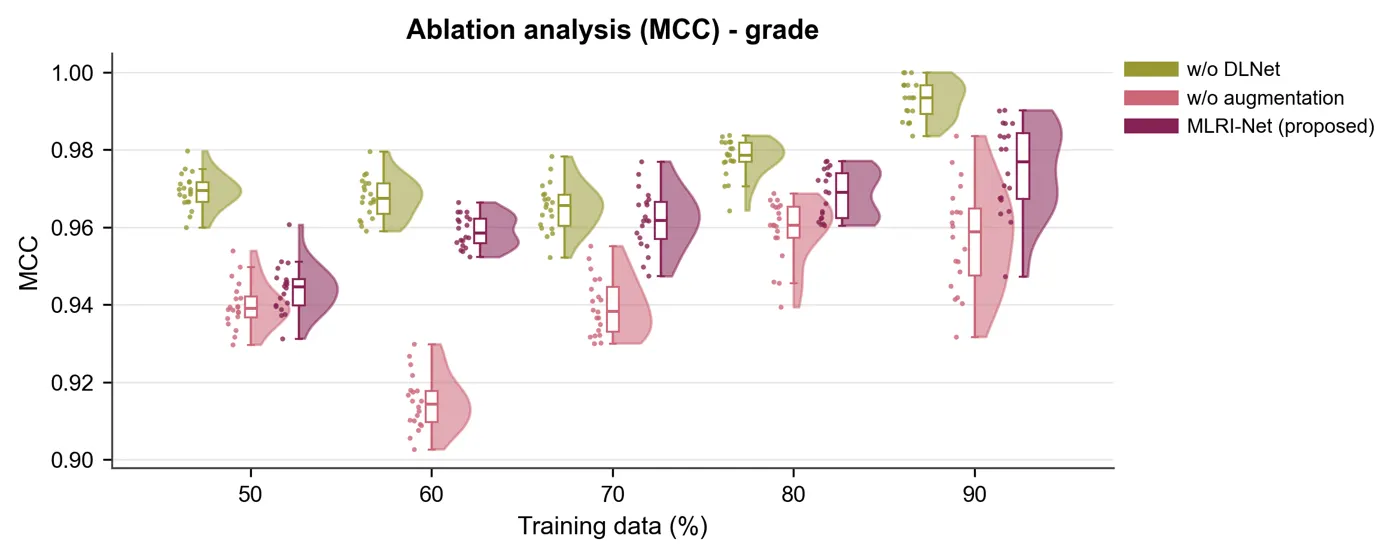
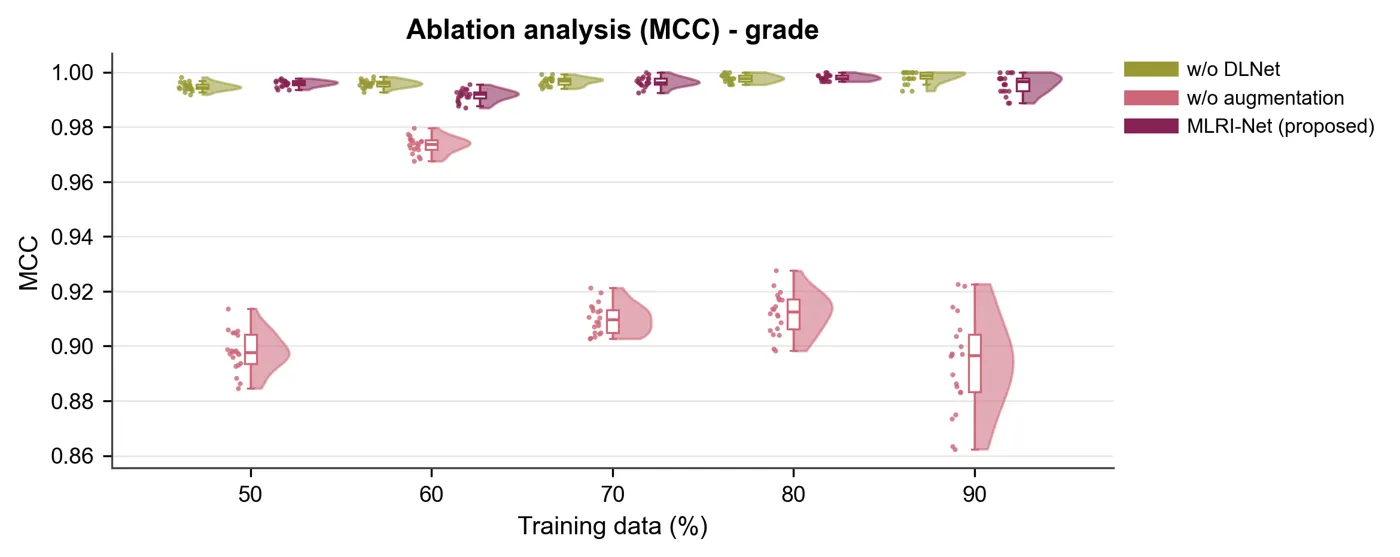
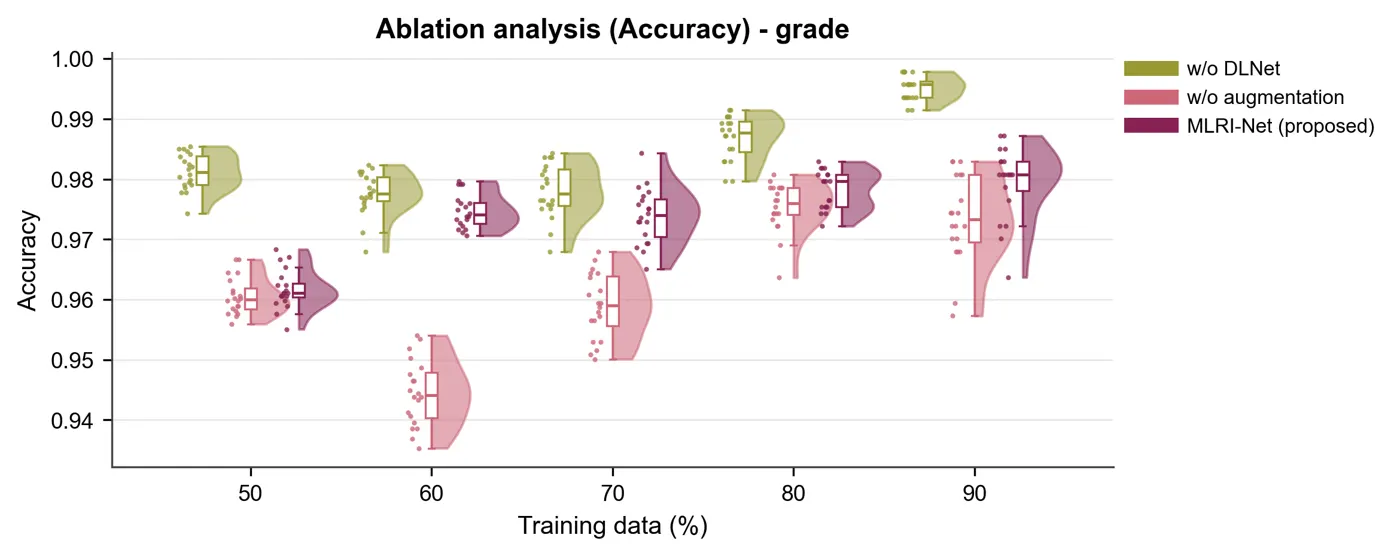
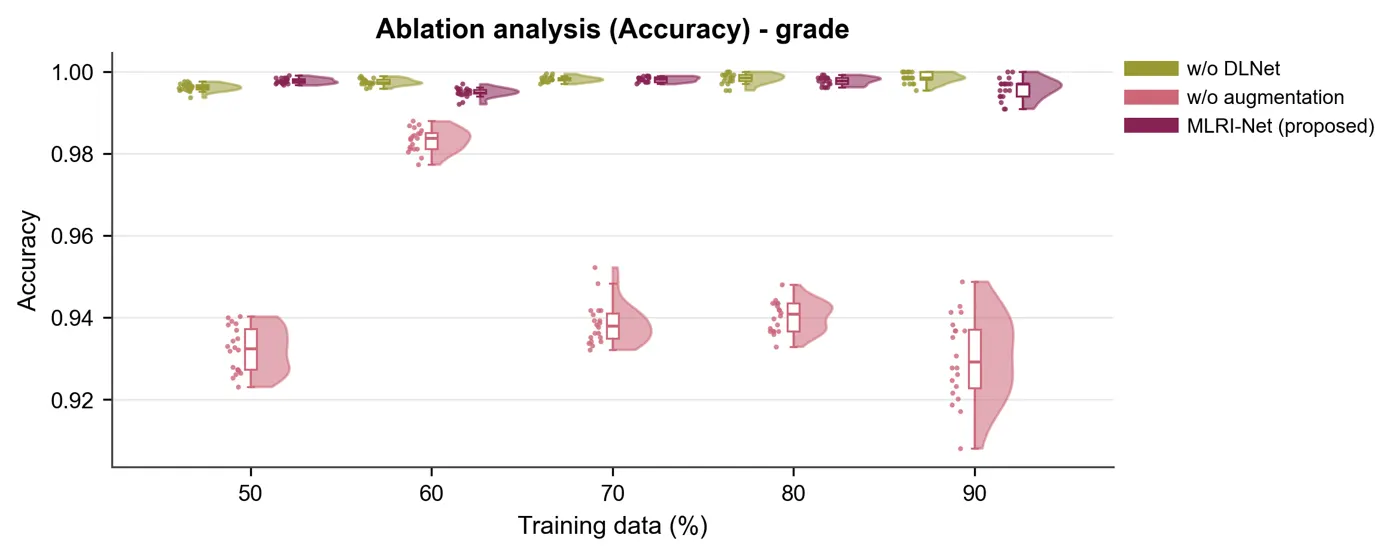
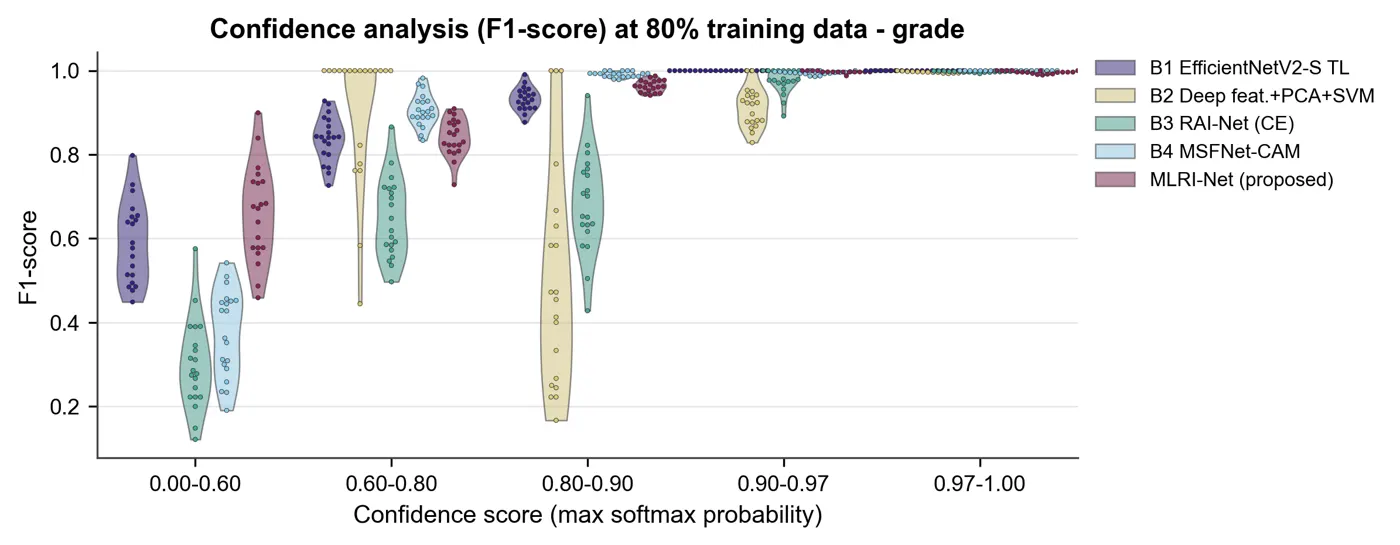
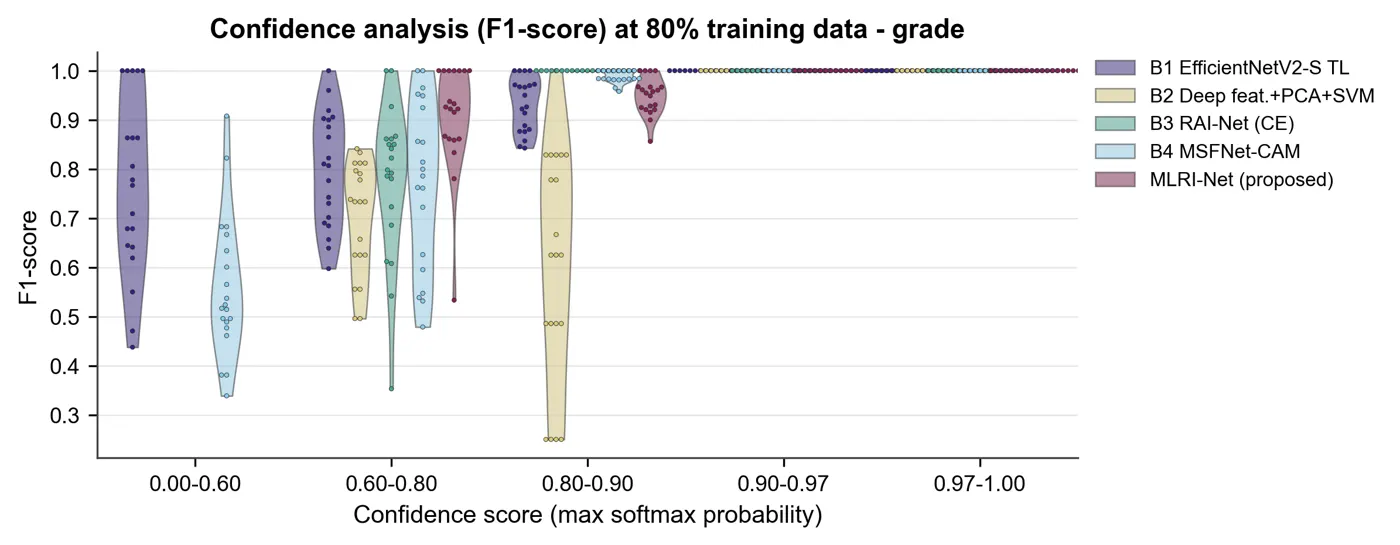
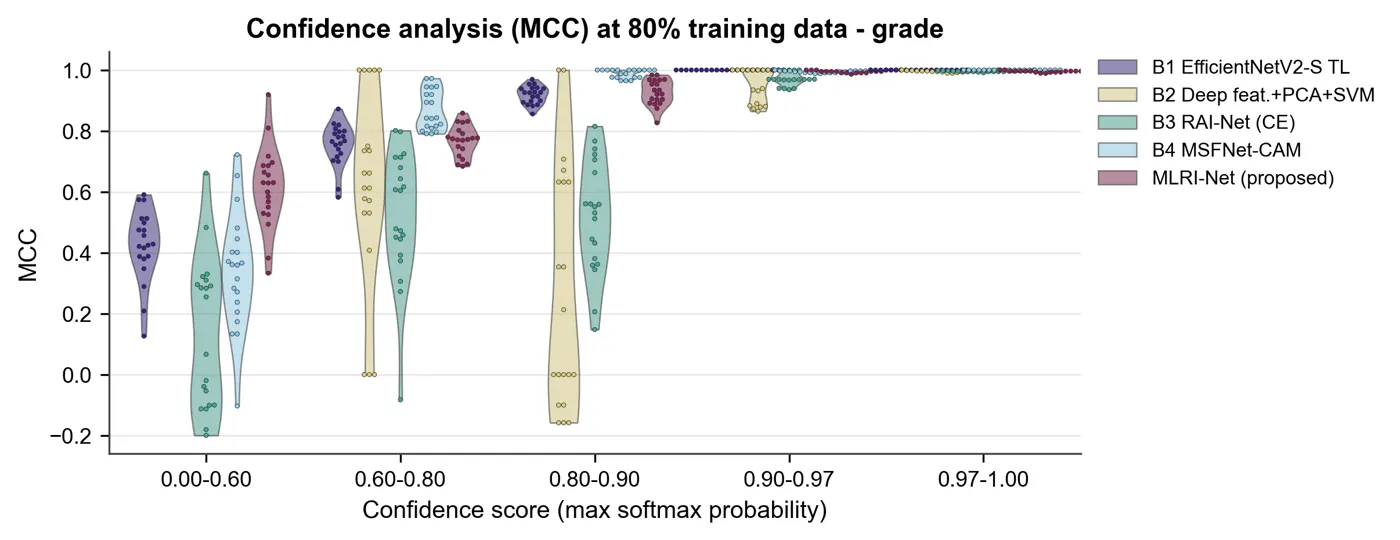
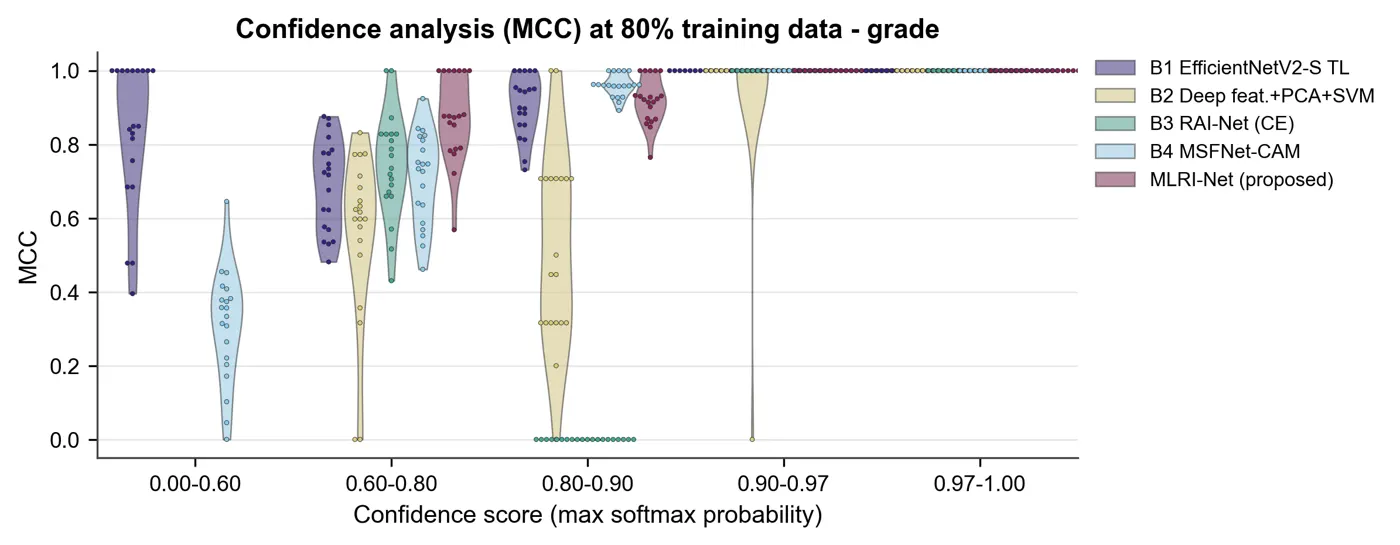
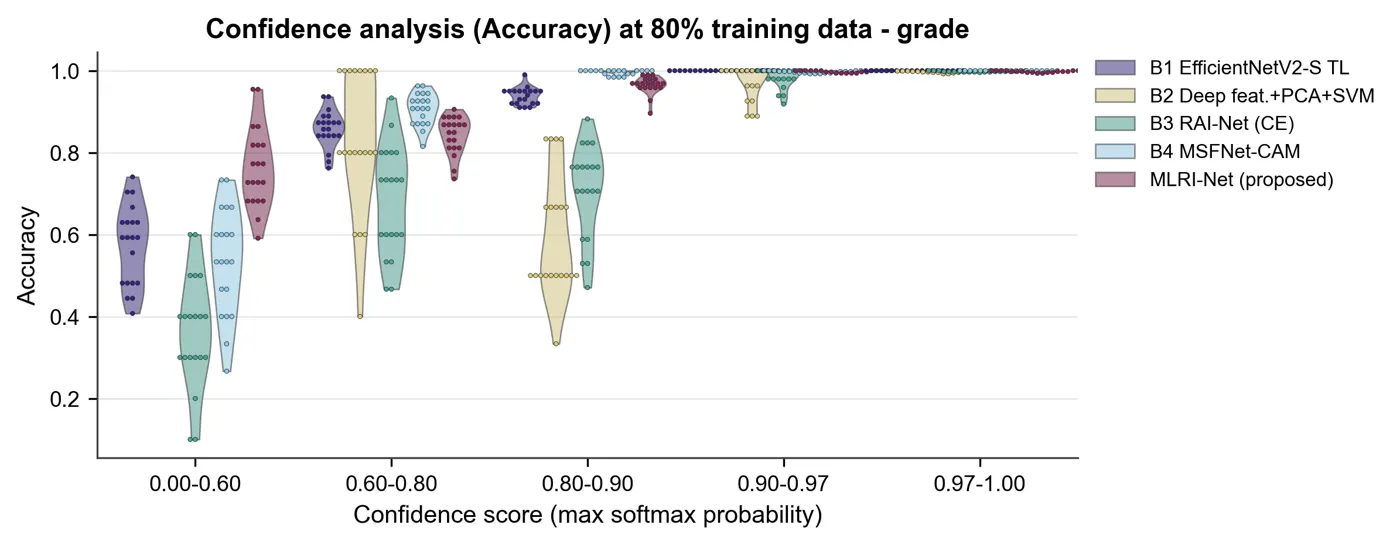
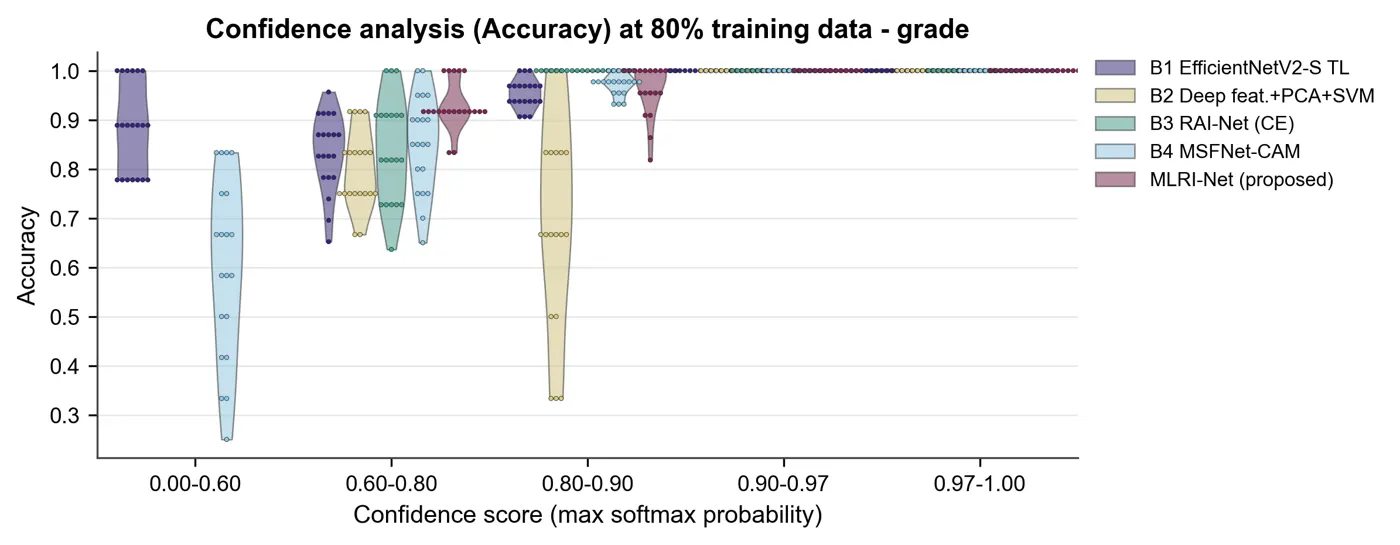
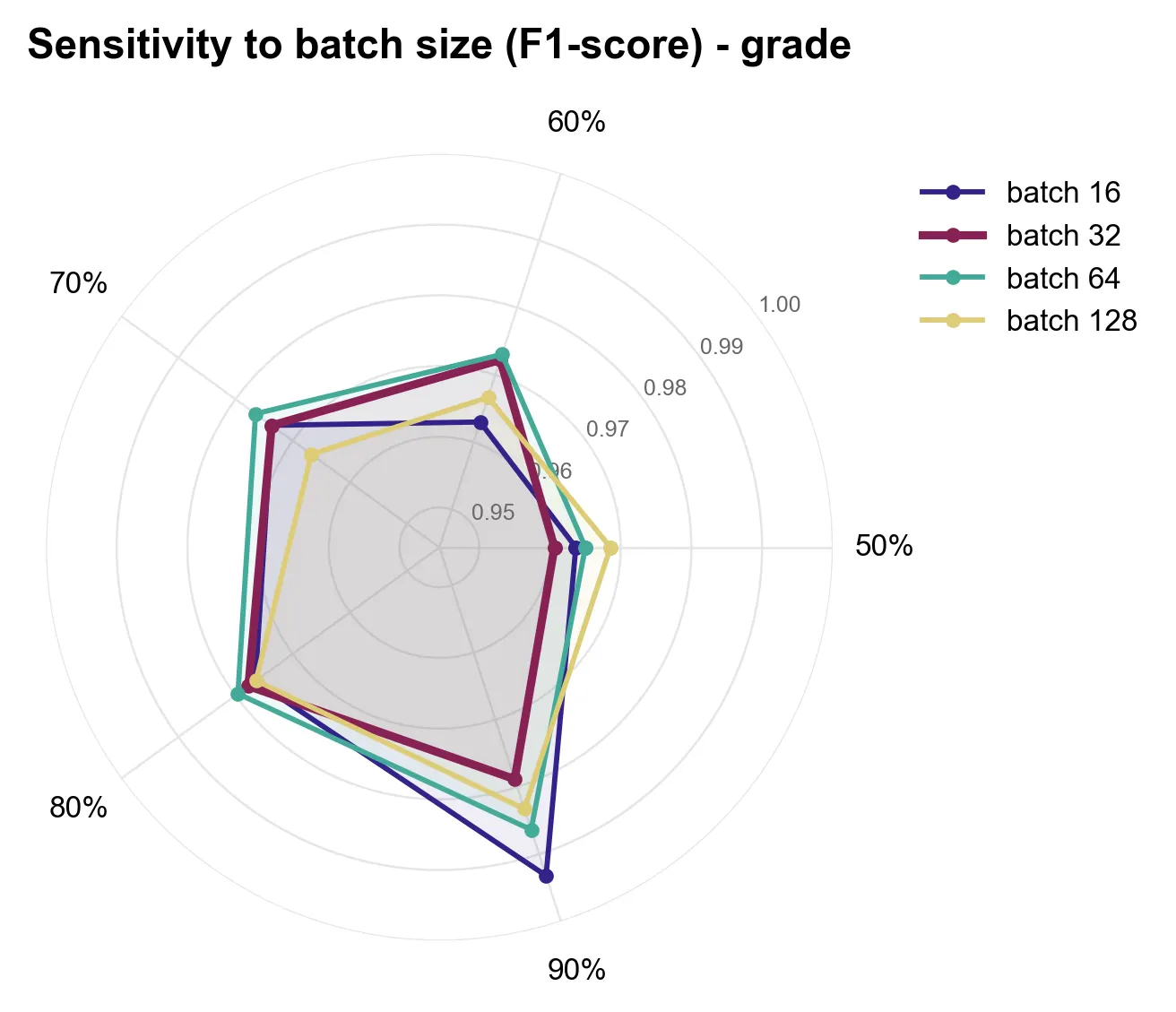
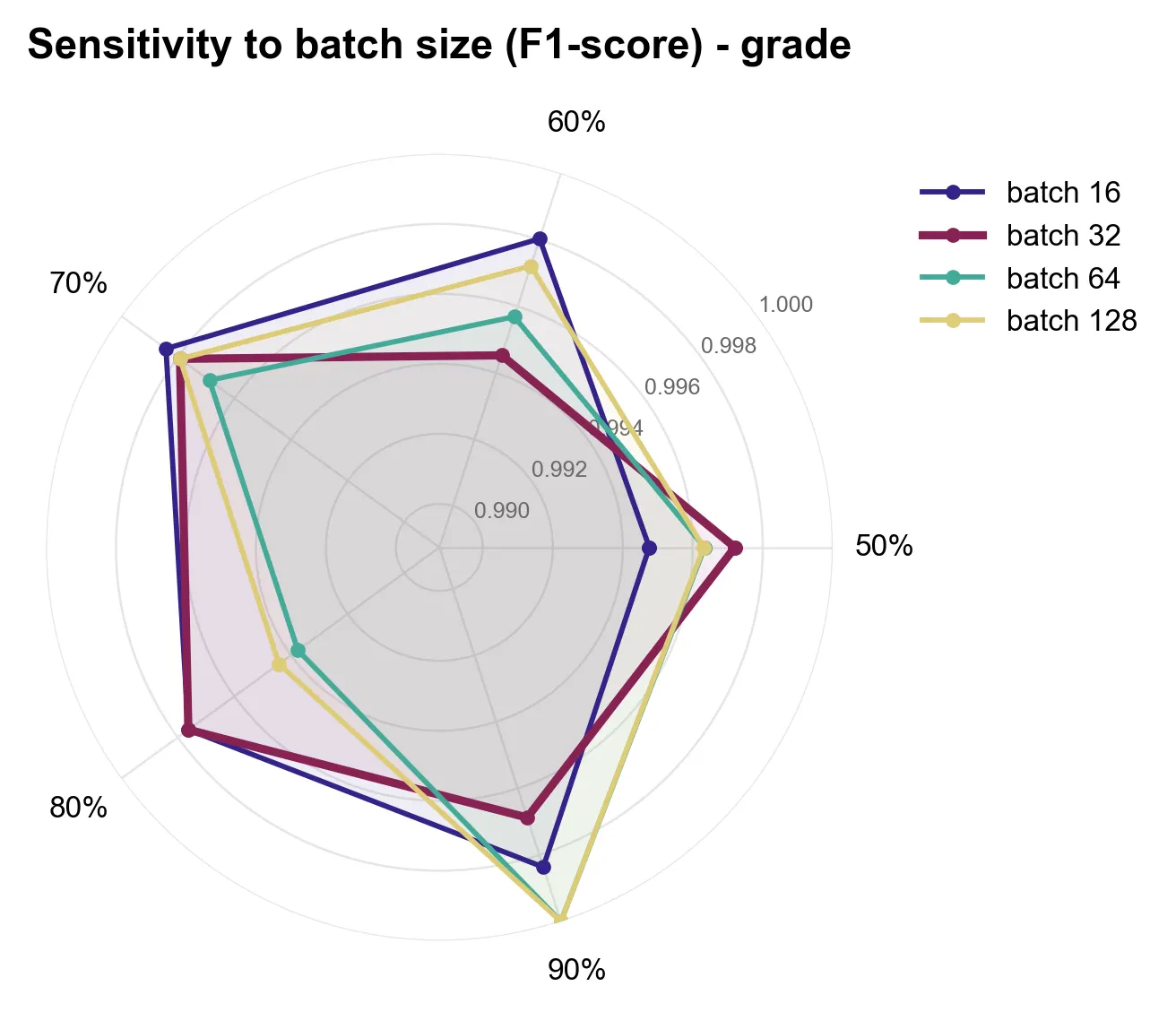
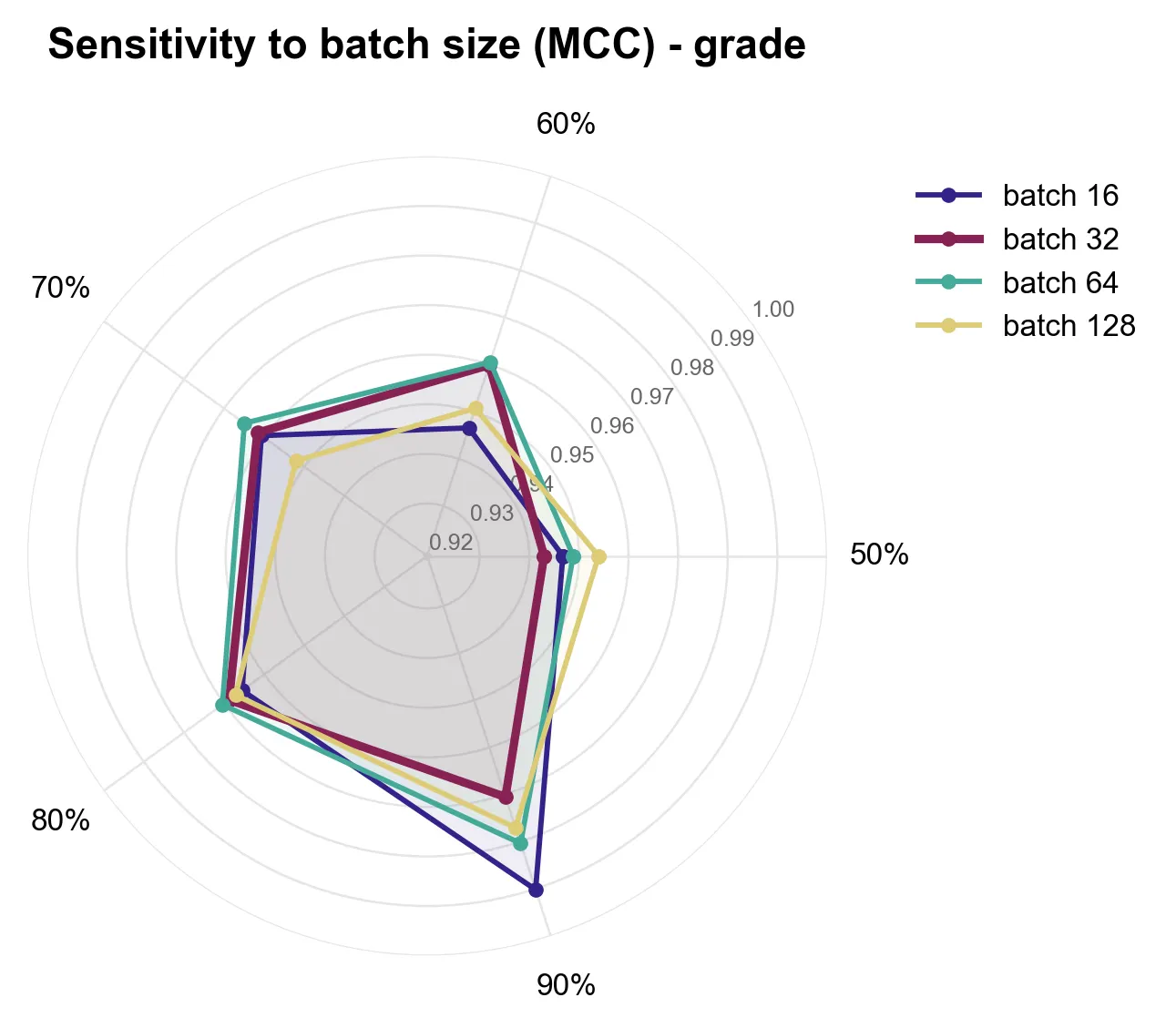
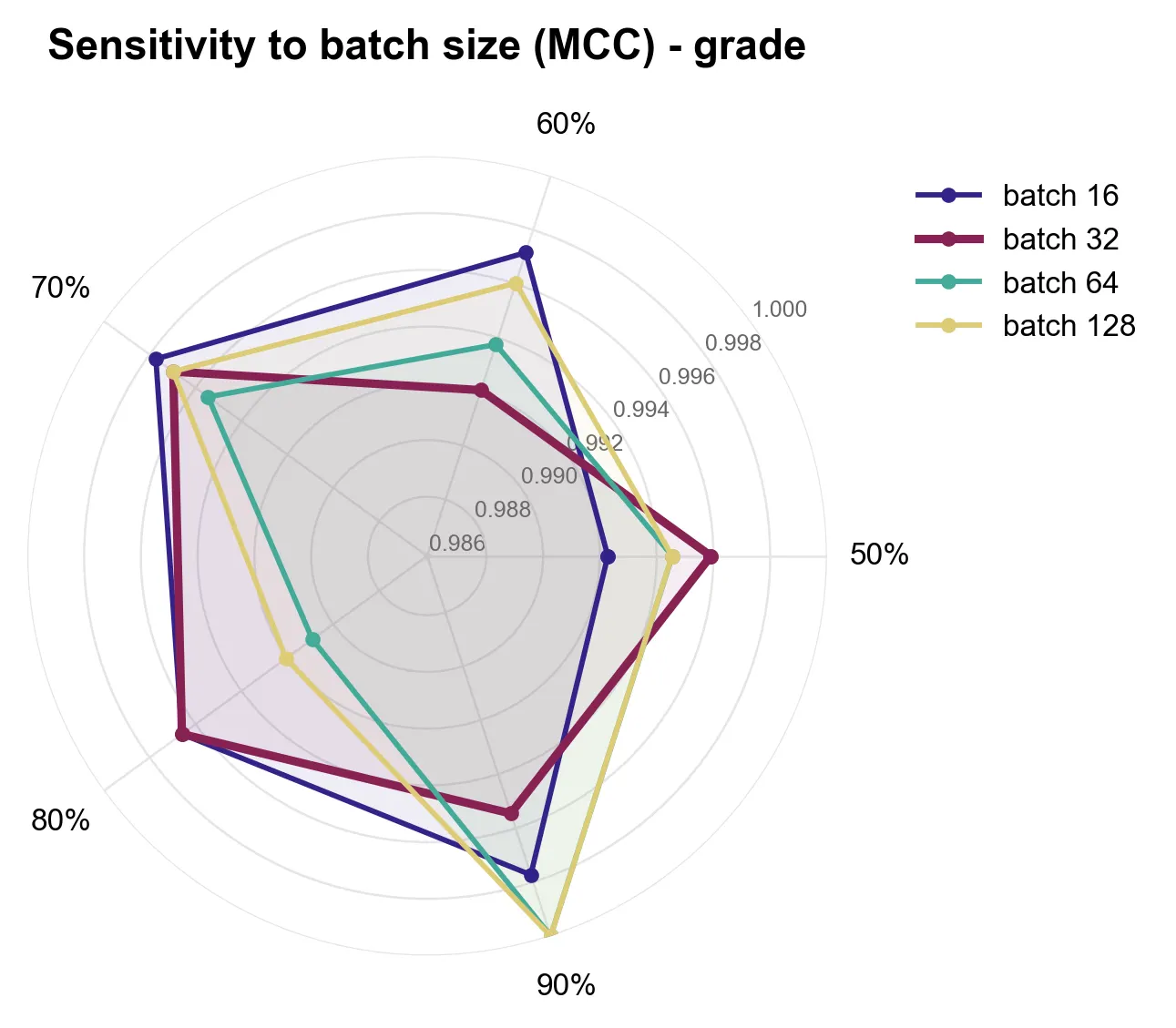
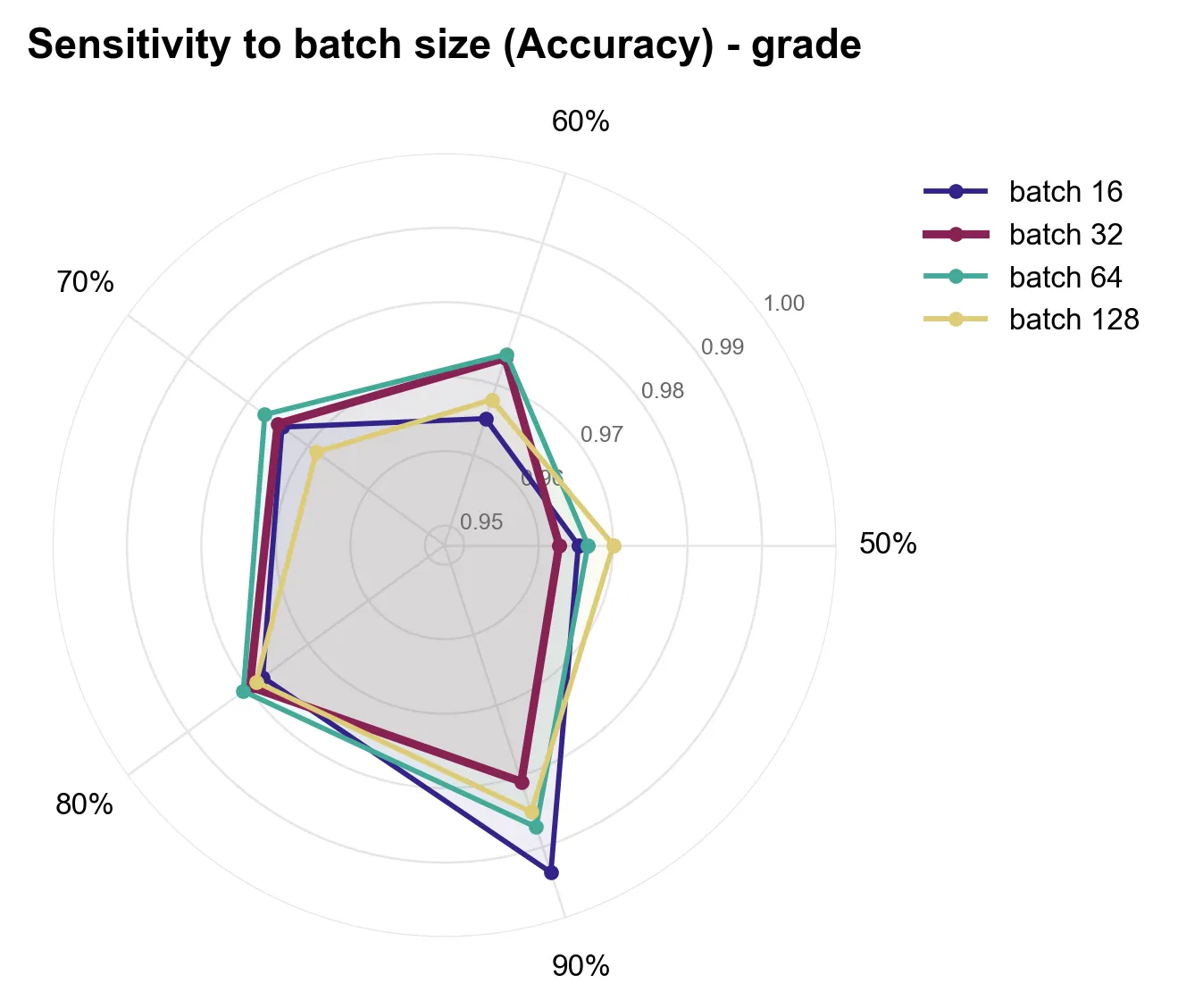
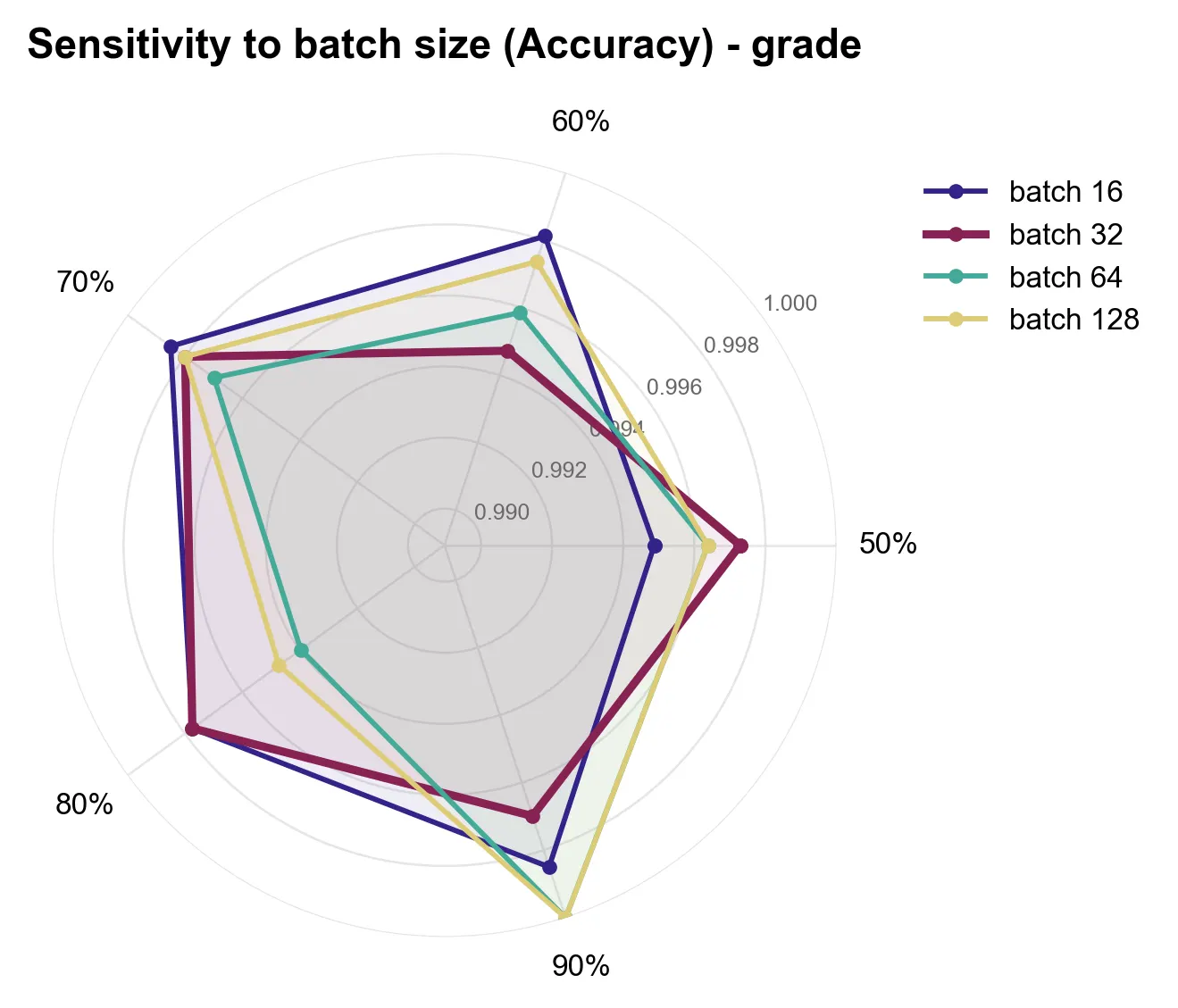
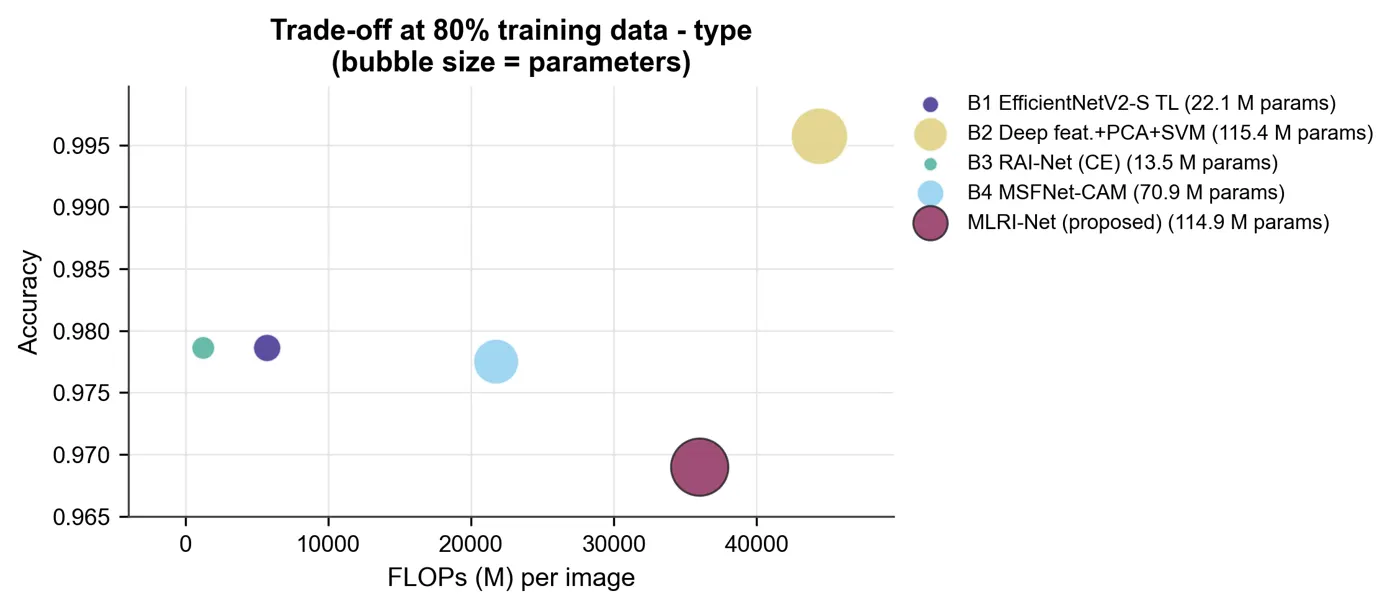
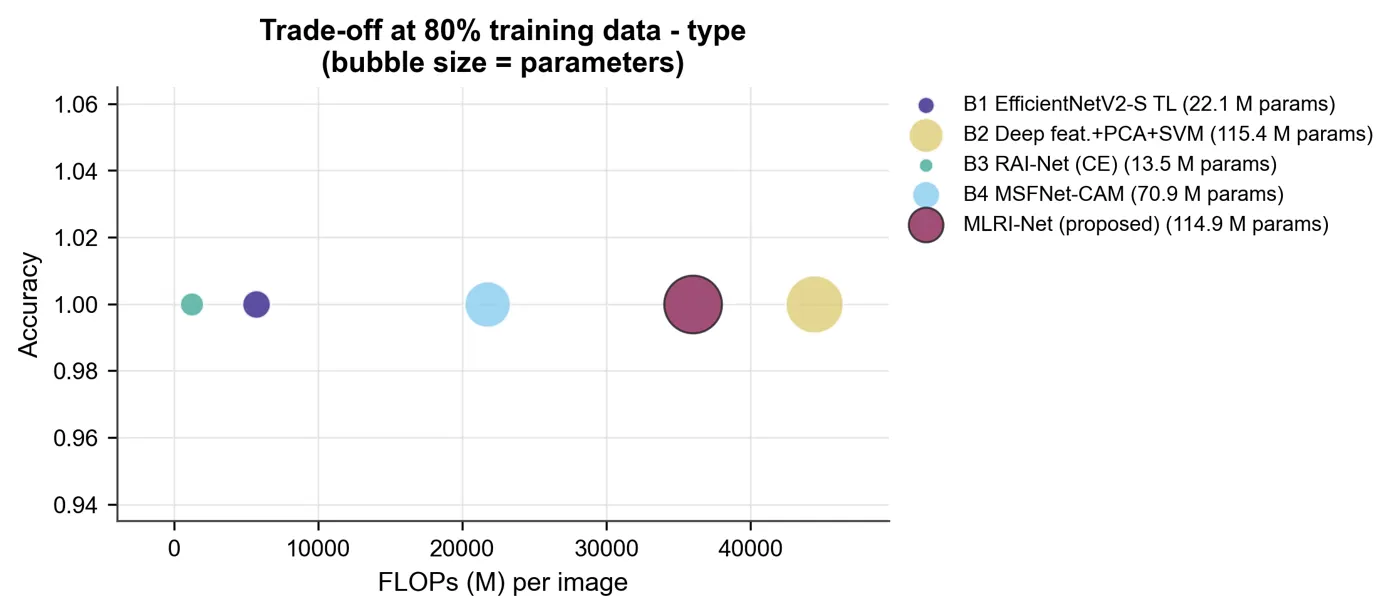
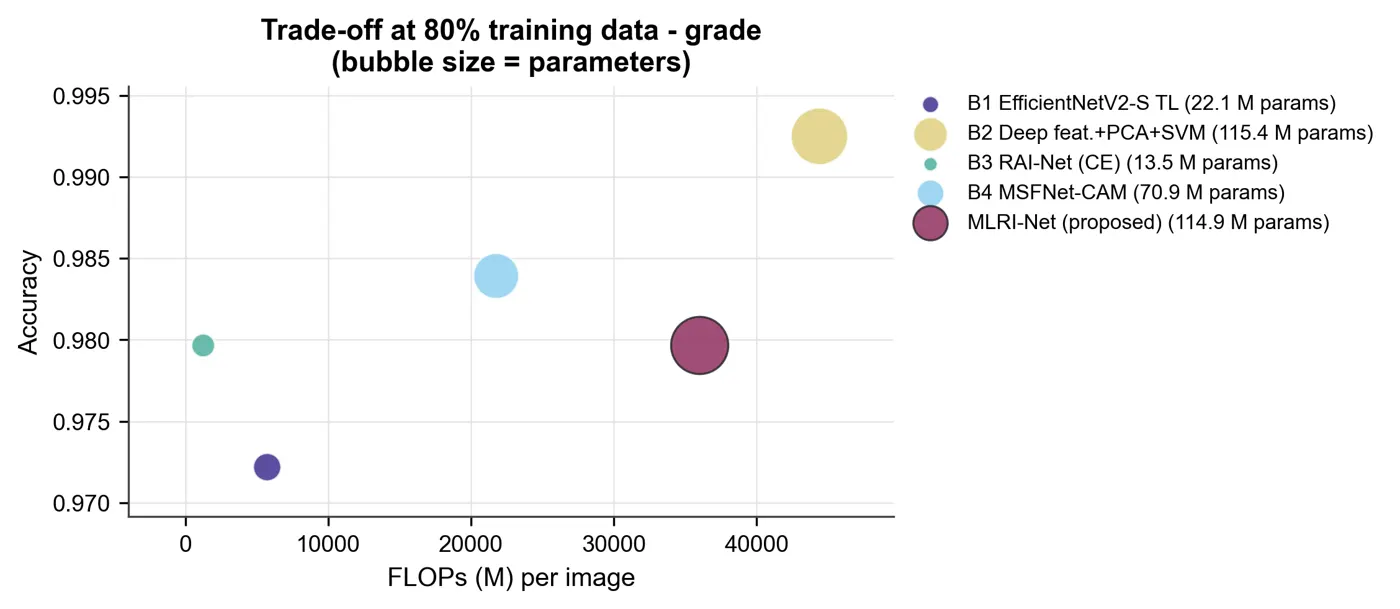
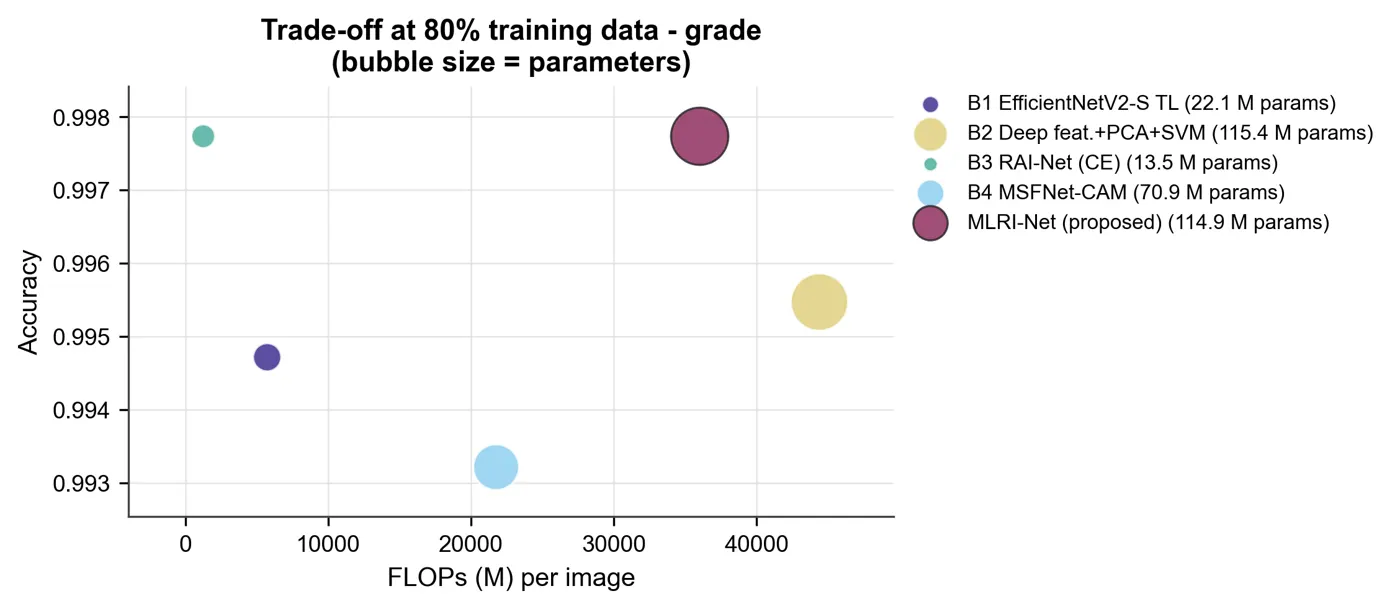
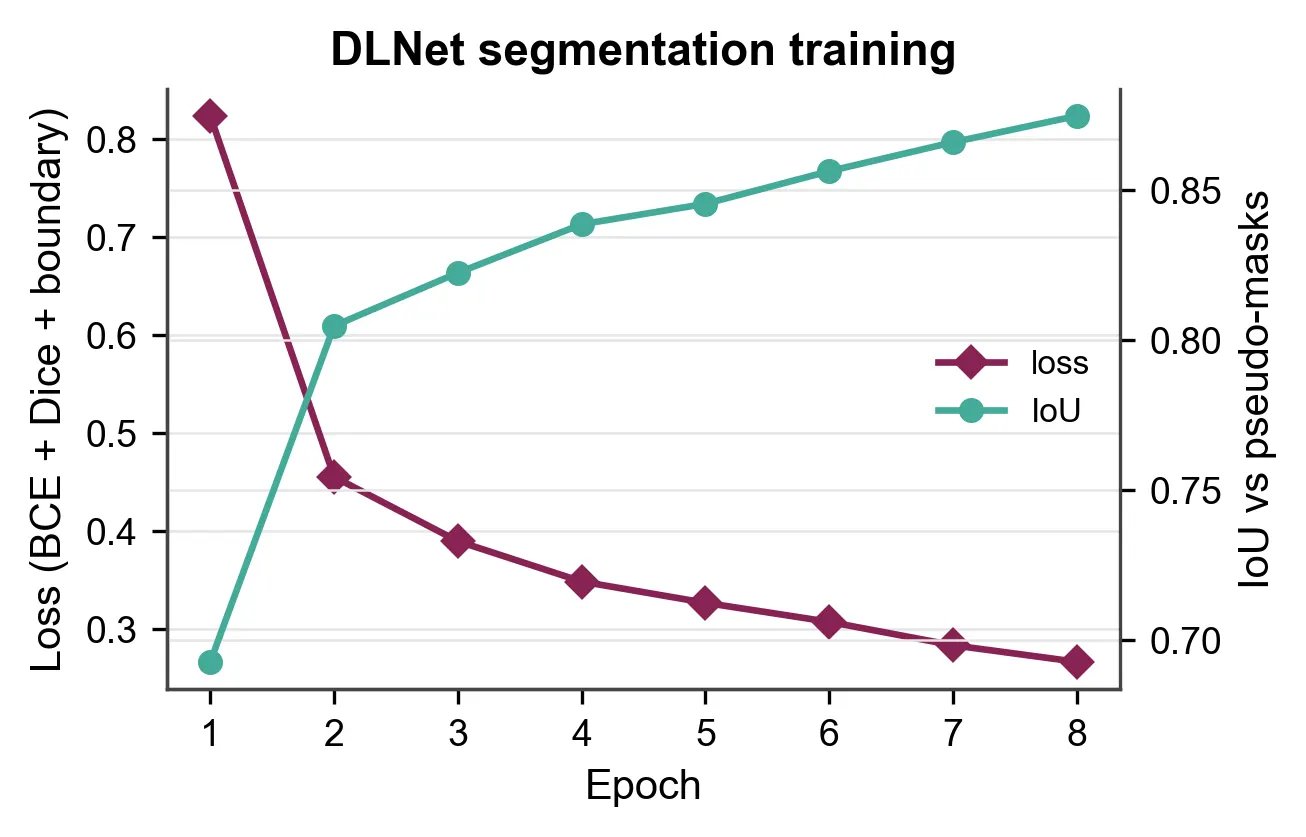
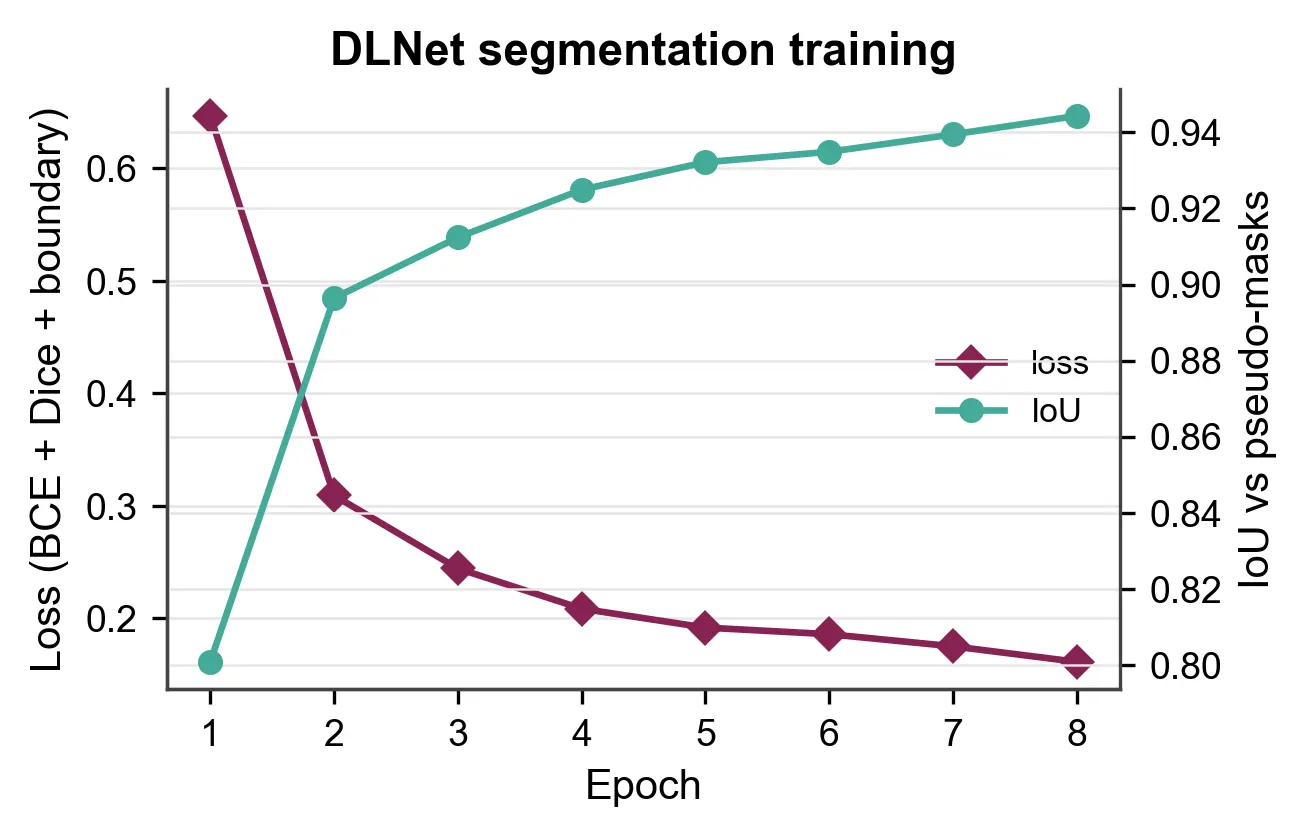
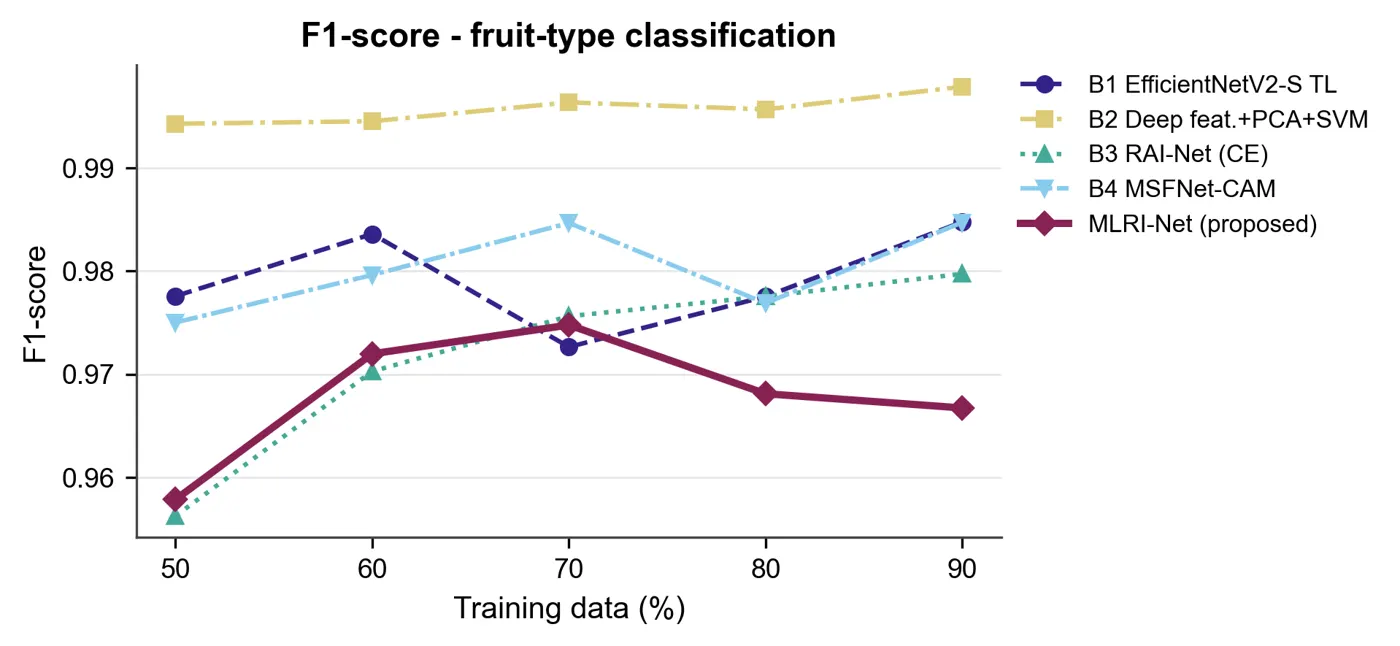
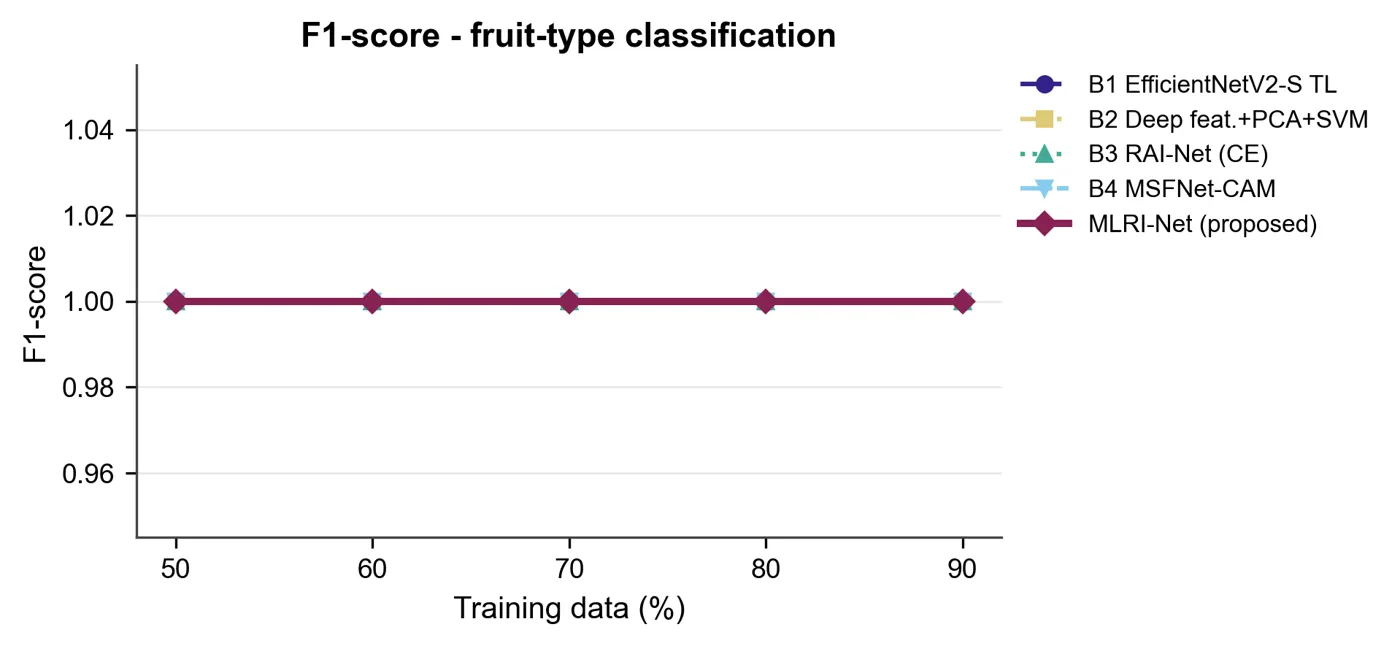
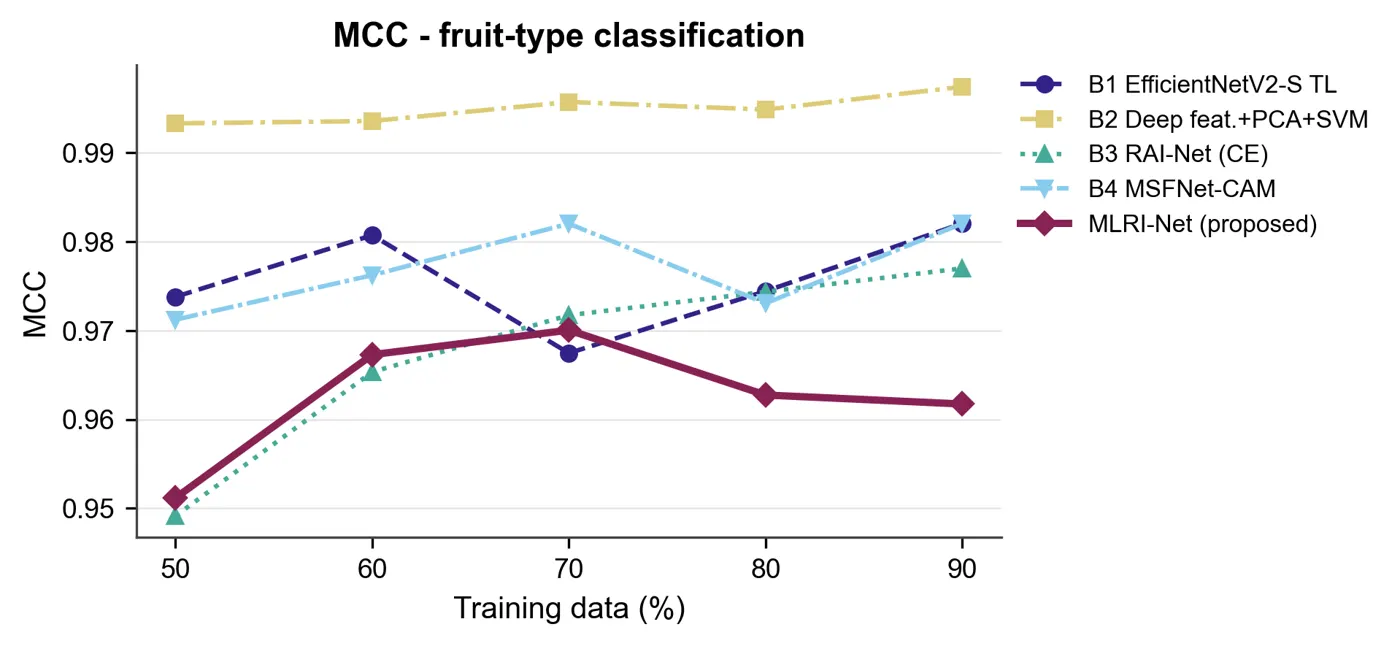
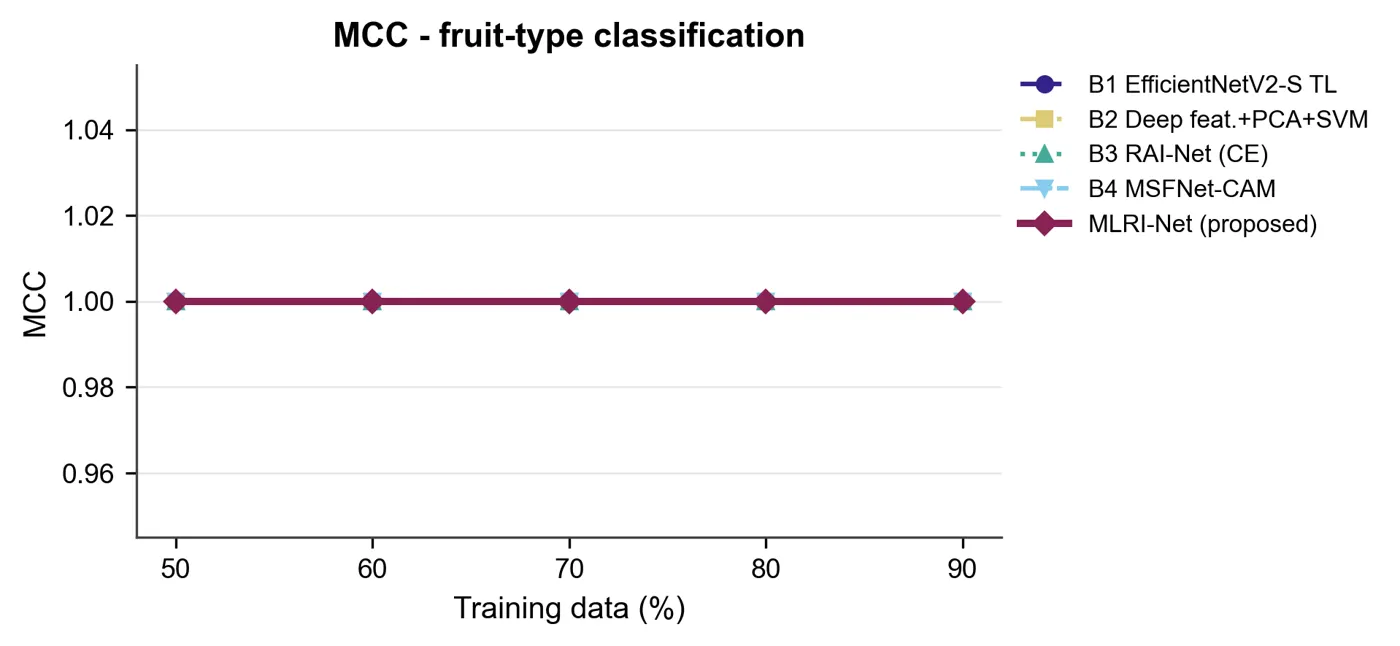
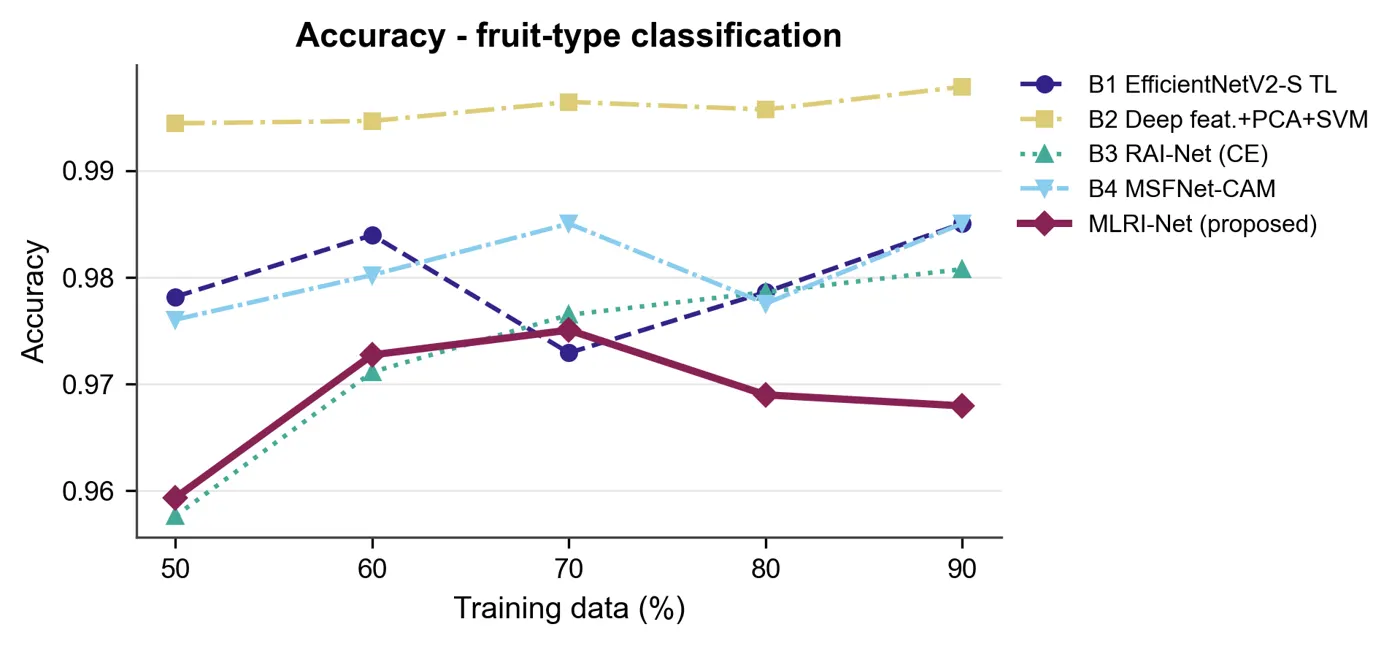
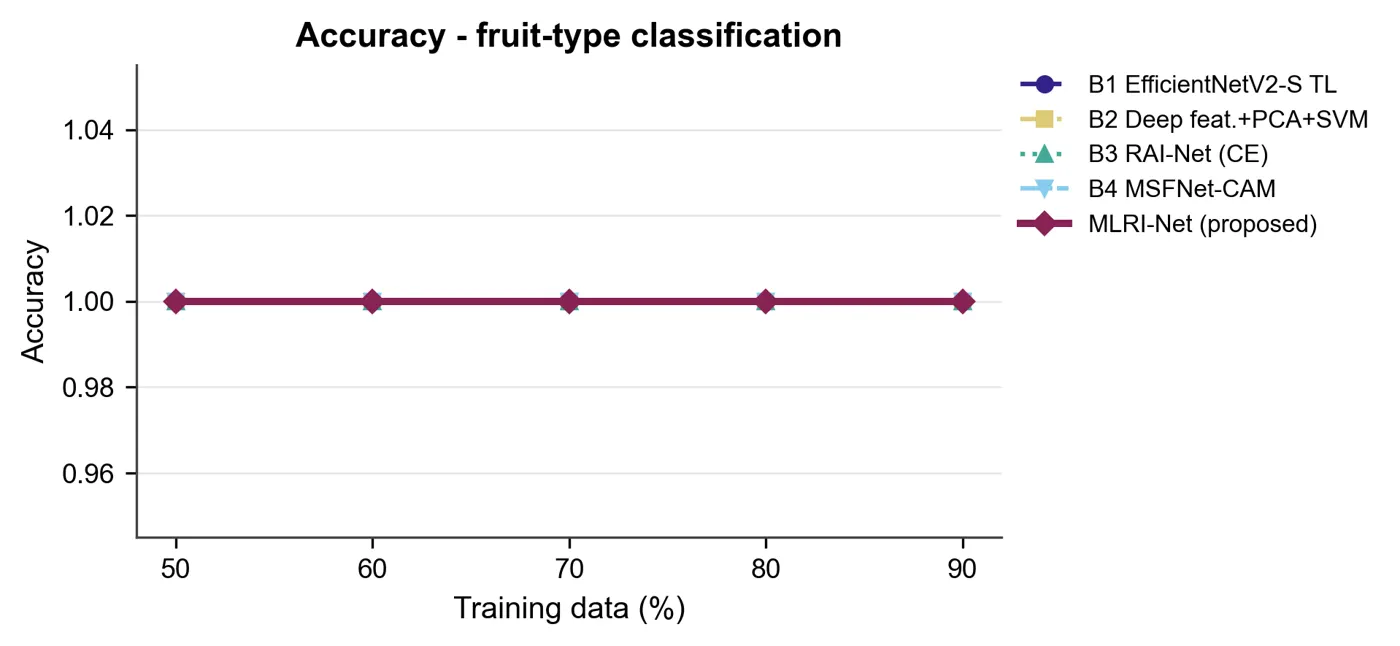
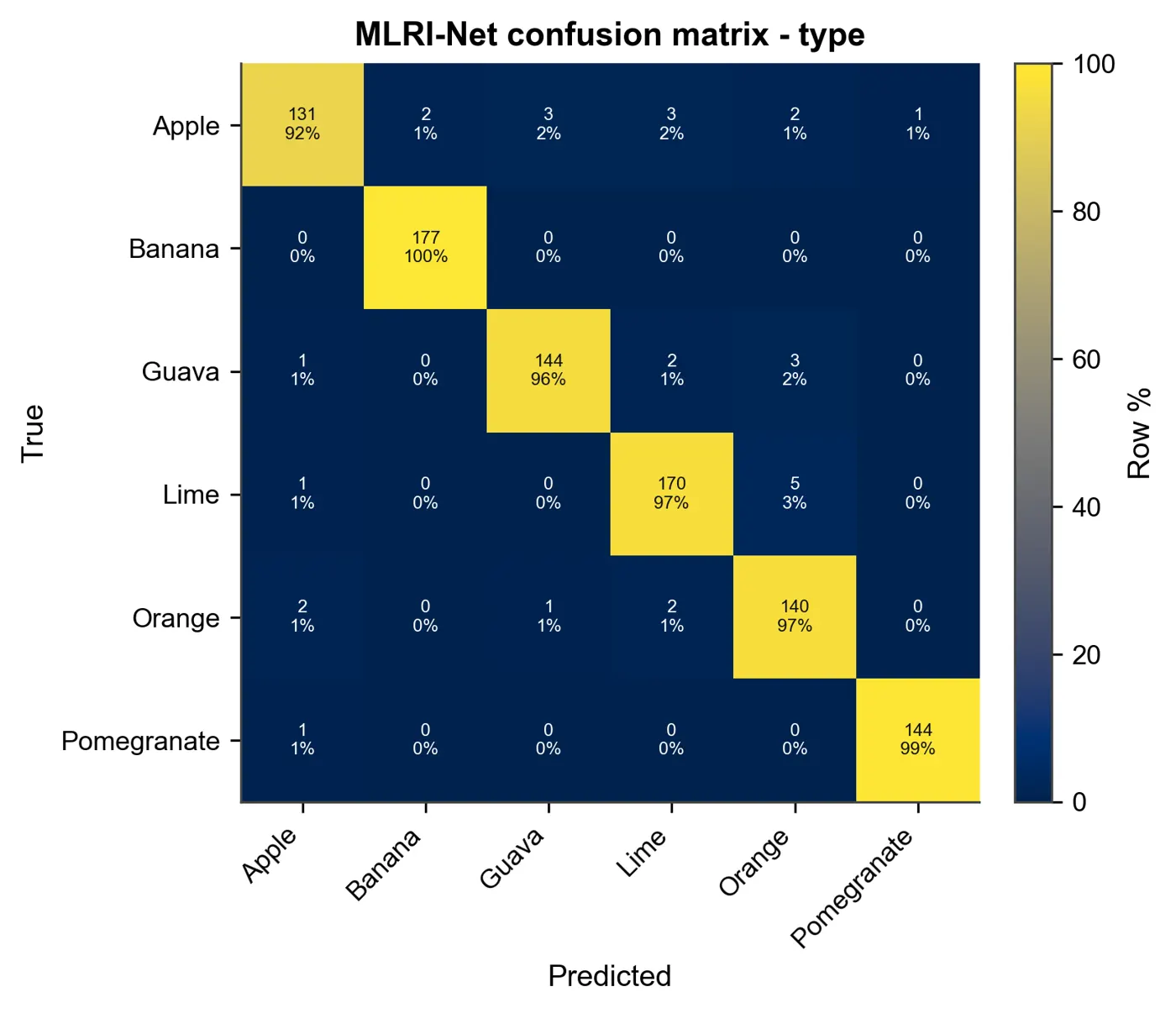
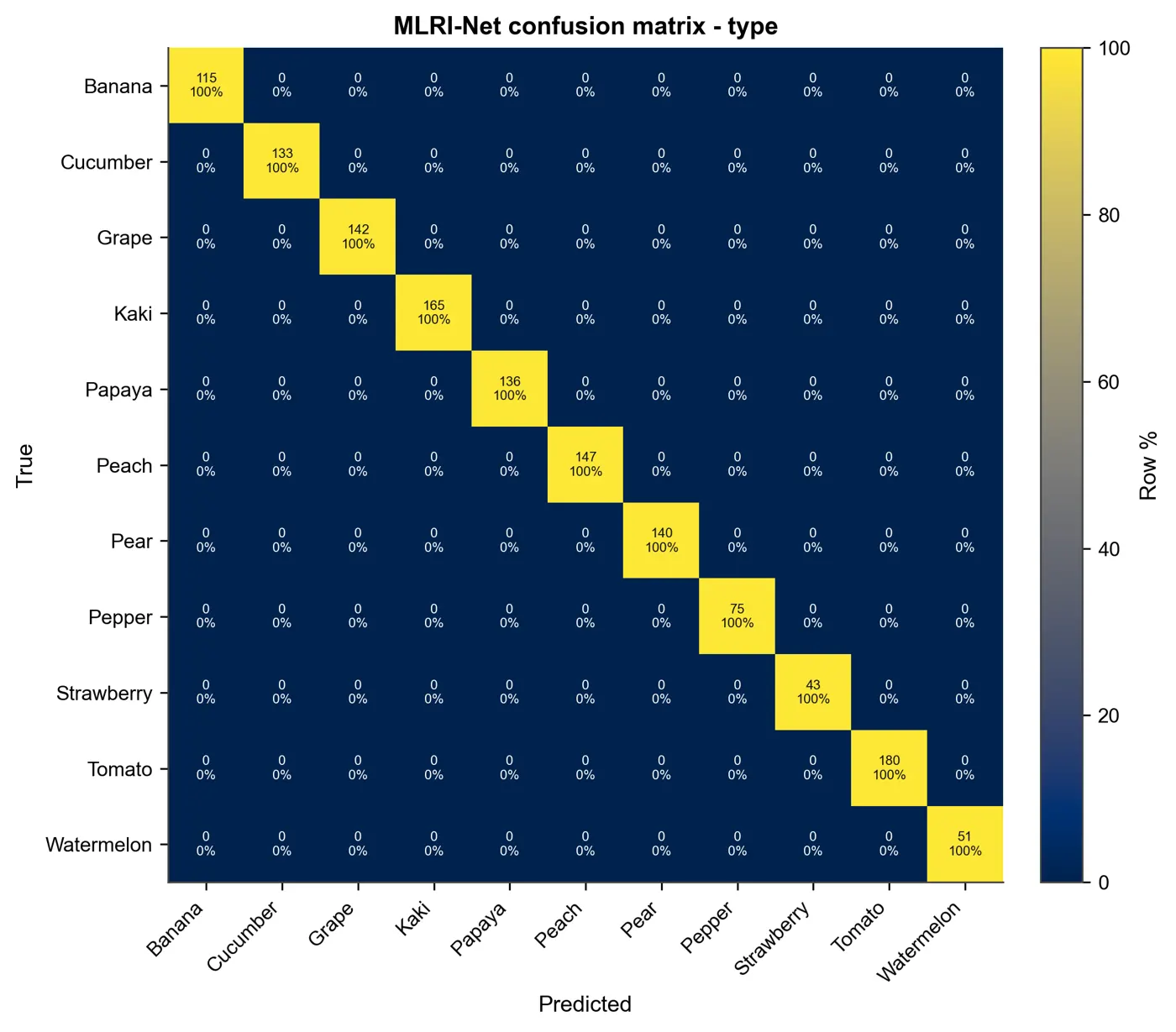
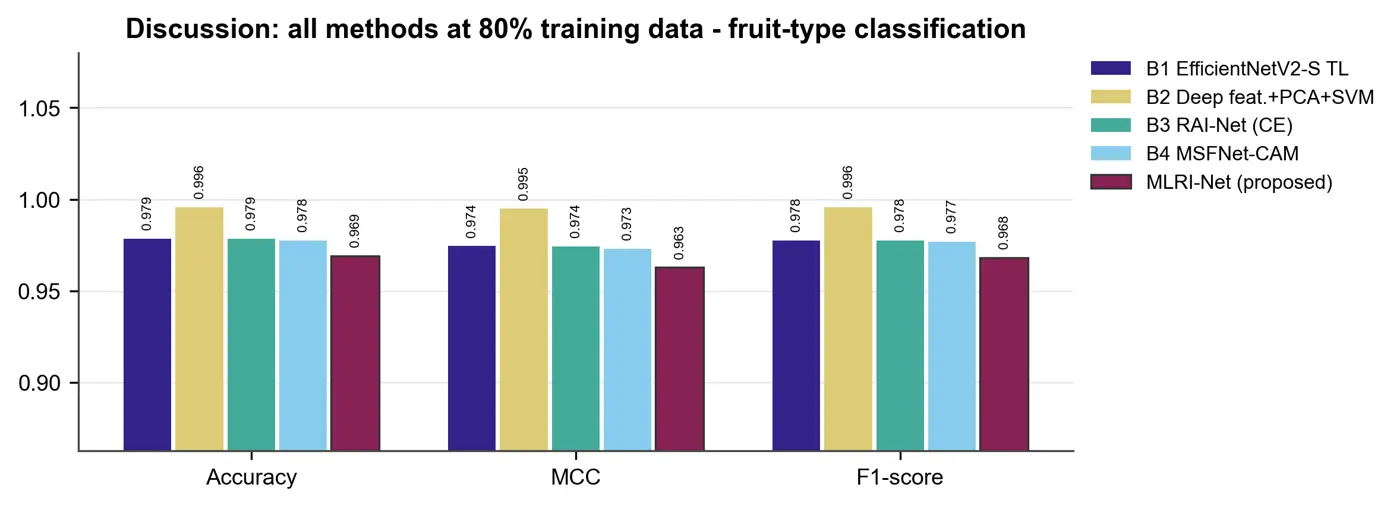
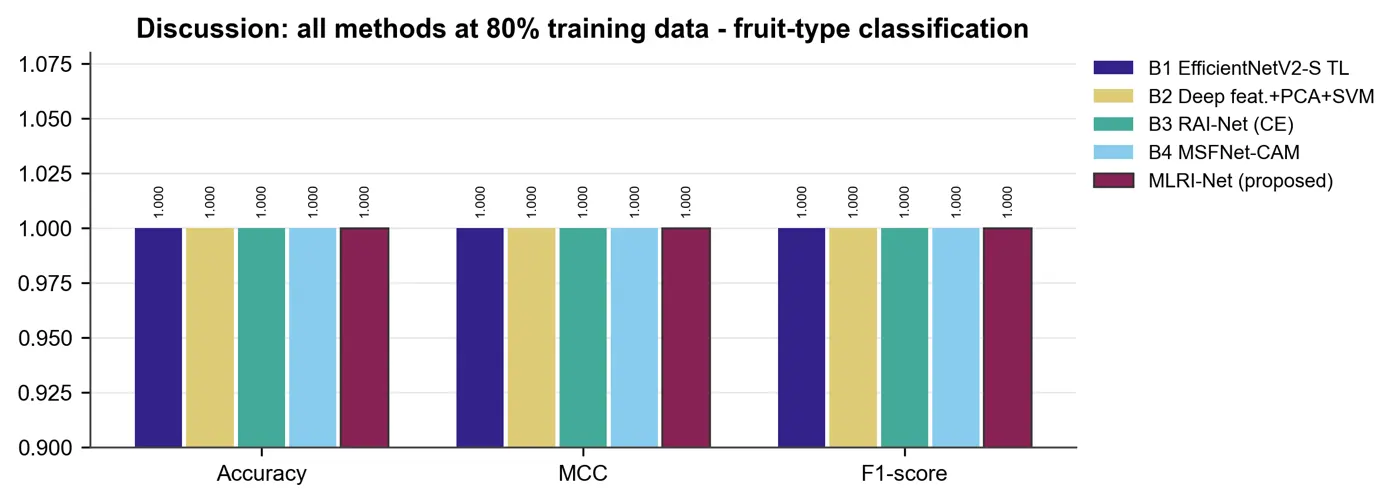
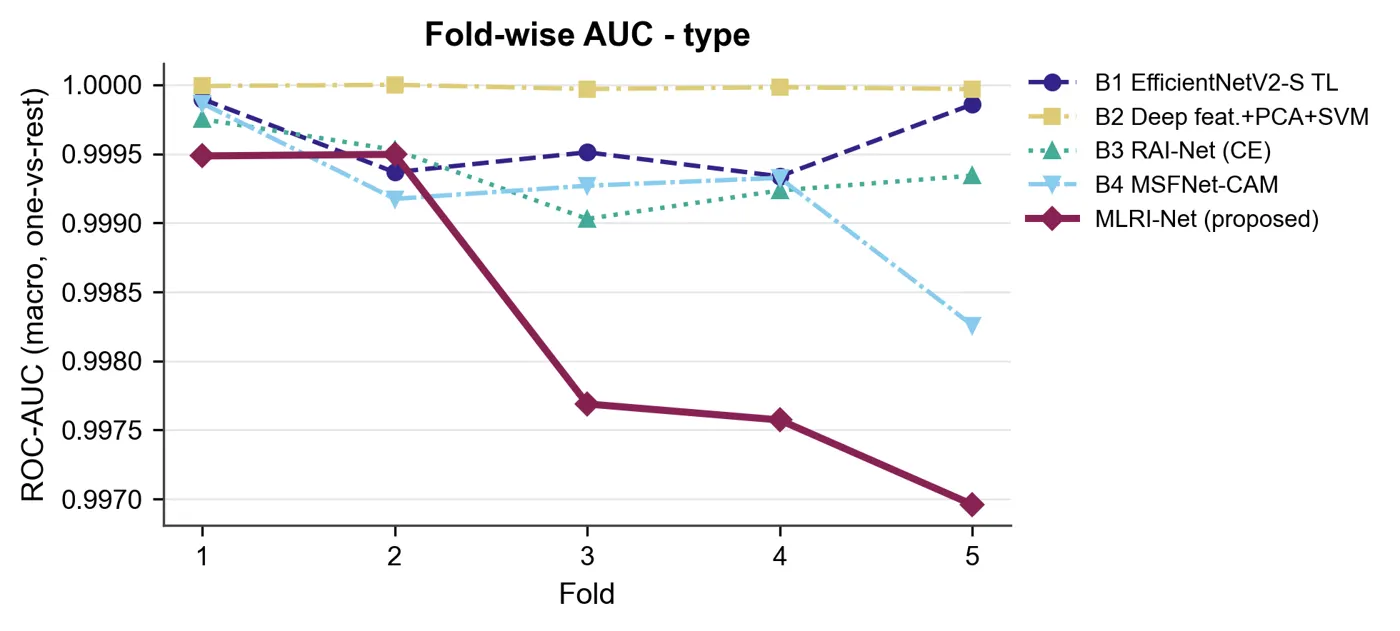
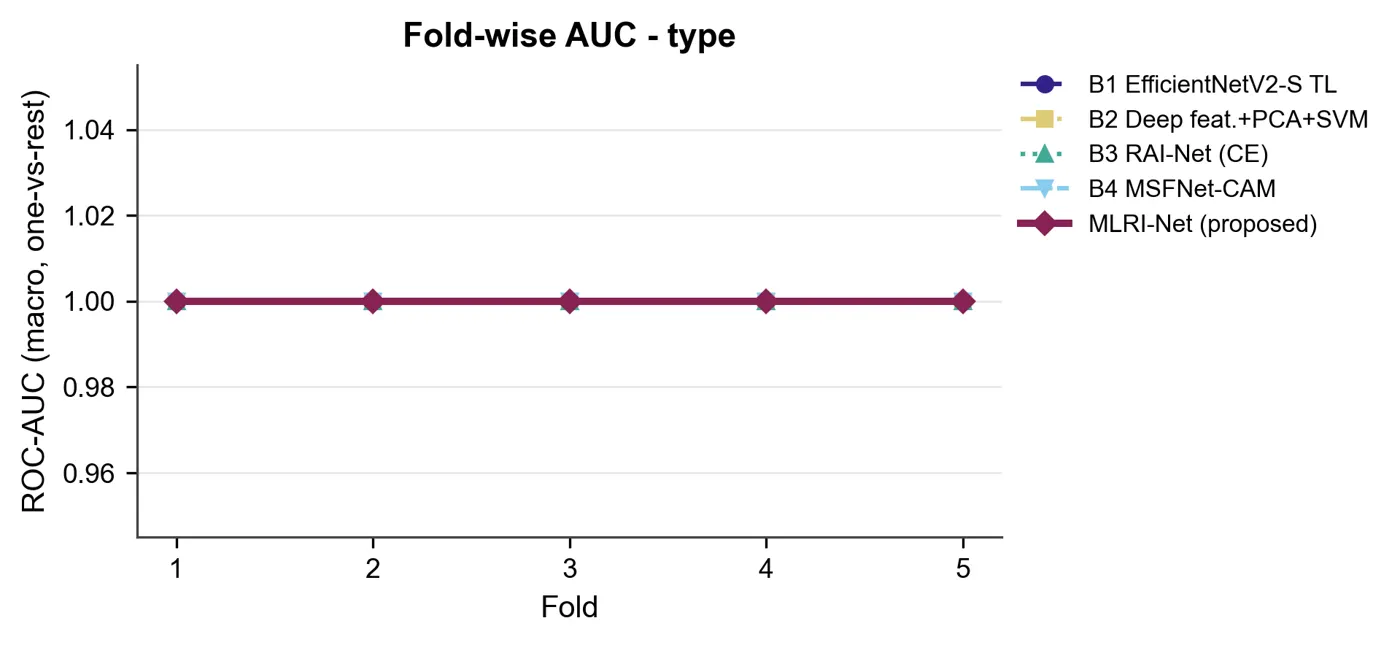
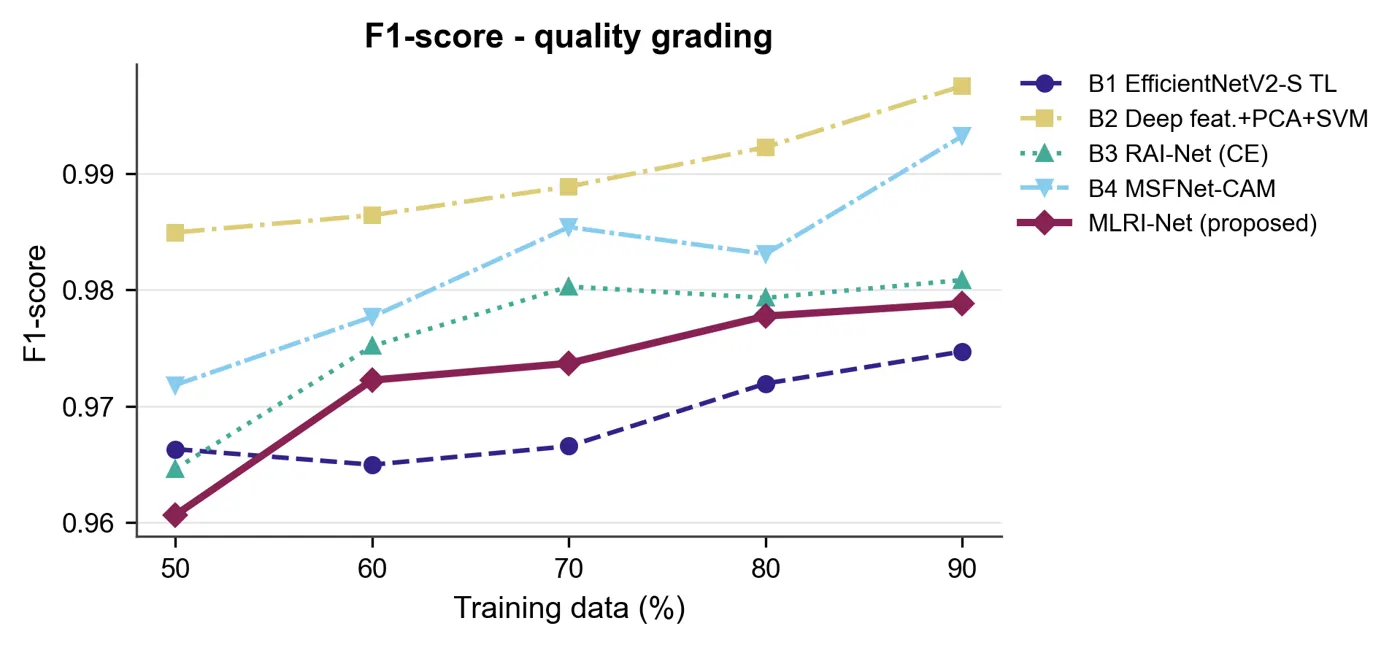
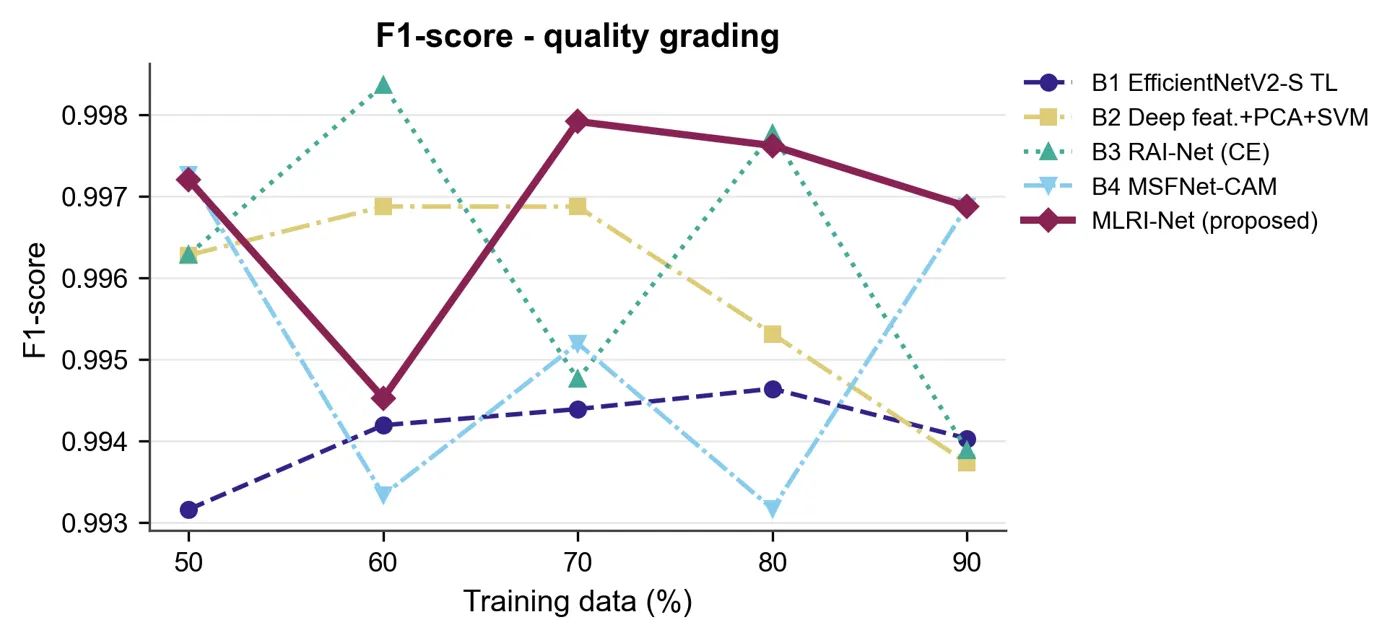
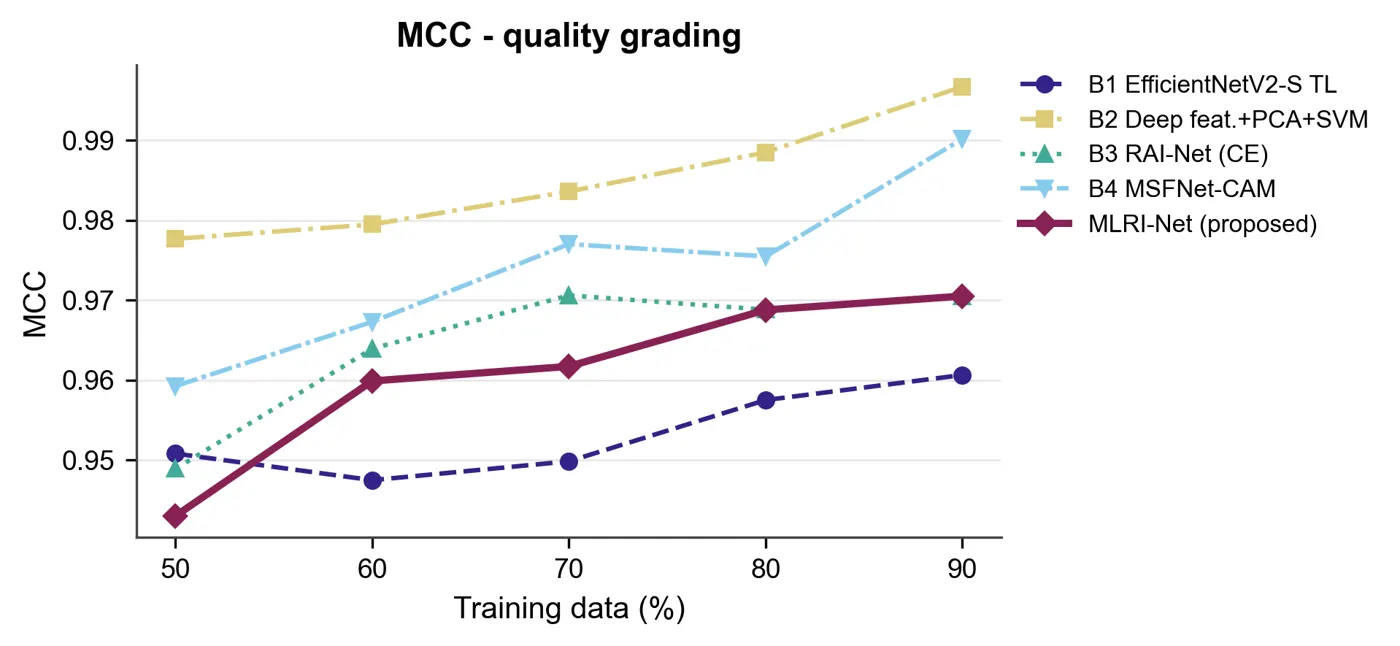
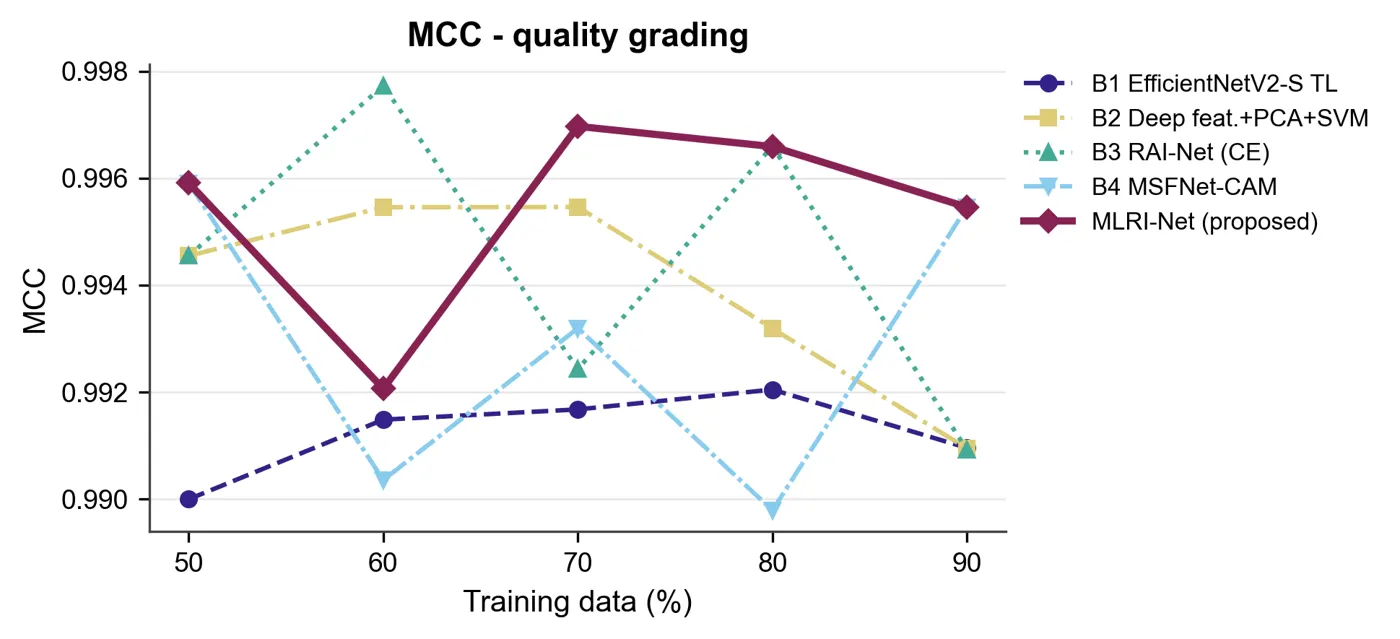
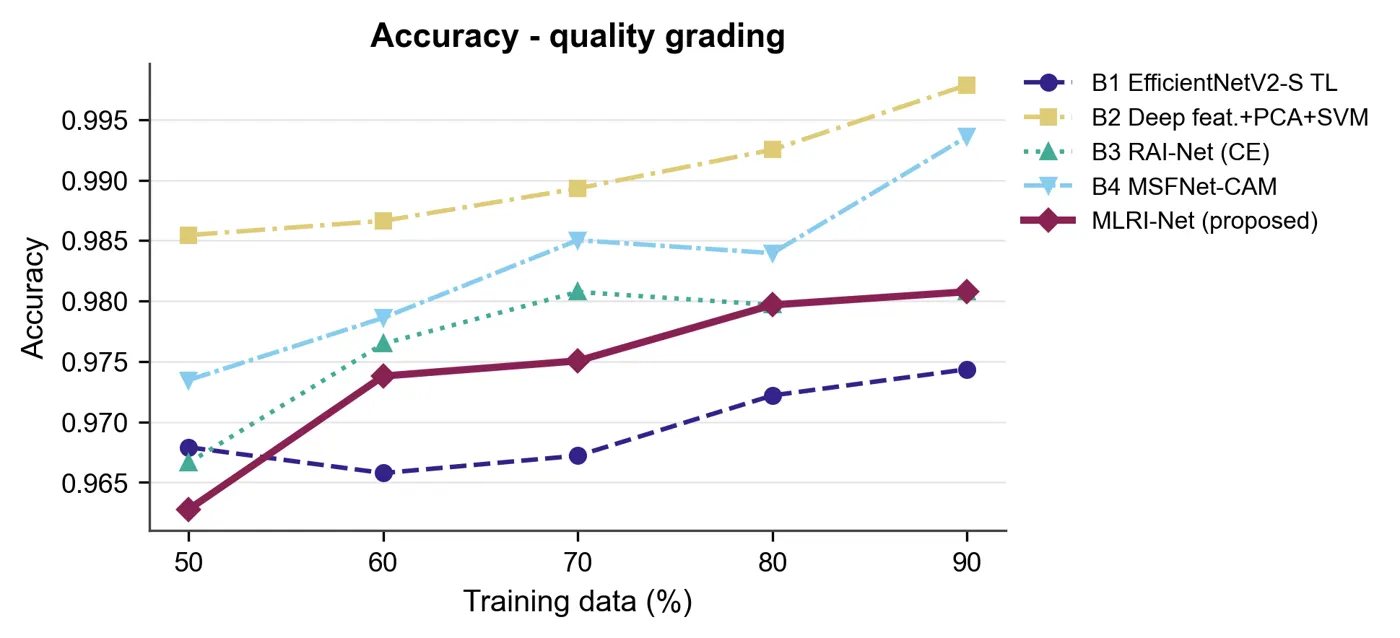
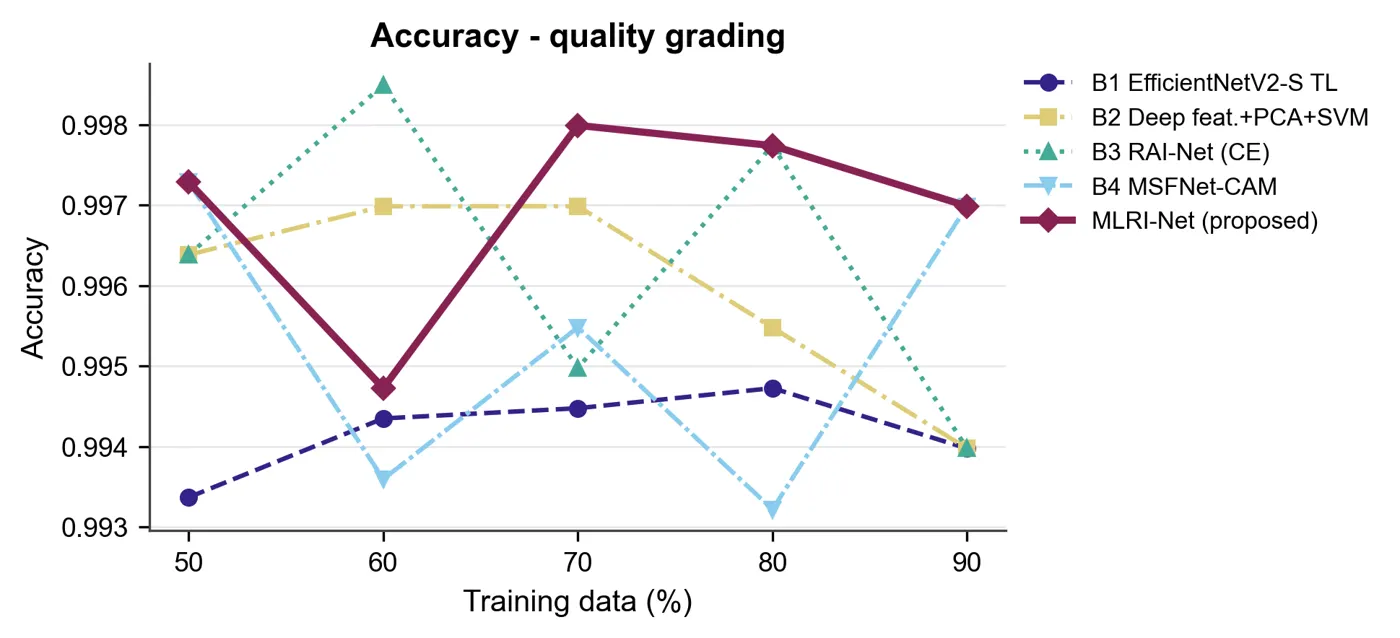
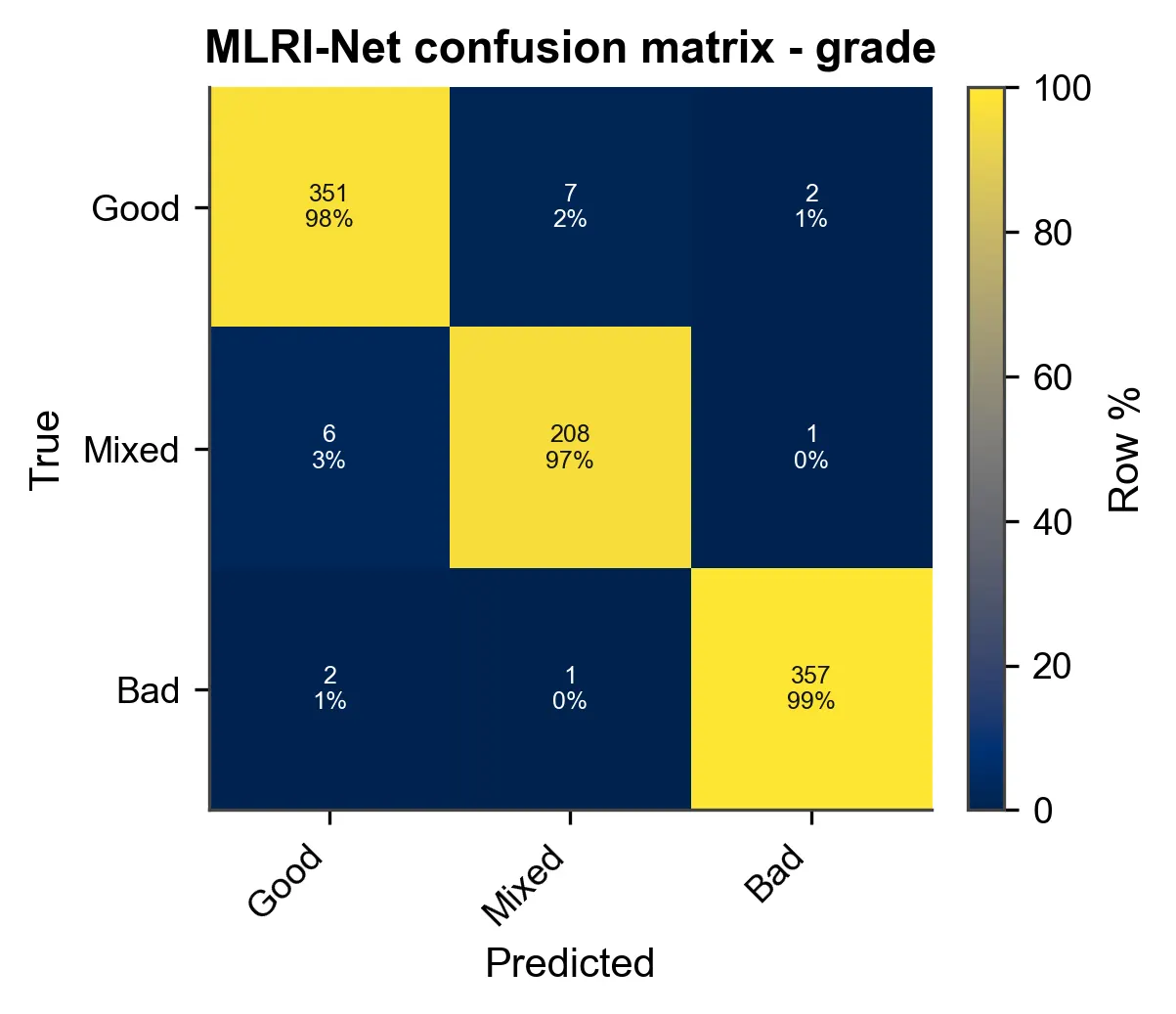
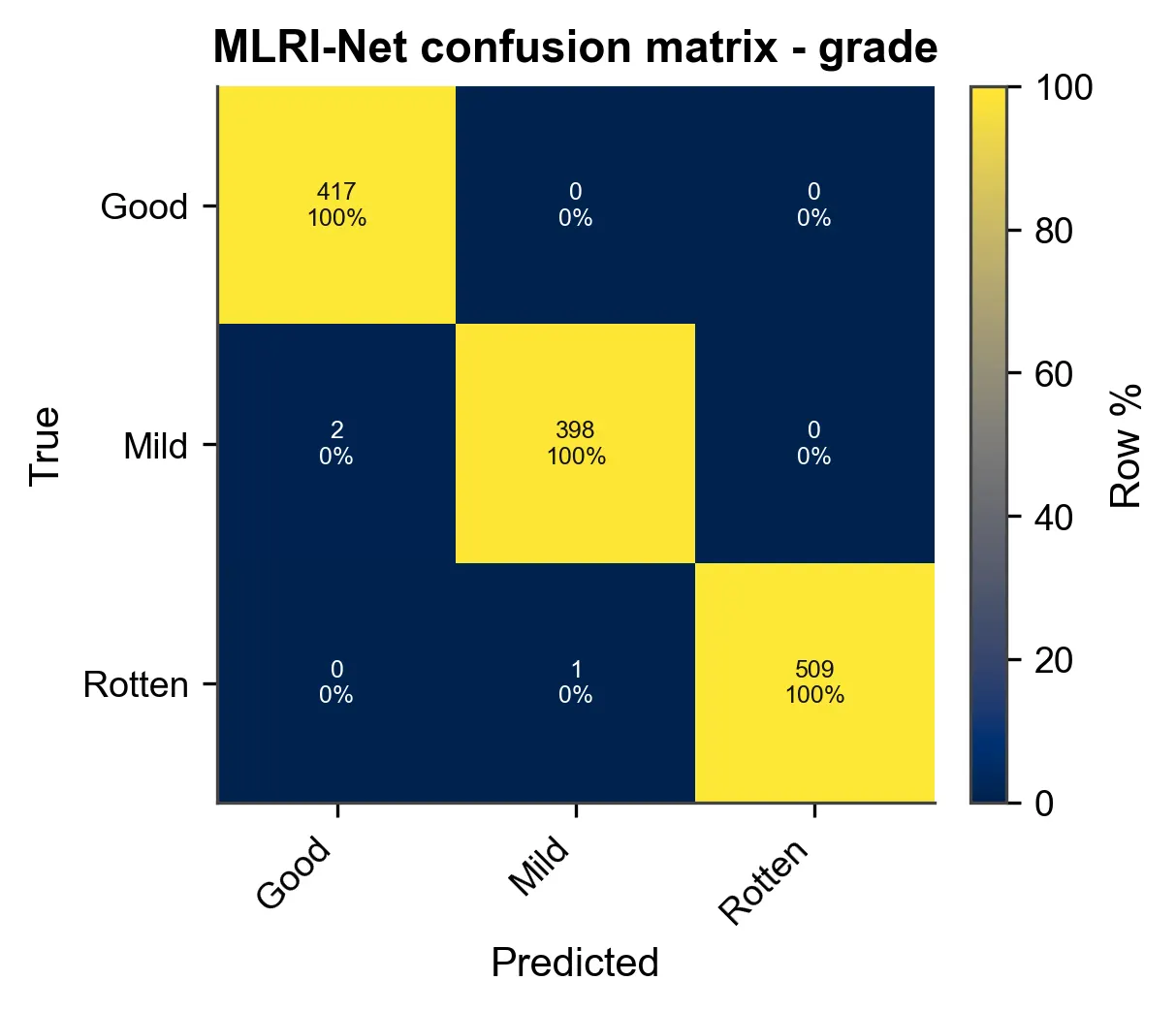
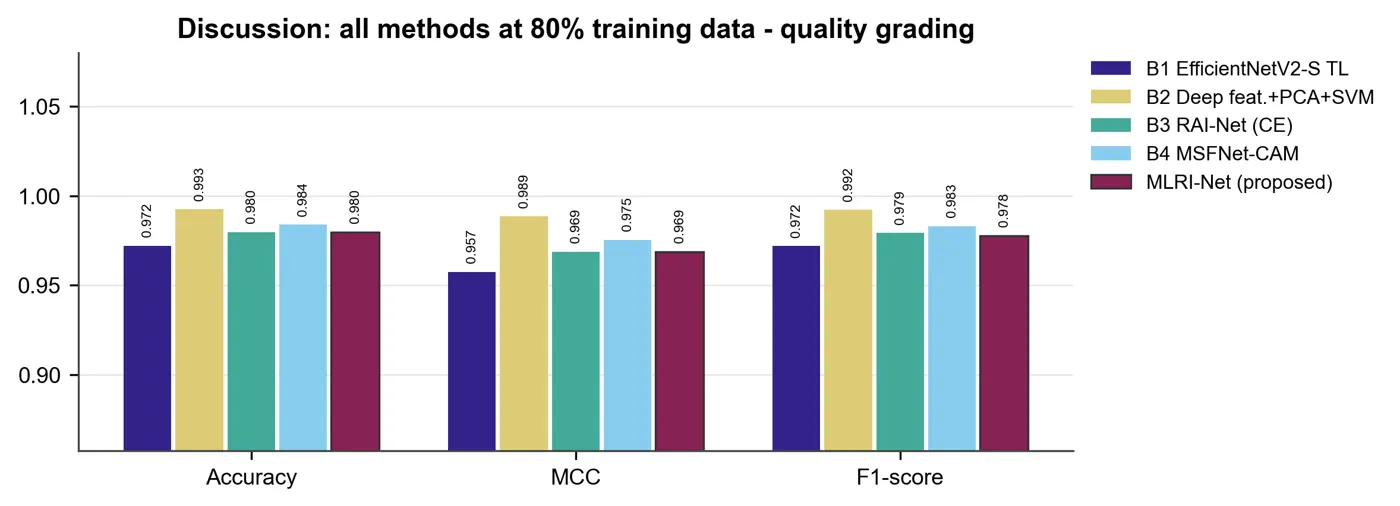
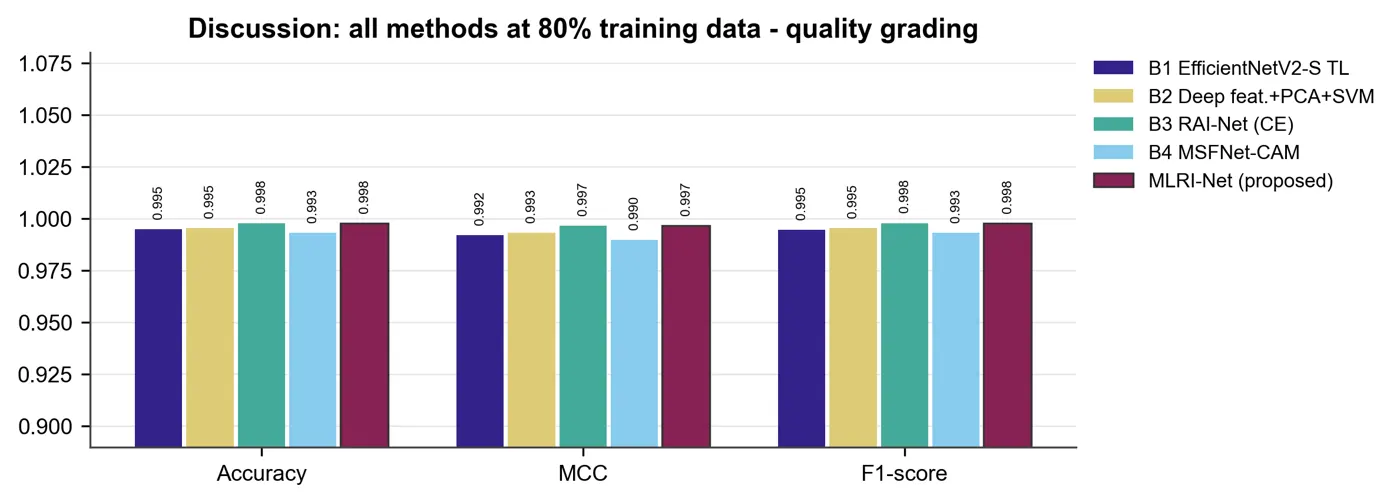
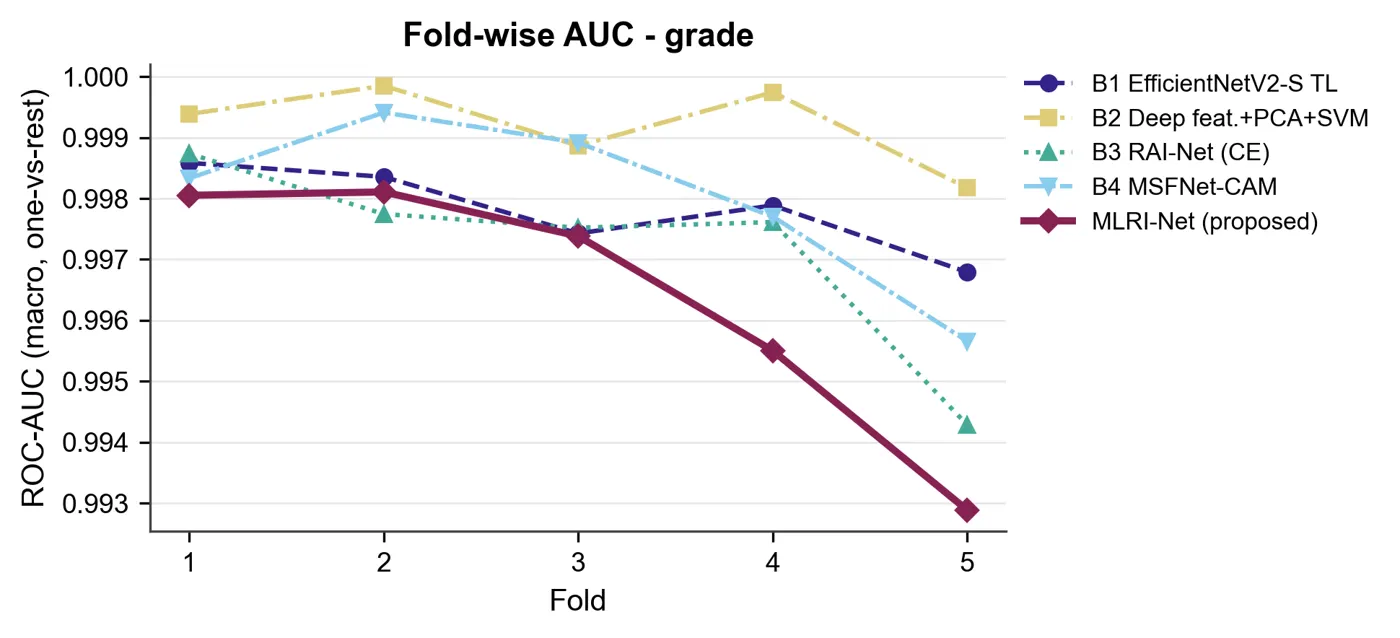
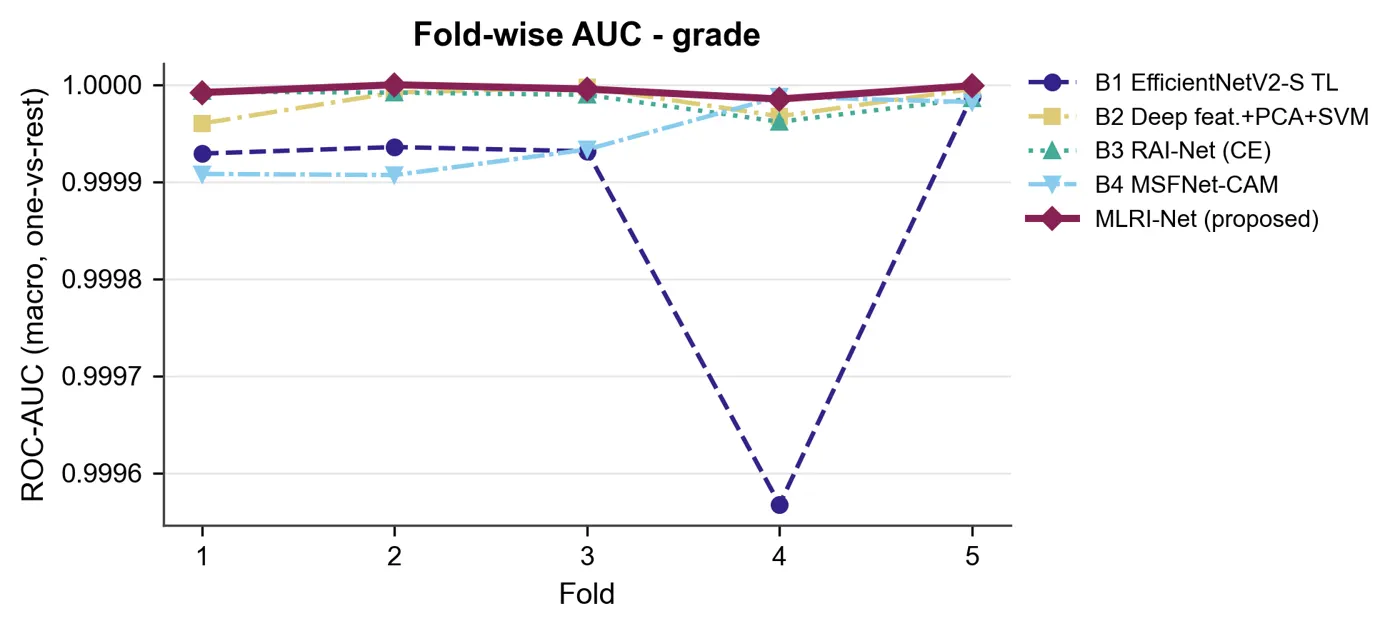
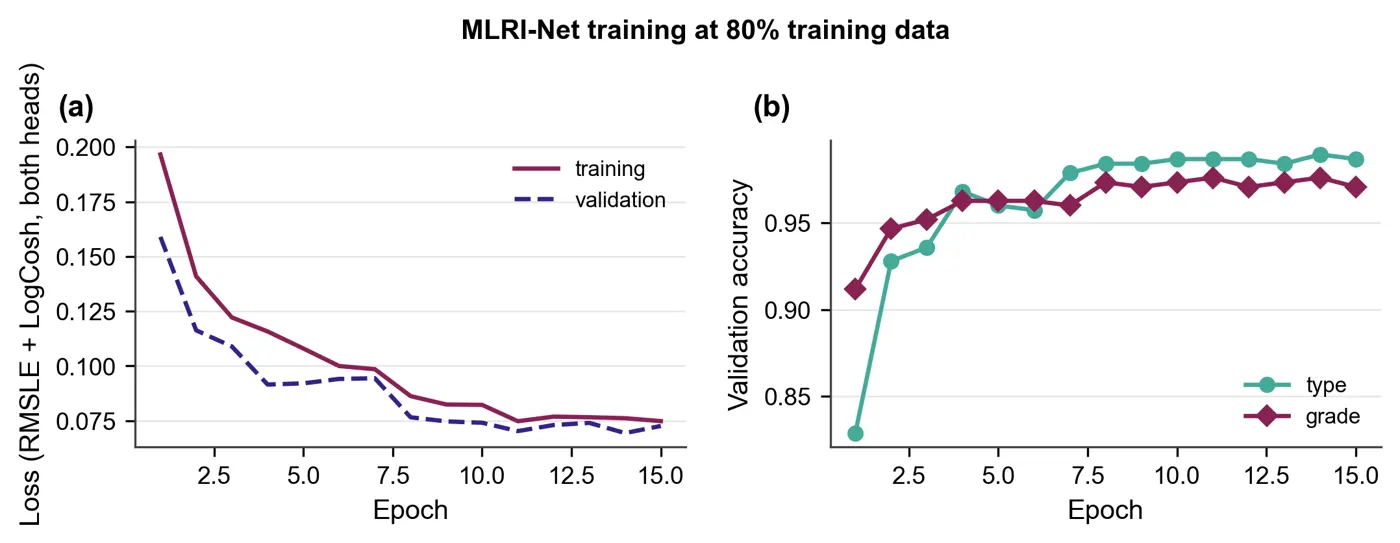
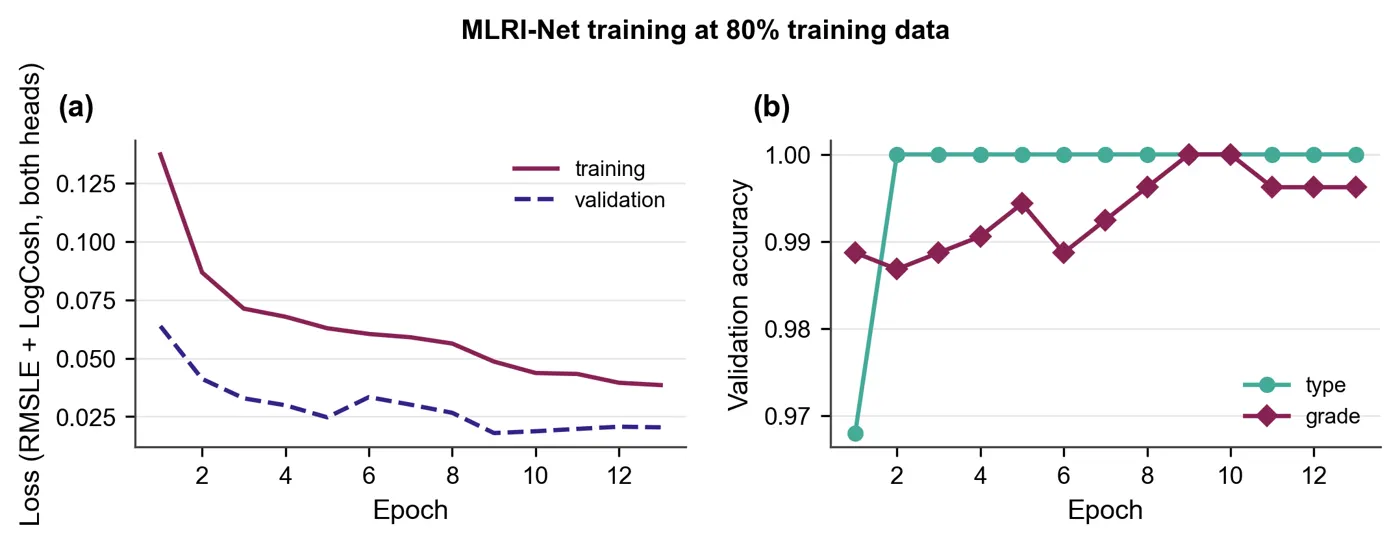
Every graph and diagram the run produced, grouped by purpose. Filter by group and click any graph to enlarge it.
- Delivered
- 85 graphs and diagrams, all shown
- Formats
- PNG, vector PDF and CSV for each
Loading the PDF… 0%
The manuscript as written, before any journal formatting, in a PDF viewer with page jump and zoom.
- Length
- 31 pages, before formatting
- Viewer
- Zoom, page jump, full screen, download
Loading the PDF… 0%
The final paper: the same manuscript typeset in the IEEE two-column layout, with figures placed and references formatted.
- Final paper
- 18 pages, IEEE two-column
- Word (DOCX)
- LaTeX source
Author names in the samples are placeholders.
Loading the PDF… 0%
Everything starts from the concept document, together with the proposal, base papers and datasets in one project folder. Each is read and scored before anything is written.
- Concept PDF, 11 handwritten pages
- Cleveland heart-disease dataset
- Base papers
The concept document is the starting point. Scroll through all 11 pages in the viewer.
"""
ShPCN-Net research control panel (tkinter GUI).

* "Run Full Pipeline & Show Graphs" runs every step for the chosen dataset(s) on a
  background thread and then shows all result graphs in the built-in viewer.
* Every pipeline step can also be run on its own from the left-hand menu.
* Settings: dataset selector (or "All datasets"), DATA_PERCENT (1-100), a toggle that
  draws a new random seed (a new set of results), and a quick smoke-test mode.

Run:  python main.py
"""
import os
import platform
import queue
import subprocess
import sys
import threading
import tkinter as tk
import traceback
from tkinter import messagebox, ttk

from PIL import Image, ImageTk

import full_pipeline_runner as runner
import run_config as cfg
from data_loader import discover_datasets

ALL_DATASETS = "All datasets"
ACCENT = "#D55E00"
INK = "#1B1B1B"
PANEL = "#F6F4F1"


def open_folder(path):
    path.mkdir(parents=True, exist_ok=True)
    if platform.system() == "Windows":
        os.startfile(str(path))
    elif platform.system() == "Darwin":
        subprocess.Popen(["open", str(path)])
    else:
        subprocess.Popen(["xdg-open", str(path)])


class ControlPanel(tk.Tk):
    def __init__(self):
        super().__init__()
        self.title("ShPCN-Net · Heart Disease Detection · Research Control Panel")
        # fit the window to the screen (laptops with 125-150 % scaling report ~1536 x 864)
        width = min(1360, self.winfo_screenwidth() - 40)
        height = min(860, self.winfo_screenheight() - 90)
        self.geometry(f"{width}x{height}+10+10")
        self.minsize(min(1000, width), min(600, height))
        self.configure(bg=PANEL)
        self.messages = queue.Queue()
        self.worker = None
        self.graph_paths = []
        self.preview_image = None
        self.datasets = list(discover_datasets())
        self._build_style()
        self._build_header()
        self._build_body()
        self._drain_job = self.after(150, self._drain_messages)
        self.refresh_gallery()
        if not self.datasets:
            messagebox.showerror("No dataset", "No non-empty code/dataset_*/ folder was found.\n"
                                               "Add the dataset before running the pipeline.")

    # ------------------------------------------------------------------ layout
    def _build_style(self):
        style = ttk.Style(self)
…
"""
Proposed method - ShPCN-Net (context.docx, Stage 3; concept handwritten diagram p.3):
F_s --(3a embedding)--> I_p --[ShuffleNet-V2 + SE]--> O1
F_s --(regression y1)--+
+--[Taylor fusion O2 = 2*y1 - O1]--> O2 --[PCNN 1/3/5/7]--> O3..O6
O7 = softmax( fc( O3 || O4 || O5 || O6 ) ) -> Disease / Normal
"""
import torch
from torch import nn
from network_building_blocks import (FeatureToMapEmbedding, HiddenDenseStack, ParallelMultiscaleConv,
ShuffleNetSEBranch, TaylorRegressionFusion)
from torch_training_loop import TorchTabularClassifier
class ShPCNNetModule(nn.Module):
def __init__(self, n_features, s):
super().__init__()
c, m = s["channels"], s["map_size"]
self.embedding = FeatureToMapEmbedding(n_features, m) # 3a
self.shufflenet_branch = ShuffleNetSEBranch(c, s["se_reduction"]) # 3b
self.taylor_fusion = TaylorRegressionFusion(n_features, c, m) # 3c
self.pcnn = ParallelMultiscaleConv(c, s["pcnn_filters"], s["pcnn_kernel_sizes"]) # 3d
self.head = HiddenDenseStack(s["pcnn_filters"] * len(s["pcnn_kernel_sizes"]),
s["hidden_neurons"], s["hidden_layers"], s["dropout_rate"],
s["activation"])
def forward(self, features, return_intermediates=False):
i_p = self.embedding(features)
o1, se_weights, unit_map = self.shufflenet_branch(i_p)
o2, y1 = self.taylor_fusion(features, o1)
pooled, branch_maps = self.pcnn(o2)
logits = self.head(pooled)
if not return_intermediates:
return logits
return logits, {
"I_p": i_p, "shufflenet_unit_map": unit_map, "se_weights": se_weights,
"O1": o1, "y1": y1, "O2": o2,
"O3": branch_maps[0], "O4": branch_maps[1], "O5": branch_maps[2], "O6": branch_maps[3],
"O7": torch.softmax(logits, dim=1),
}
class ShPCNNetClassifier(TorchTabularClassifier):
display_name = "ShPCN-Net (proposed)"
def build_module(self, n_features):
return ShPCNNetModule(n_features, self.settings)
def trace_intermediates(self, X):
"""Every intermediate tensor (as numpy) for visualisation of one or more samples."""
self.module.eval()
with torch.no_grad():
_, inter = self.module(torch.as_tensor(X, dtype=torch.float32), return_intermediates=True)
return {k: v.numpy() for k, v in inter.items()}
"""
Stage 2 - feature selection with the Gray Langurs Optimizer (GLO)  (N_d -> F_s).

Source: Barshandeh et al., "Gray langurs optimizer: a multi-group bio-inspired
optimization algorithm" (Artificial Intelligence Review, 2026). The paper is not
in basepapers/, so the equations below follow its published description (three
group types: one-male, multi-male and all-male groups; social hierarchy;
migration between groups after alpha death / mate finding / puberty; arbitrary
movement inside the territory). The exact coefficients are our documented
interpretation - see context.docx "Open questions".

Notation (per langur i, dimension d, iteration t of T):
  a      = a_start - (a_start - a_end) * t / (T - 1)       control parameter, 2 -> 0
  r1,r2,r3 ~ U(0,1)
  One-male group  (follow the single alpha A_g):
      X_new = A_g - a * (2*r1 - 1) * |r2 * A_g - X_i|
  Multi-male group (follow the mean M_g of the top-3 males + global best G):
      X_new = M_g - a * (2*r1 - 1) * |r2 * M_g - X_i| + r3 * (1 - a/a_start) * (G - X_i)
  All-male group  (bachelors roam: random partner X_j + pull to G for mate finding):
      X_new = X_i + a * (2*r1 - 1) * (X_j - X_i) + r2 * (1 - a/a_start) * (G - X_i)
  Territory movement (probability p_rand):
      X_new = X_i + a * N(0, 0.1 * (ub - lb))
  Greedy replacement: X_i <- X_new only if fitness improves.
  Alpha death: if a group's best fitness has not improved for L iterations, its
      worst member is re-born near the global best (puberty / new male joins).
  Migration: every M iterations the worst member of group g swaps with a random
      member of group g+1 (langurs move between groups).
  Boundaries: positions are clipped to [lb, ub].

Solution encoding (context.docx 3.3.1): position vector in [0,1]^N, feature d is
selected when X_d > 0.5 -> equivalent to the list of selected feature indices.
Fitness (Eq. 24): Fitness = alpha*(1 - Accuracy) + (1 - alpha) * R / K  (minimised),
Accuracy from an RBF-SVM wrapper with stratified inner CV on the training data only.
"""
import numpy as np
from sklearn.model_selection import StratifiedKFold, cross_val_score
from sklearn.svm import SVC

import run_config as cfg

GROUP_TYPES = ("one_male", "multi_male", "all_male")


def position_to_mask(position, threshold):
    """Continuous langur position -> boolean feature mask (at least one feature)."""
    mask = position > threshold
    if not mask.any():
        mask[int(np.argmax(position))] = True
    return mask


class FeatureSubsetFitness:
    """Eq. (24) wrapper fitness with a cache (identical masks are scored once)."""

    def __init__(self, X, y, alpha, cv_folds, svm_c, seed, threshold):
        self.X, self.y = X, y
        self.alpha, self.threshold = alpha, threshold
        n_splits = int(max(2, min(cv_folds, np.bincount(y).min())))
        self.cv = StratifiedKFold(n_splits=n_splits, shuffle=True, random_state=seed)
        self.svm_c = svm_c
        self.cache = {}

    def accuracy_of(self, mask):
        key = tuple(np.flatnonzero(mask))
        if key not in self.cache:
            model = SVC(C=self.svm_c, kernel="rbf", gamma="scale")
            self.cache[key] = float(cross_val_score(model, self.X[:, mask], self.y, cv=self.cv).mean())
        return self.cache[key]

    def __call__(self, position):
…
"""
Reusable PyTorch blocks for ShPCN-Net and the ablation baselines (context.docx, Stage 3).
FeatureToMapEmbedding 3a: k selected features -> learned 1 x 8 x 8 map I_p
ShuffleNetV2Unit 3b: channel split, 1x1 conv, 3x3 depthwise conv, 1x1 conv,
concatenation, channel shuffle
SqueezeExcitation 3b: Eq. 8-10 Z_c = 1/(H*W) sum_i sum_j I_p
s = sigma(W2 * delta(W1 * Z_c))
O1 = s * I_p
TaylorRegressionFusion 3c: y1 = sum F_i * w_i (learned map to the shape of O1)
O2 = 2*y1 - O1 (first-order Taylor rule, k = 1)
ParallelMultiscaleConv 3d: O3..O6 = f_conv1..4(O2) with 1/3/5/7 kernels
HiddenDenseStack FC hidden layers (depth = "hidden layers" setting)
"""
import torch
from torch import nn
def make_activation(name):
return {"relu": nn.ReLU(), "gelu": nn.GELU(), "elu": nn.ELU(), "tanh": nn.Tanh()}.get(name, nn.ReLU())
class FeatureToMapEmbedding(nn.Module):
"""Dense k -> map_size^2, reshaped to (B, 1, H, W). This is the network input I_p."""
def __init__(self, n_features, map_size):
super().__init__()
self.map_size = map_size
self.linear = nn.Linear(n_features, map_size * map_size)
def forward(self, x):
return self.linear(x).view(-1, 1, self.map_size, self.map_size)
def channel_shuffle(x, groups):
b, c, h, w = x.shape
return x.view(b, groups, c // groups, h, w).transpose(1, 2).contiguous().view(b, c, h, w)
class ShuffleNetV2Unit(nn.Module):
"""Stride-1 ShuffleNet-V2 basic unit (Ma et al., 2018)."""
def __init__(self, channels):
super().__init__()
half = channels // 2
self.branch = nn.Sequential(
nn.Conv2d(half, half, 1, bias=False), nn.BatchNorm2d(half), nn.ReLU(inplace=True),
nn.Conv2d(half, half, 3, padding=1, groups=half, bias=False), nn.BatchNorm2d(half),
nn.Conv2d(half, half, 1, bias=False), nn.BatchNorm2d(half), nn.ReLU(inplace=True),
)
def forward(self, x):
left, right = x.chunk(2, dim=1) # channel split
out = torch.cat([left, self.branch(right)], dim=1) # concatenation
return channel_shuffle(out, 2) # channel shuffle
class SqueezeExcitation(nn.Module):
"""Eq. 8-10. Returns (O1, s) so the attention weights can be visualised."""
def __init__(self, channels, reduction):
super().__init__()
hidden = max(channels // reduction, 2)
self.w1 = nn.Linear(channels, hidden) # W1
self.w2 = nn.Linear(hidden, channels) # W2
self.delta = nn.ReLU() # delta
self.sigma = nn.Sigmoid() # sigma
def forward(self, i_p):
z_c = i_p.mean(dim=(2, 3)) # Eq. 8: global average pooling
…EasySeer writes the project as separate Python files with a main program. Open any file, read it, and ask the chat what it does.
- In the project
- 47 Python files, plus requirements and a readme
- Shown
- The first lines of four real files
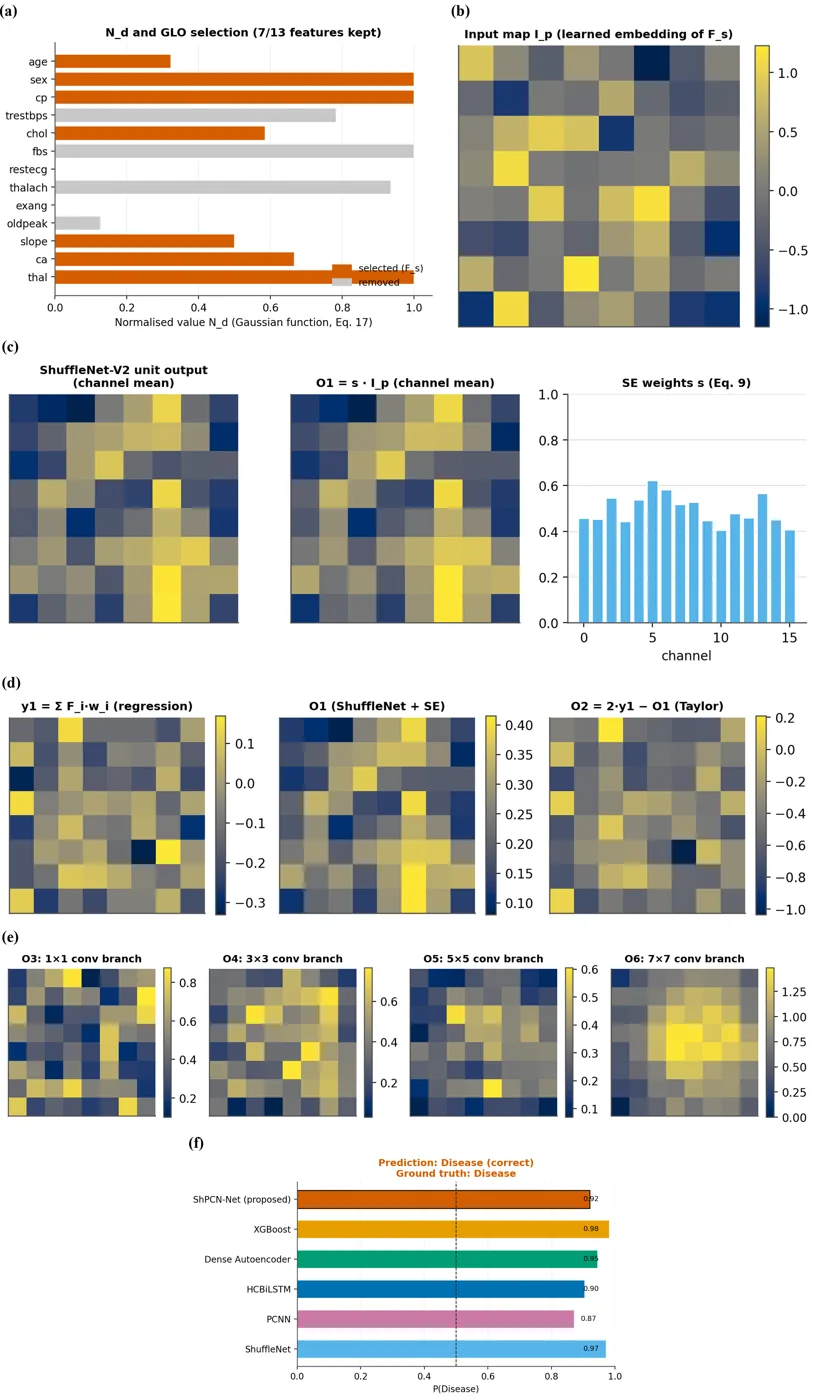
dataset: dataset_cleveland
sample_id: 21 (test sample of fold 1)
selected features (GLO): sex, cp, trestbps, thalach, slope, ca, thal
ShPCN-Net P(Disease) = 0.0324
predicted label: 0 (Normal)
ground truth   : 0 (Normal)

other methods P(Disease):
  ShuffleNet: 0.1355
  PCNN: 0.1273
  HCBiLSTM: 0.0838
  Dense Autoencoder: 0.0315
XGBoost: 0.0080The code runs on your own computer. Every file, log and result is saved to the project folder, so nothing is hidden.
- Records
- 303
- Validation
- 10-fold cross-validation
The text file under the picture is the saved output for that record.
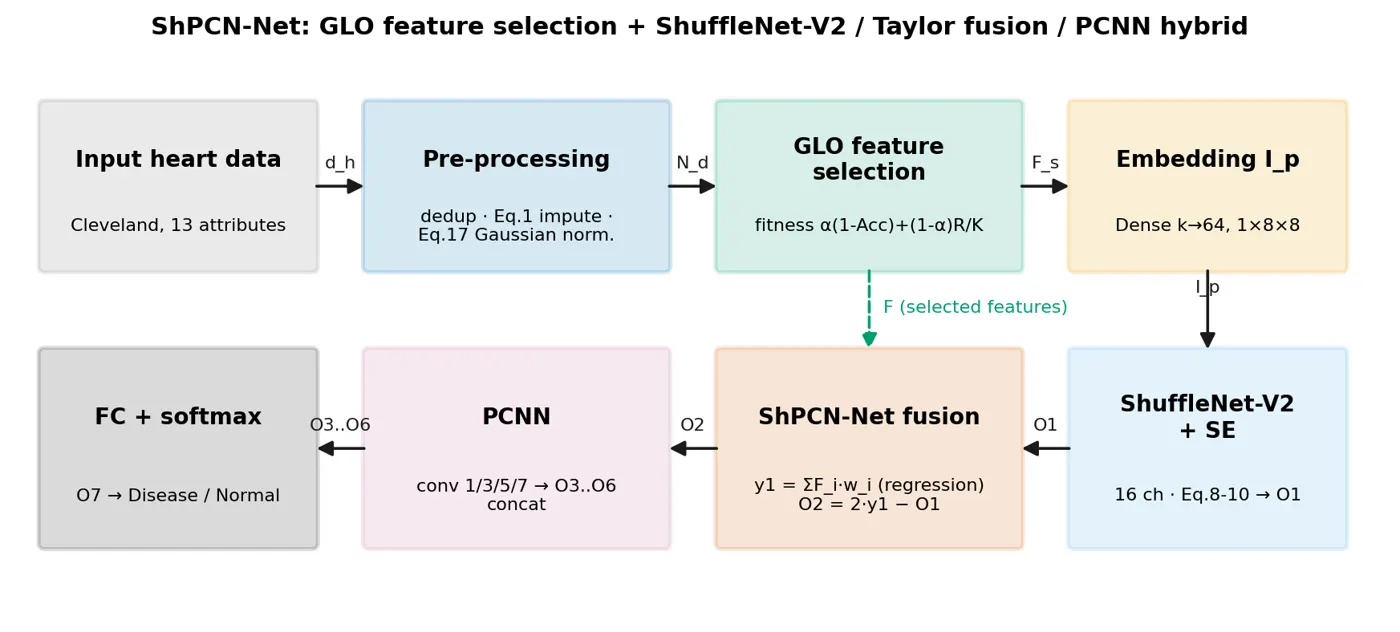
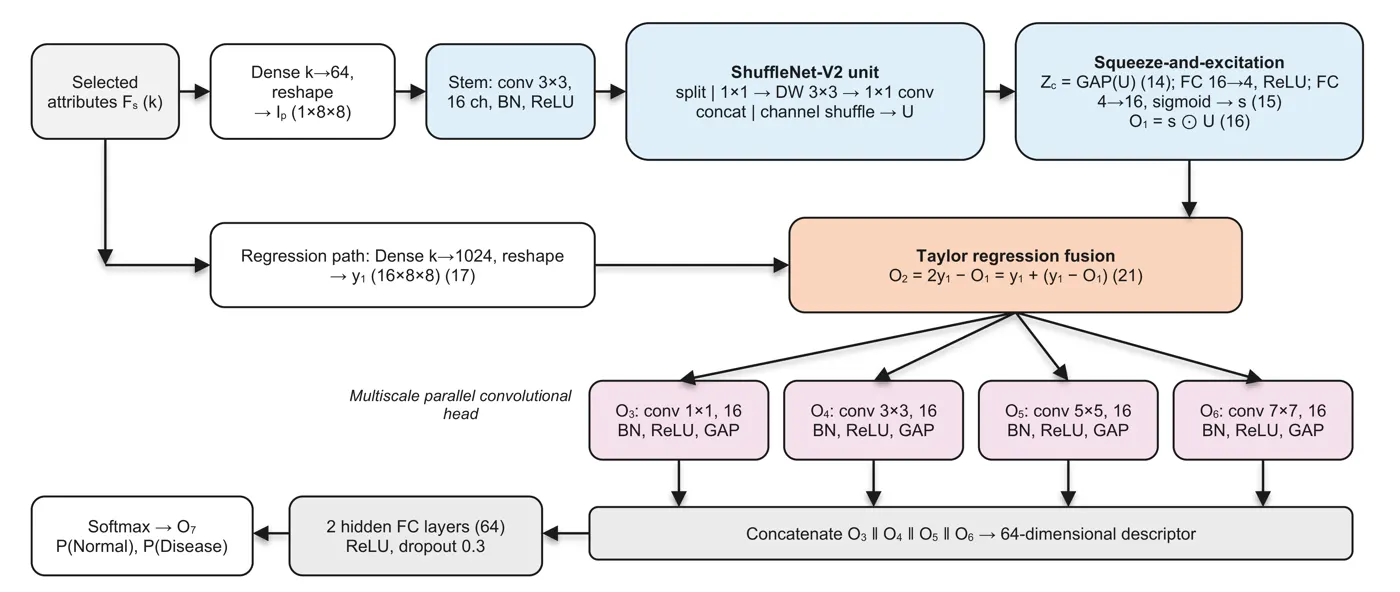
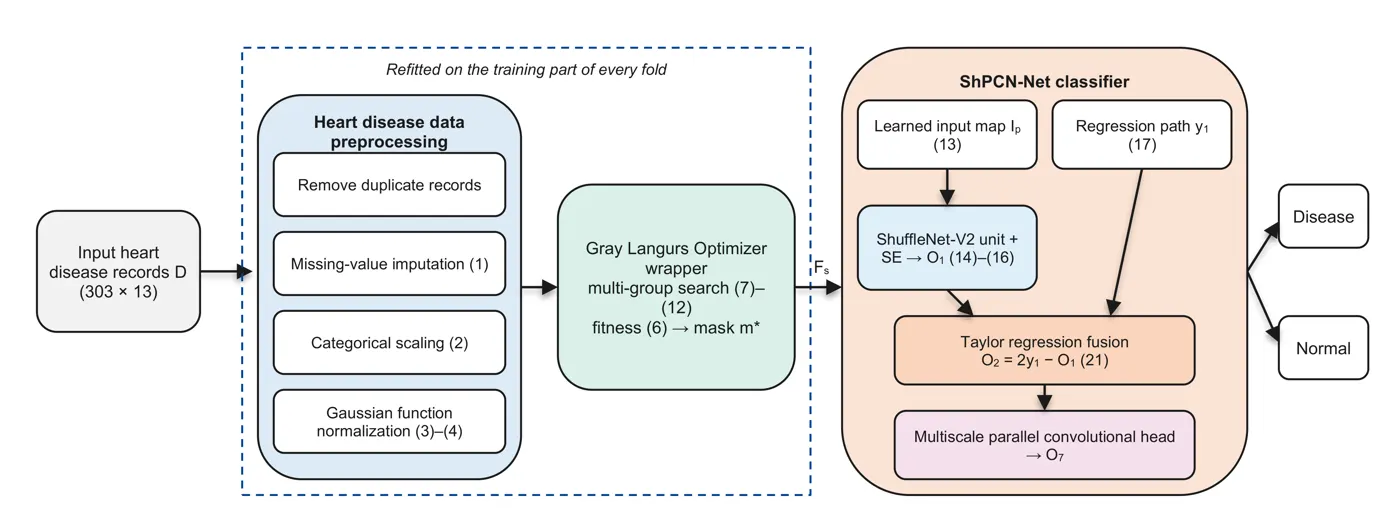
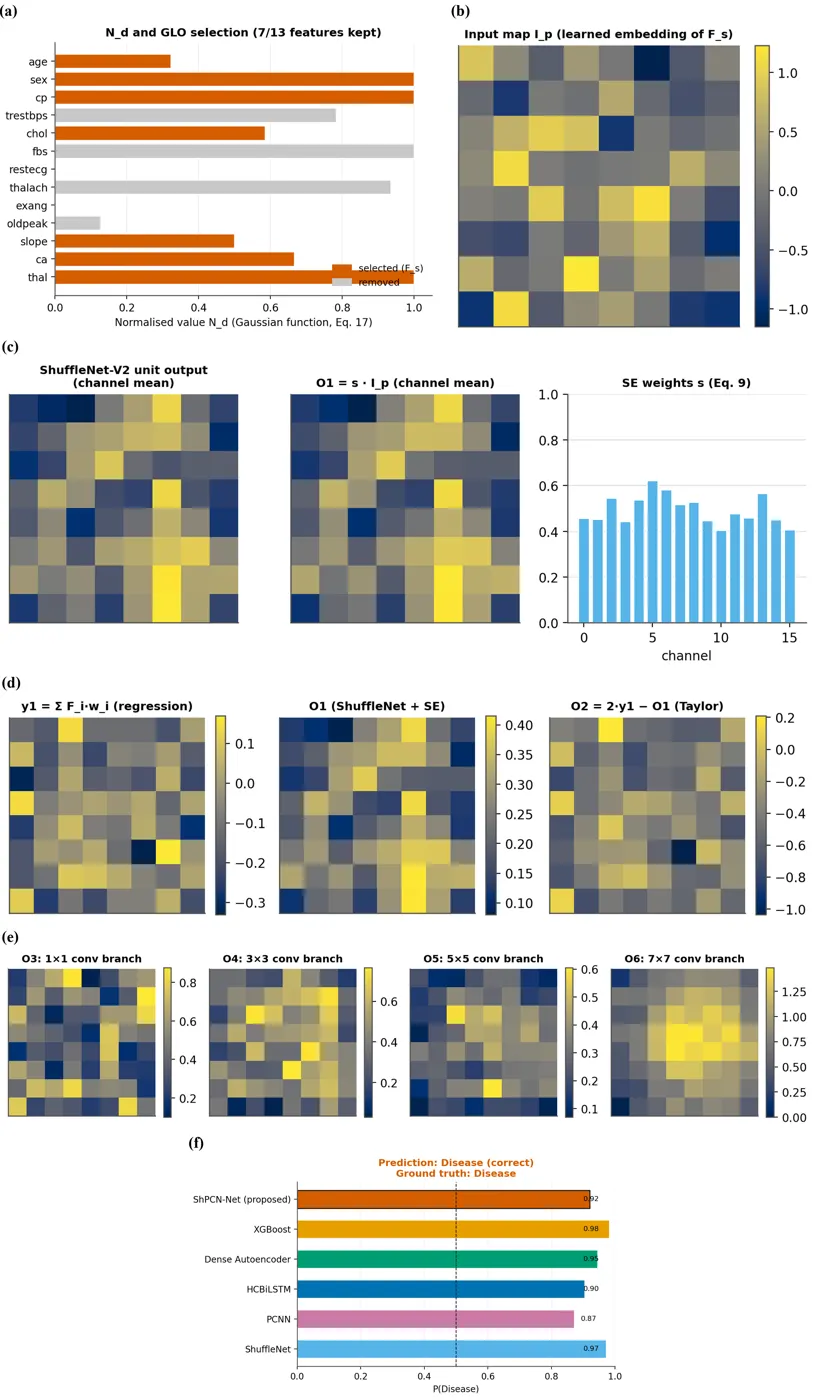
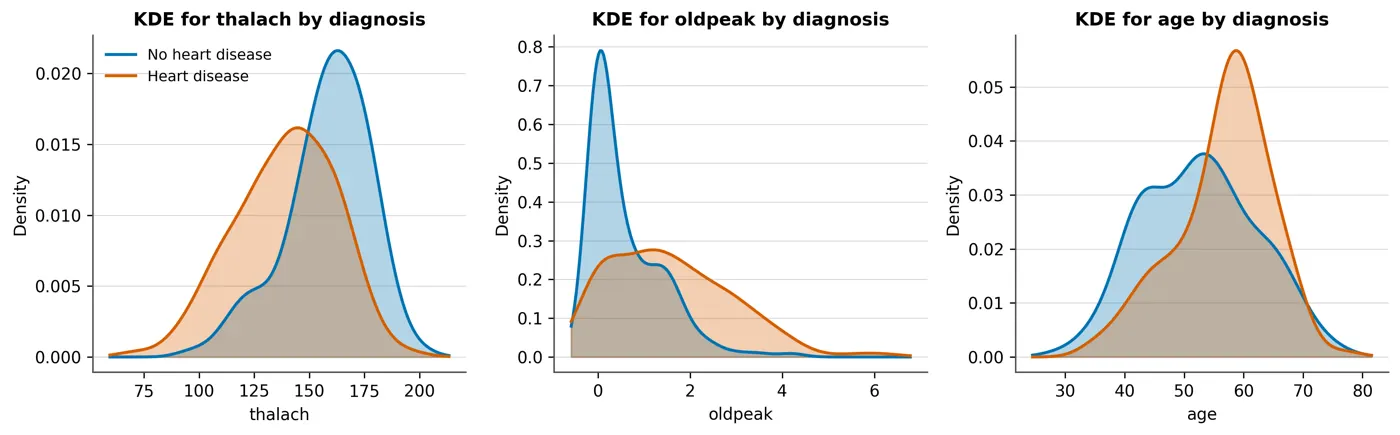
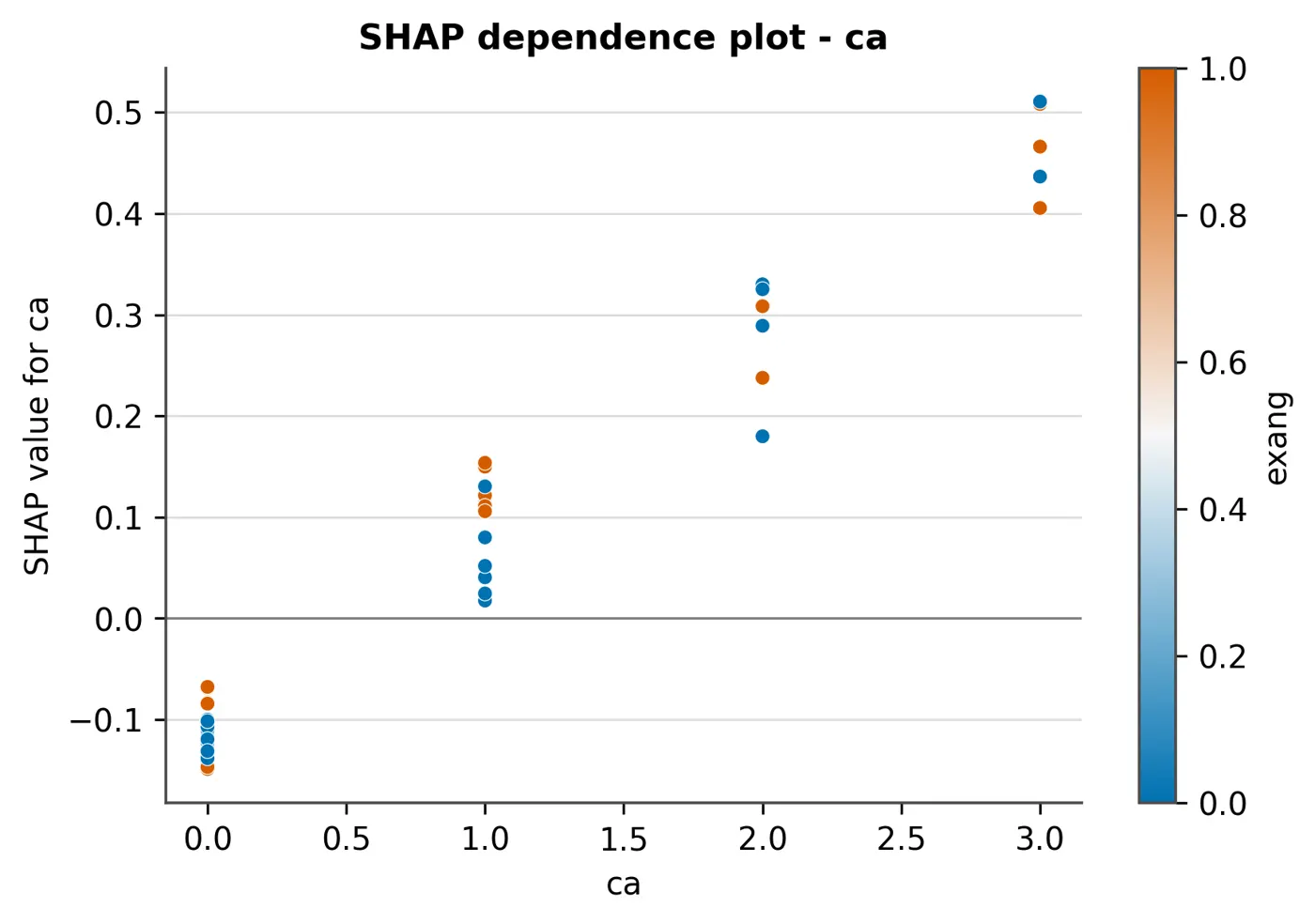
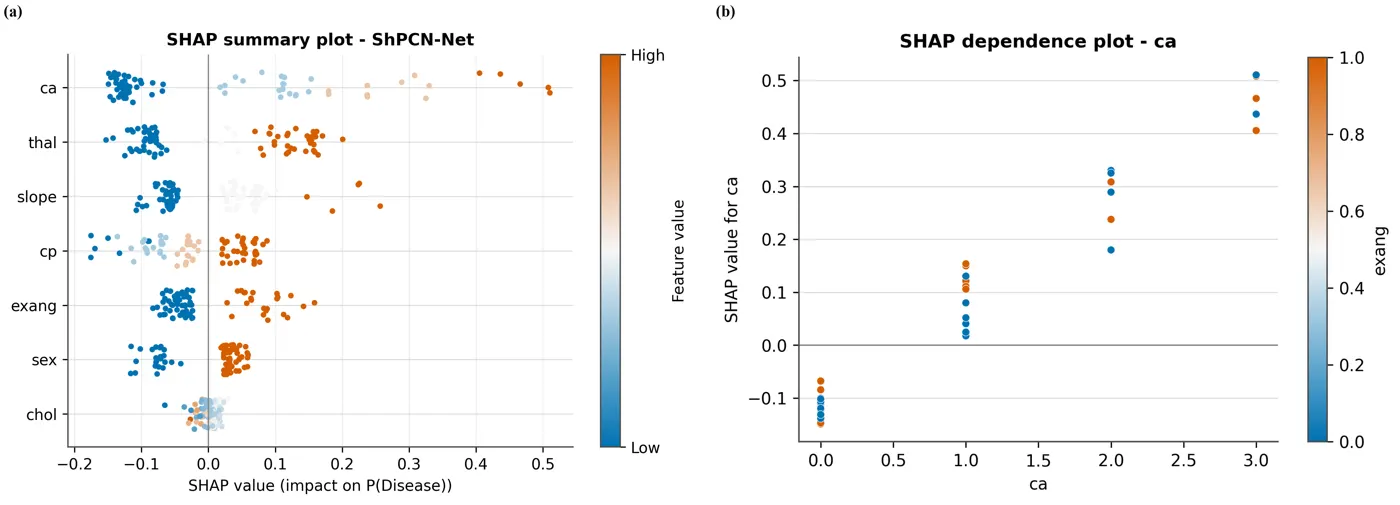
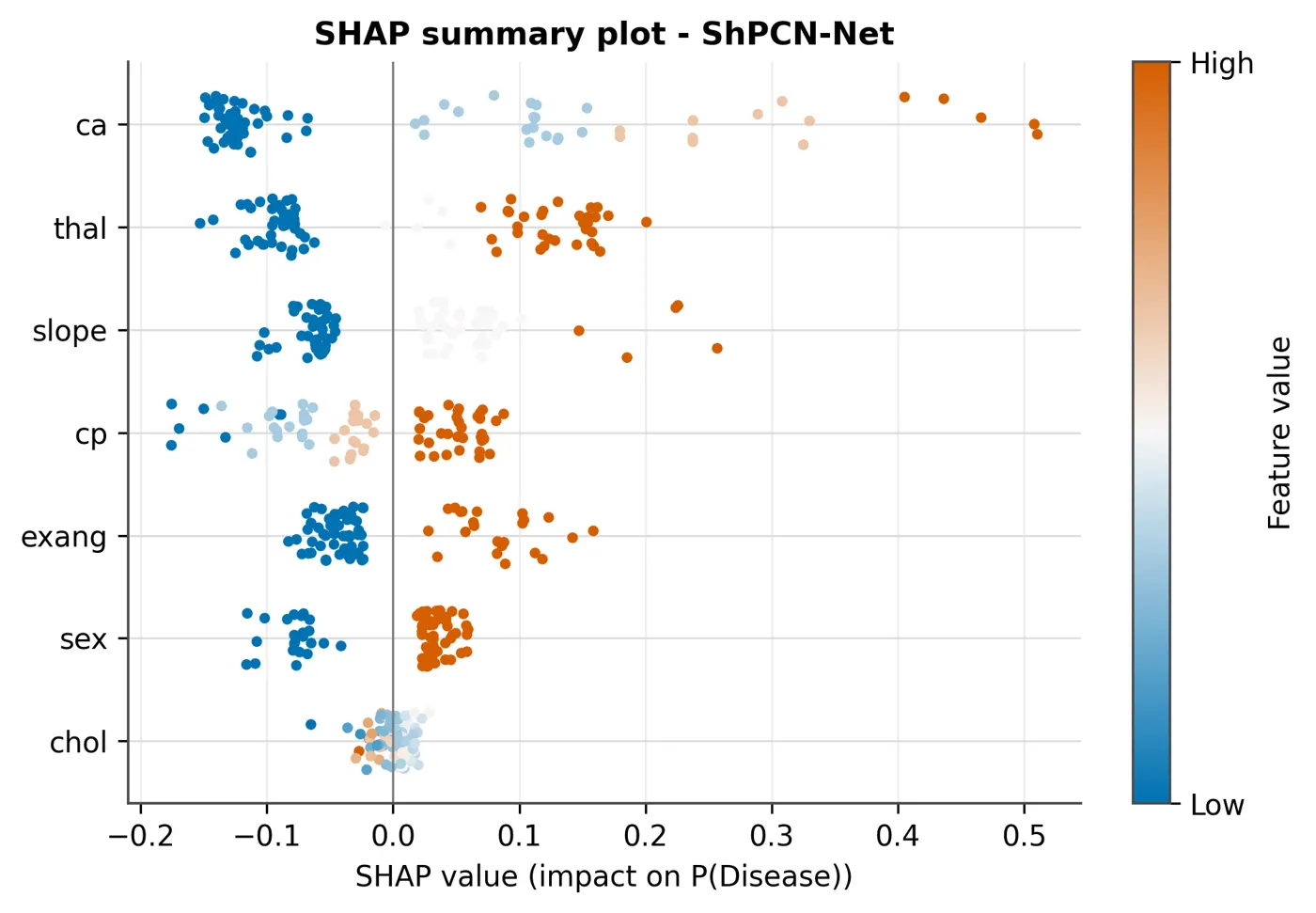
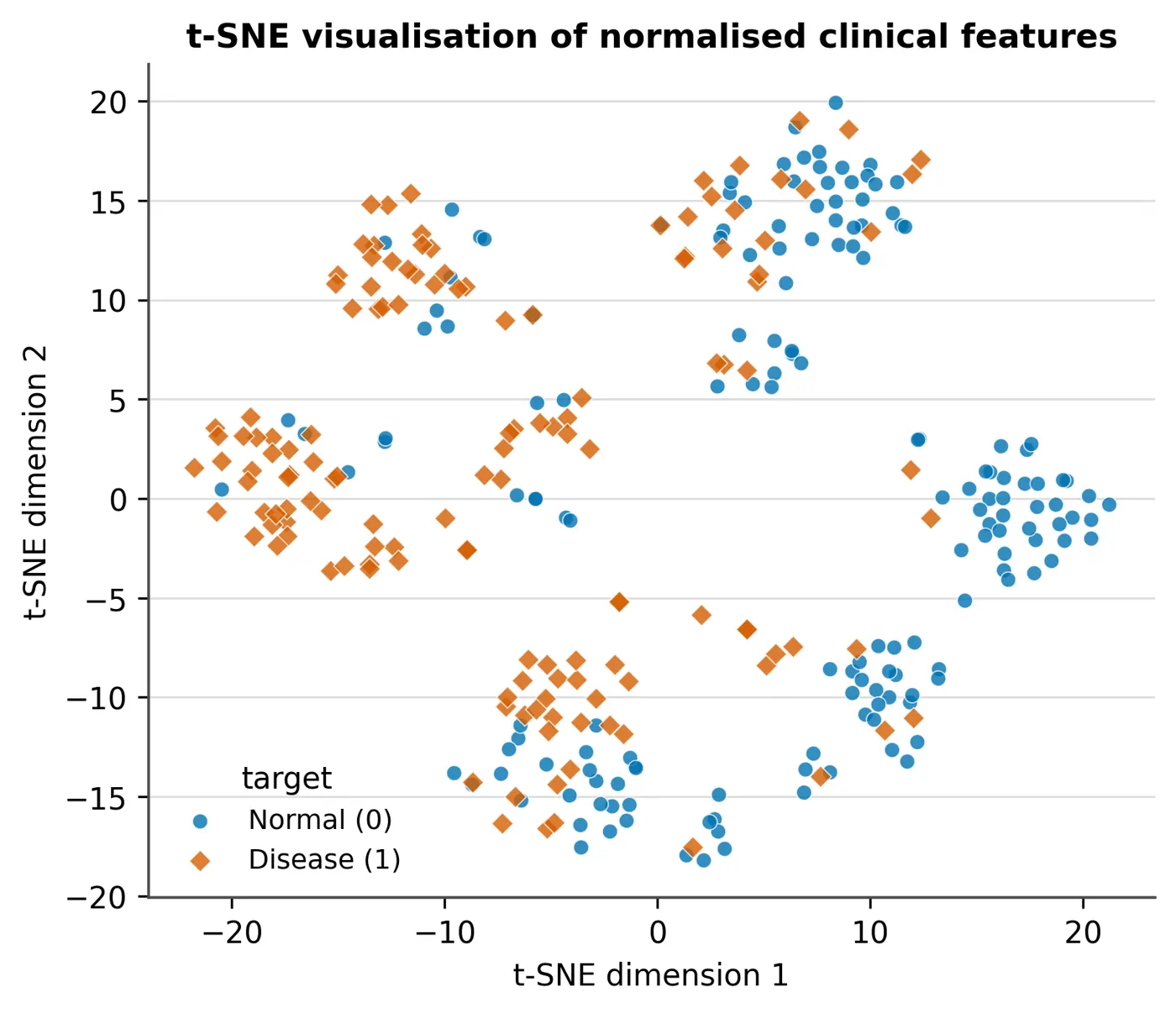
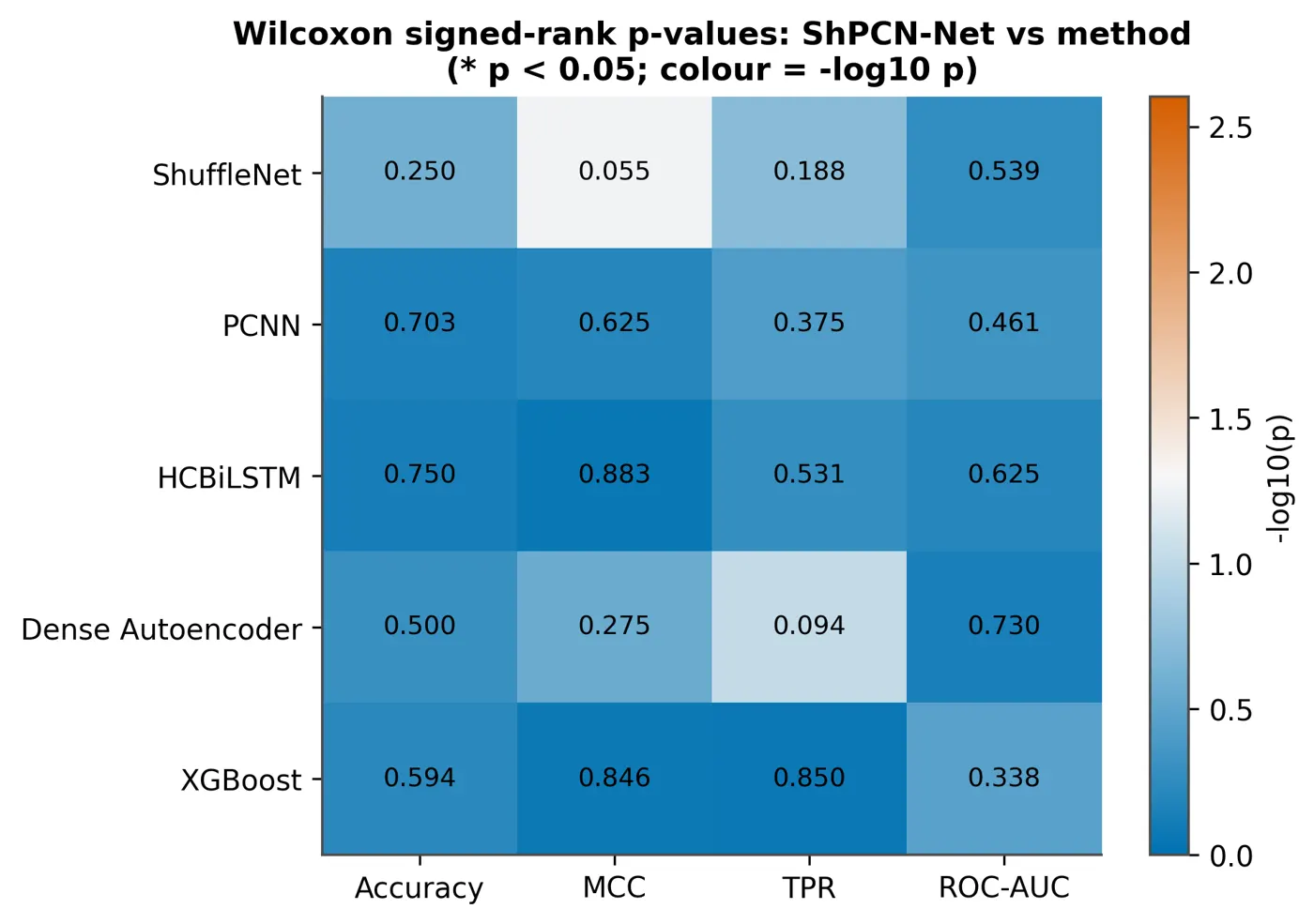
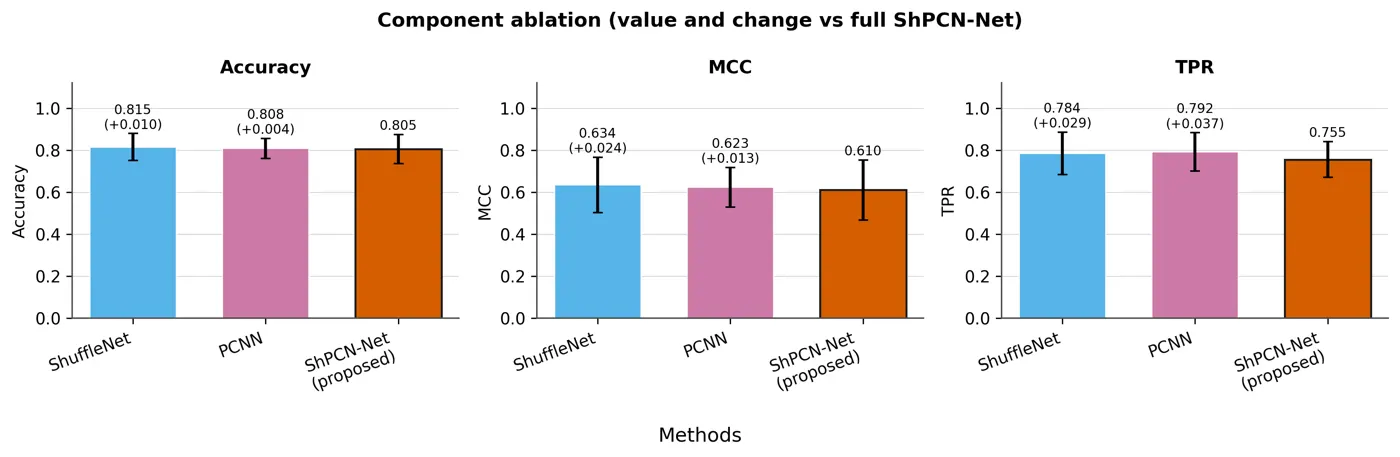
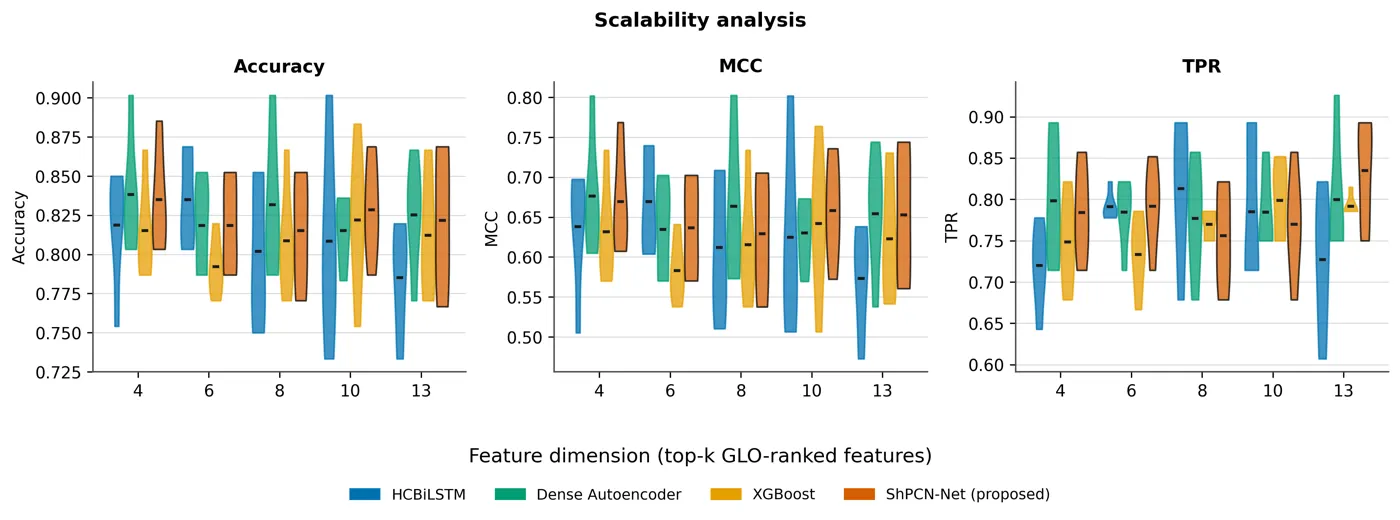
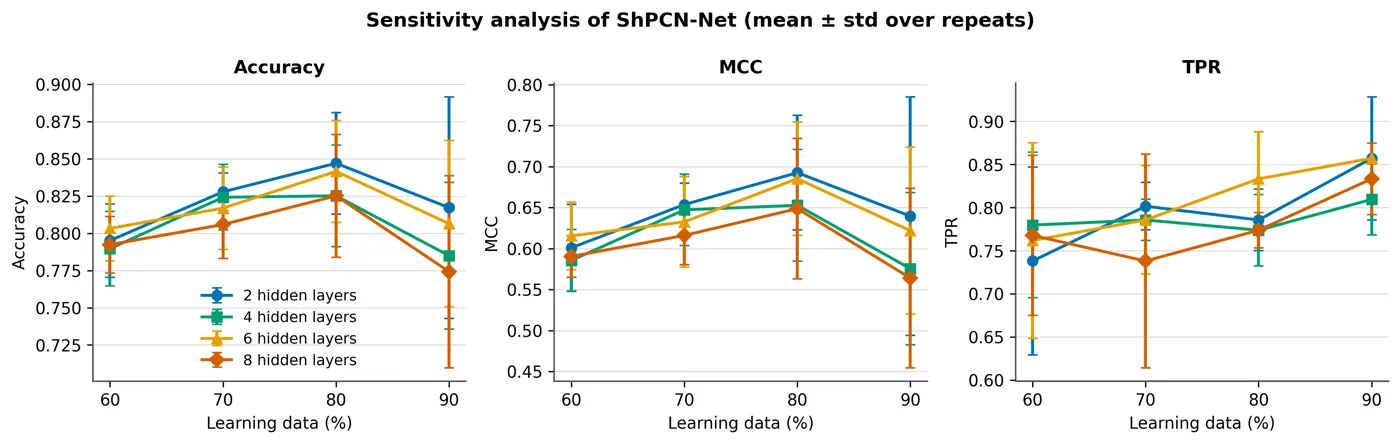
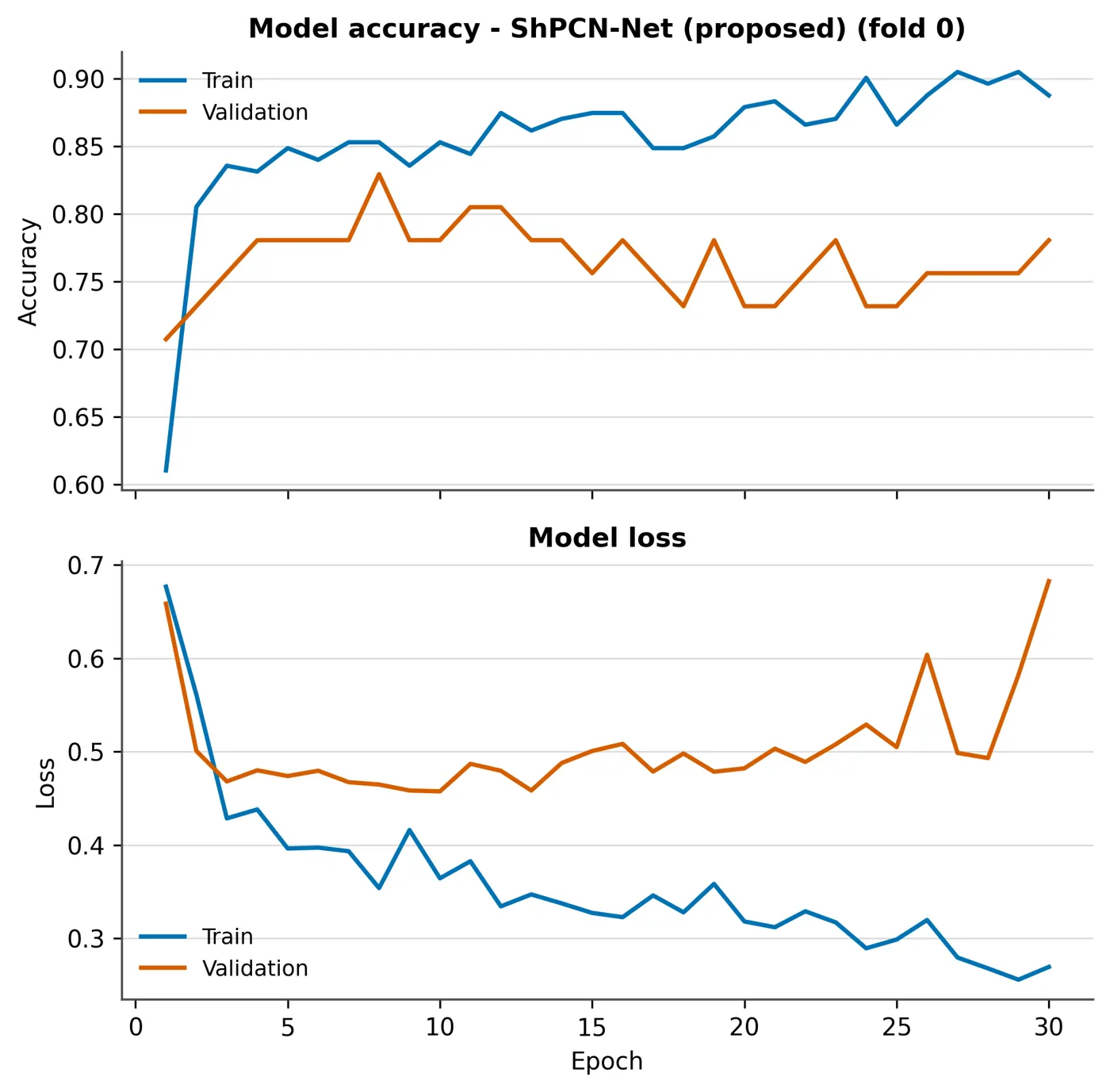
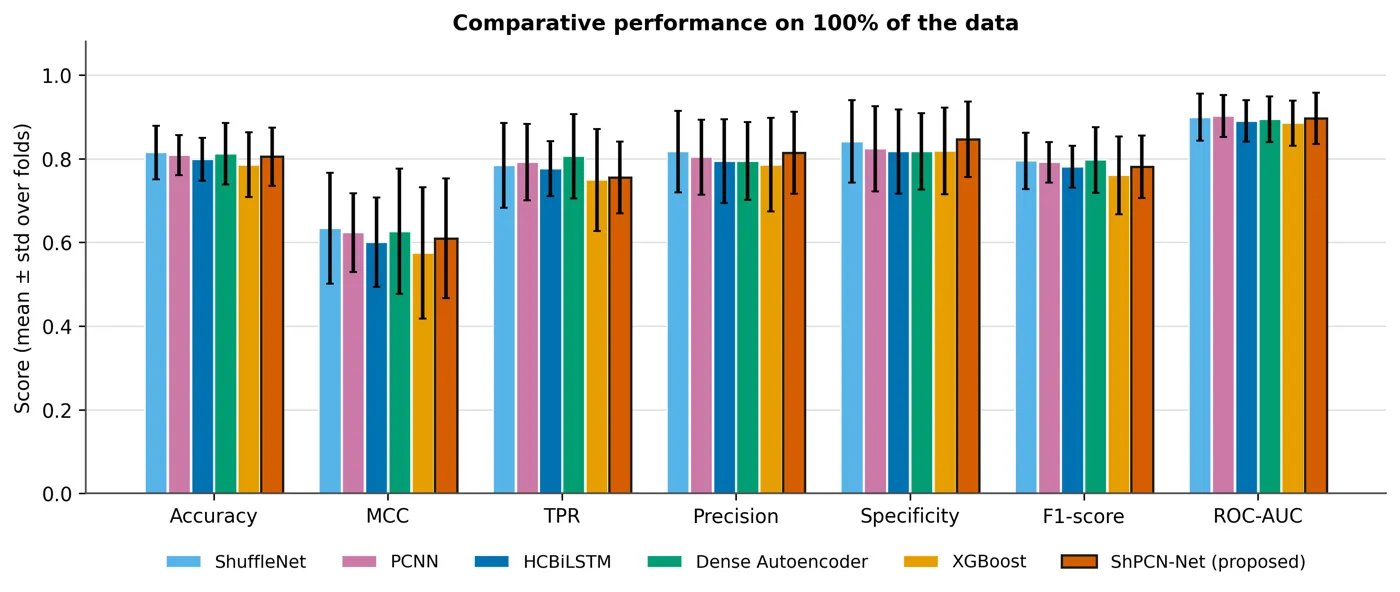
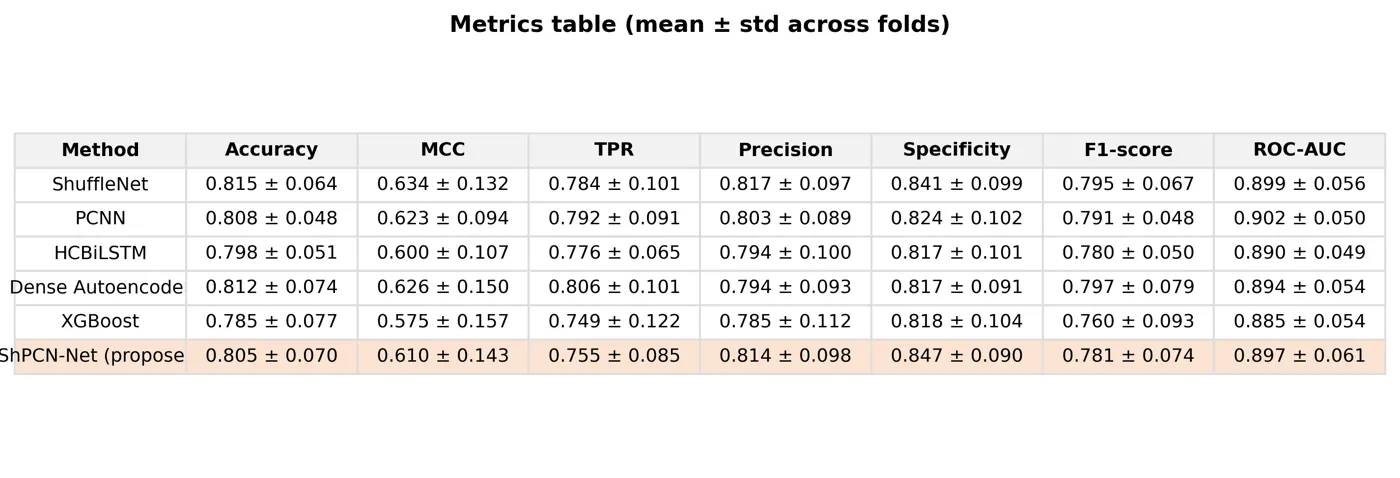
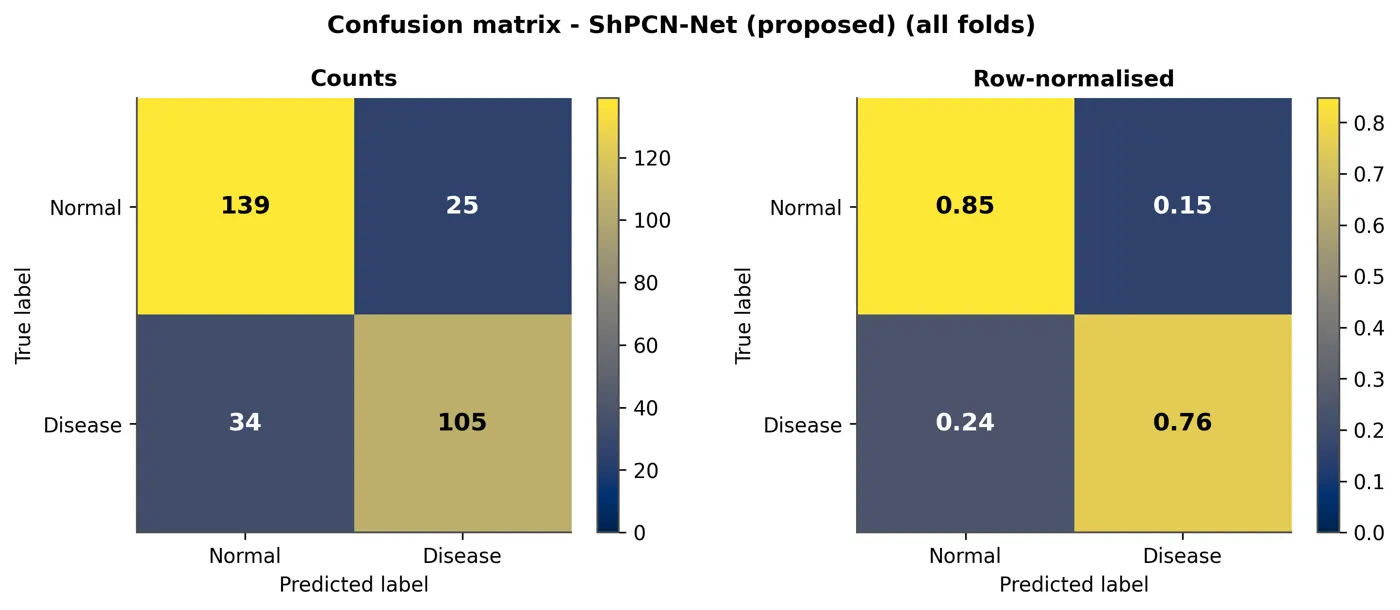
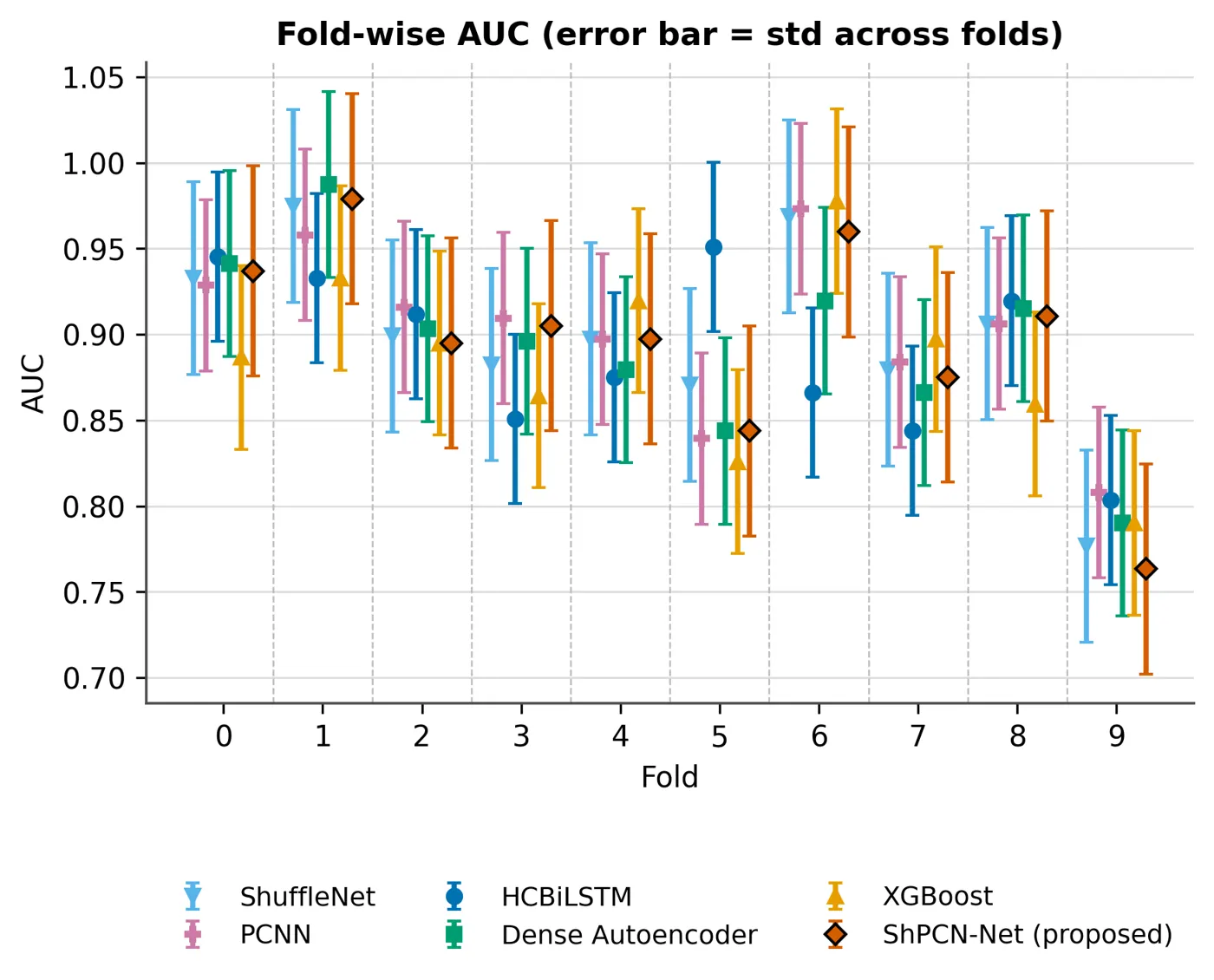
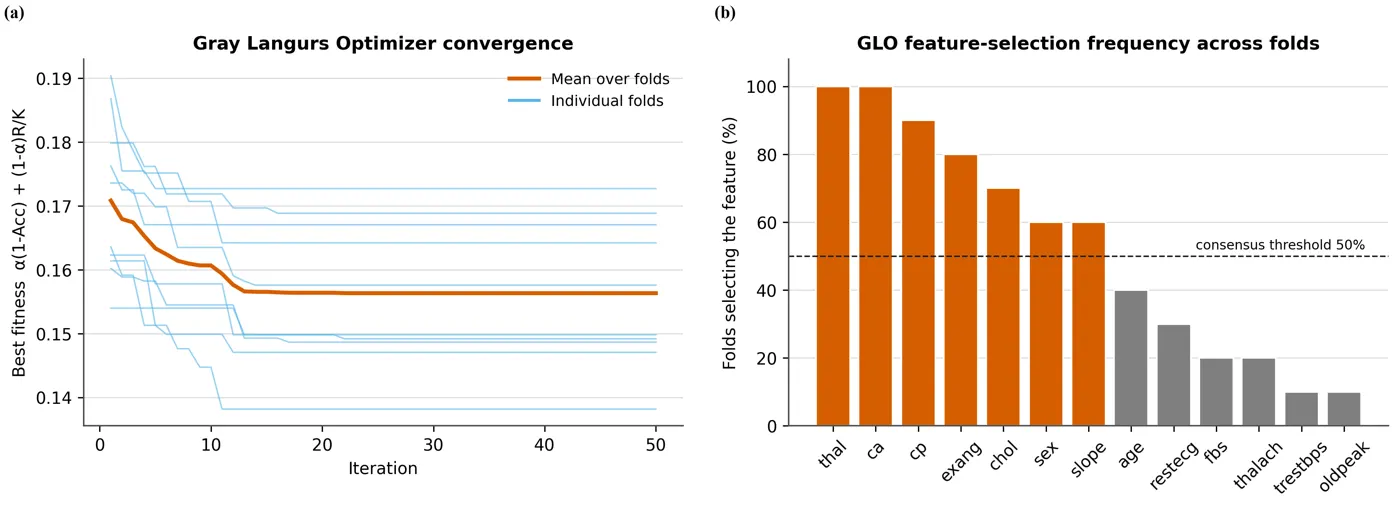
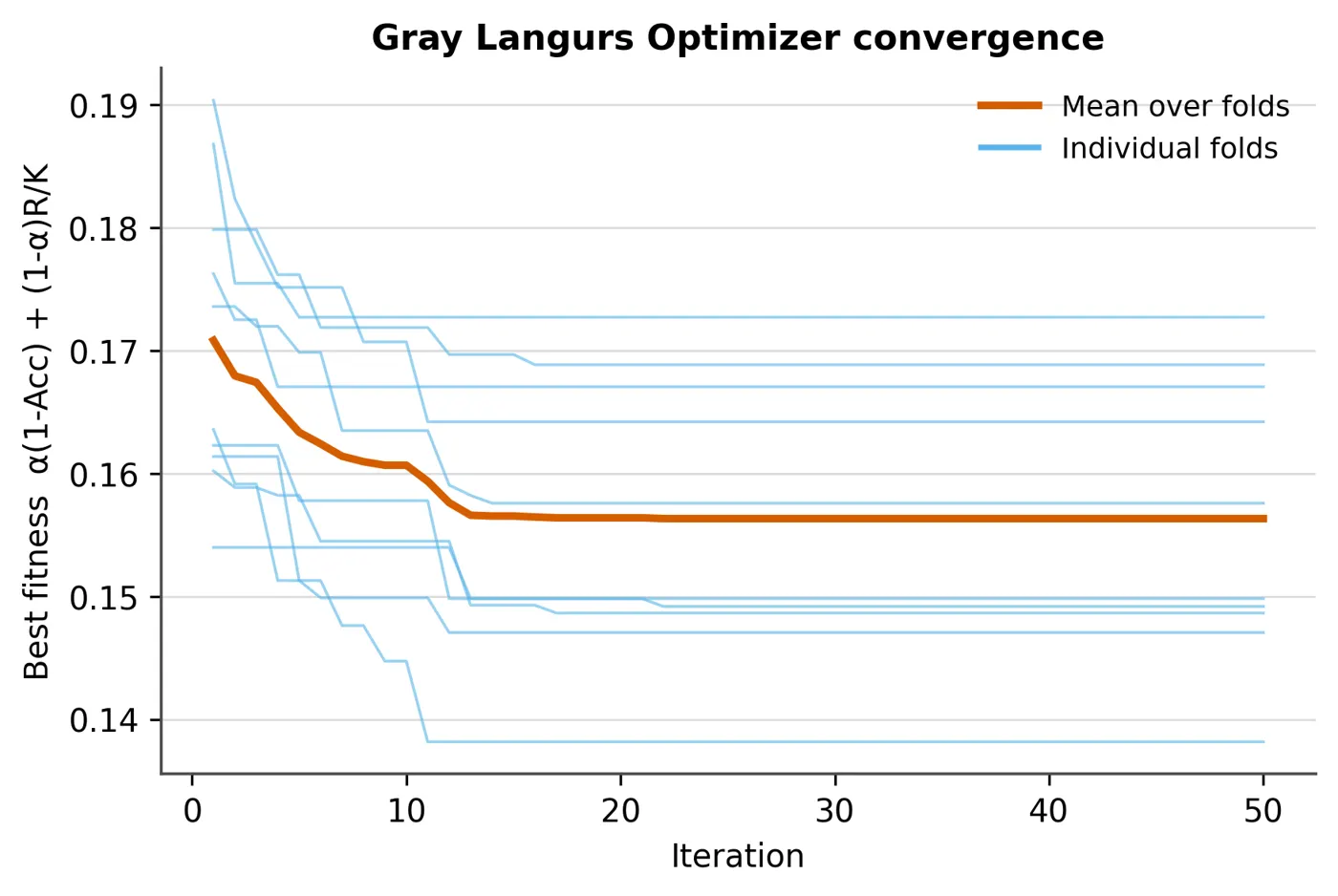
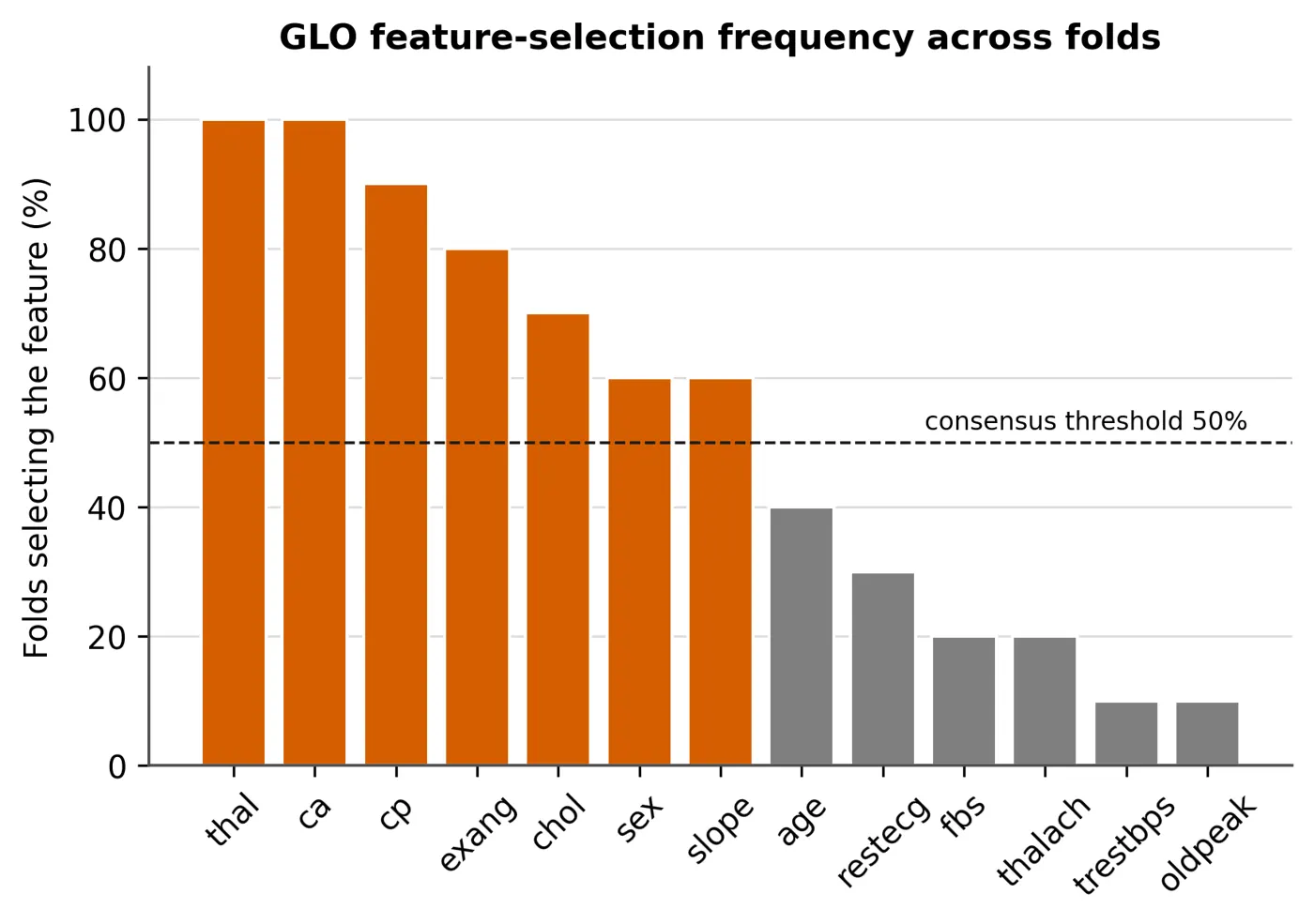
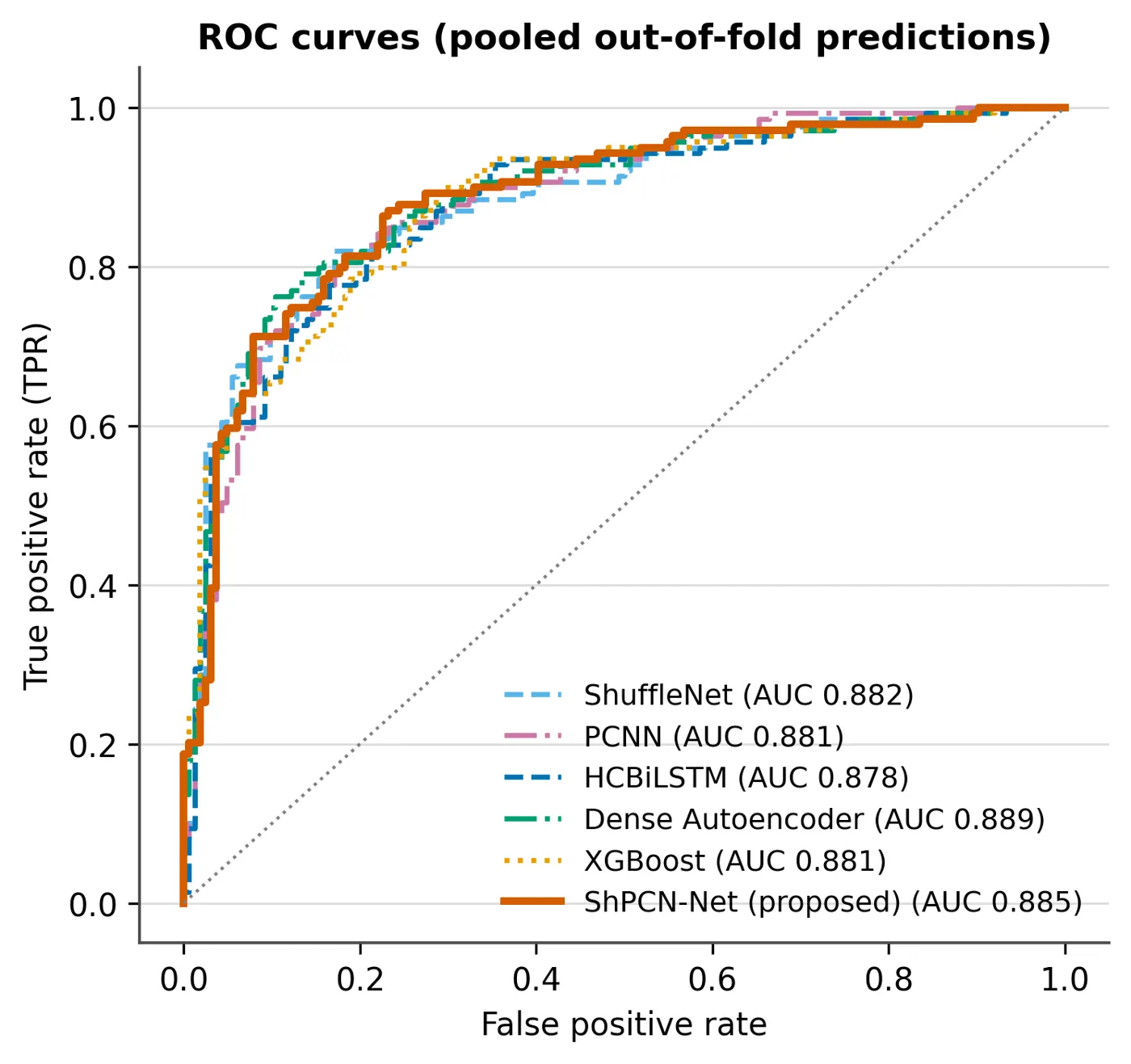
Every graph and diagram the run produced, grouped by purpose. Filter by group and click any graph to enlarge it.
- Delivered
- 22 graphs and diagrams, all shown
- Formats
- PNG, vector PDF and CSV for each
Loading the PDF… 0%
The manuscript as written, before any journal formatting, in a PDF viewer with page jump and zoom.
- Length
- 34 pages, before formatting
- Viewer
- Zoom, page jump, full screen, download
Loading the PDF… 0%
The final paper: the same manuscript typeset in the IEEE two-column layout, with figures placed and references formatted.
- Final paper
- 17 pages, IEEE two-column
- Word (DOCX)
- LaTeX source
Author names in the samples are placeholders.
The recording and the two projects come from two finished EasySeer deliveries: fruit classification and grading, and heart disease detection. Author names in the papers are placeholders. Both are first drafts: the author must verify, rewrite and take responsibility.