
Step 1 of 6
Input: start a project
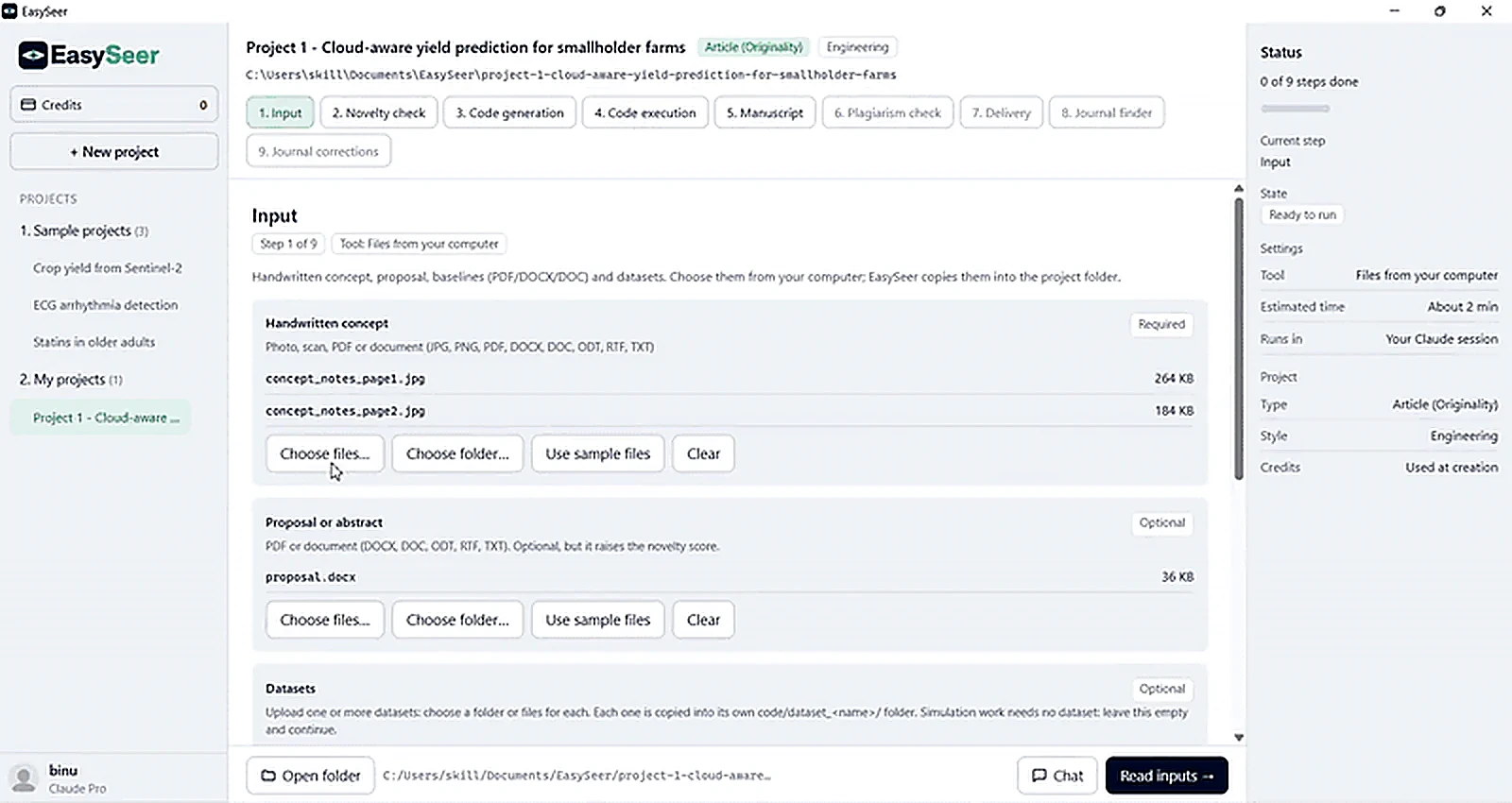
You create a project, name the paper and add your inputs: your handwritten or typed concept, a proposal, base papers and your dataset. EasySeer copies them into your project folder so your originals stay where they are.
- Step
- 1 of 6
- You add
- Concept, proposal, base papers, dataset
- Stays on
- Your computer
- Your role
- Check what EasySeer read
What you see in the tool
- A wizard that sets up one project folder per paper
- Handwritten or typed concept pages
- Proposal, base papers and dataset in one place
Why this stage matters
A paper starts from scattered pages, files and data. If they are not gathered in one place, later steps work from the wrong material. The input step puts everything for one paper into one project folder.
A short wizard sets up the project: name, folder, project type, style and review. Each paper lives in its own project folder on your computer.
Nothing is sent anywhere until you start the next step, and EasySeer does not keep your files on its servers.
How it works
Name the project
Give the paper a name and choose the article type and discipline.
Choose a folder
Pick the folder on your computer where the project will live.
Add your inputs
Upload the handwritten concept pages, a proposal, base papers and your dataset.
Review
Check what EasySeer read, then continue to the novelty check.
What you give it
- Your handwritten or typed concept
- A proposal, base papers and your dataset, if you have them
What you get
- A project folder with your inputs copied in
- A readable summary of what EasySeer read
What you must check
- Use clear, well-lit photos of handwritten pages
- Check that the summary matches what you meant
Honest limits
- EasySeer reads only what you add. Missing inputs mean weaker later steps.
- Your originals stay where they are; EasySeer works on copies.
Questions about this stage
Do my files leave my computer?
Your project folder stays on your computer. EasySeer does not store your concept or files.
Can I type the concept instead?
Yes. Typed notes work as well as handwritten pages.
Related guides
- How to prepare your inputs: Only the handwritten concept is required. Add a proposal, base papers and datasets if you have them: the more …
Make your first project See it in the tour All features
Last updated 2026-11-09. EasySeer is AI. It creates only an initial draft from the novel concept you provide, and it is designed to follow academic ethical guidelines.