
Step 5 of 6
Manuscript: a first draft built from your own results
Choose the layout, citation style and tone, then EasySeer writes the manuscript from your concept, code and results, as DOCX and PDF. It is a first draft you must verify, rewrite and take responsibility for.
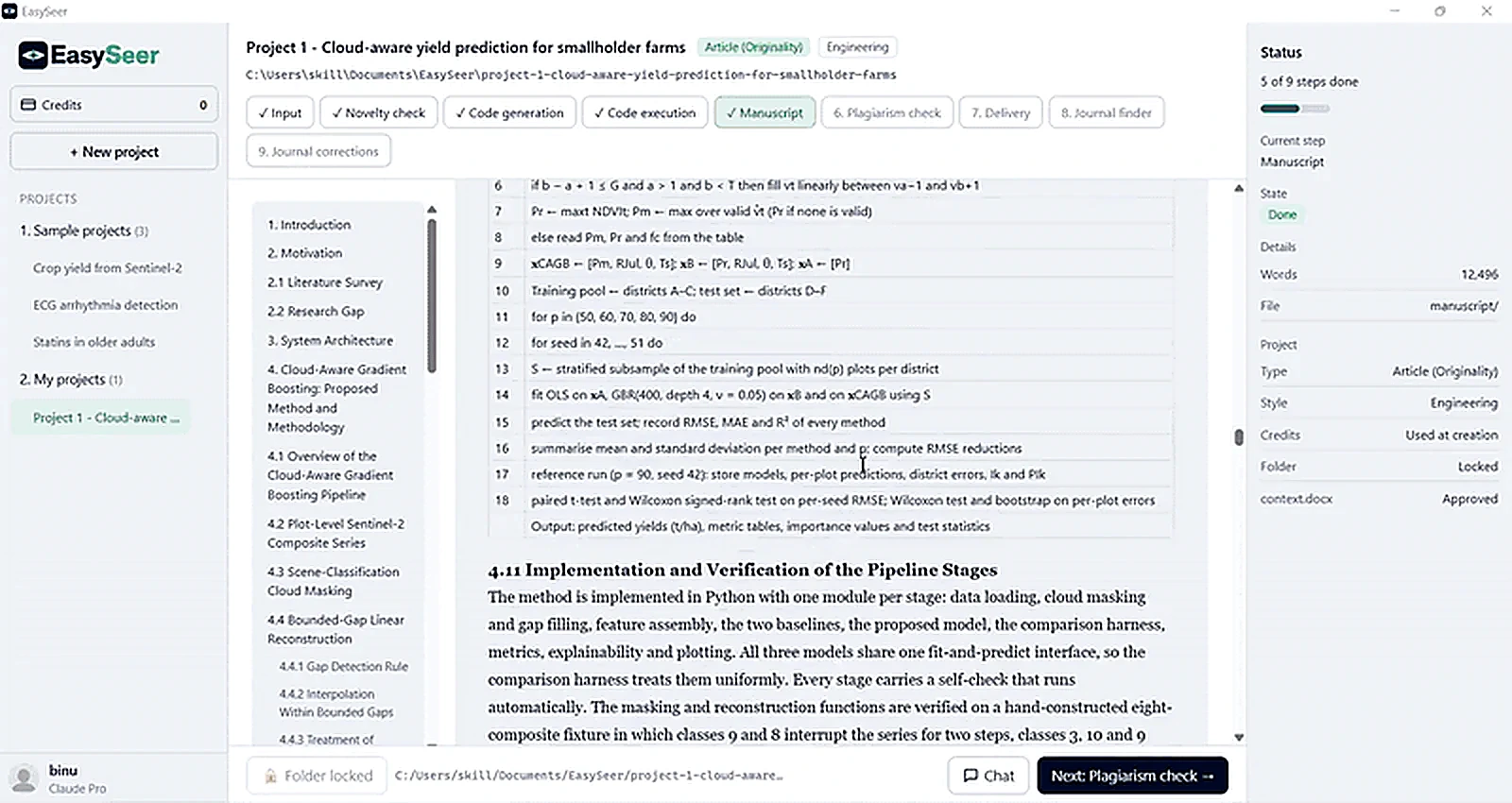
- Step
- 5 of 6
- Tool
- Claude + DOCX/PDF export
- Time
- About 15 min
- Demo project output
- 12,496 words, with a section outline
What you see in the tool
- Format options: layout, citation style and tone
- Include options: AI-use statement, cover letter draft, and a claim check against your results
- A list of the sources EasySeer will use
- A section outline beside the draft and a word count in the status panel
Why this stage matters
Writing a first draft from scattered notes, code and result files takes weeks, and the structure often has to be redone for each journal. The manuscript stage assembles the sections from what your project actually produced, so the draft matches the real work instead of a plan.
Introduction, method, results and discussion are drafted from what your project actually did. Numbers in the text come from your results files.
References are suggested for you to check. You must verify every citation, rewrite in your own voice and make the final scientific decisions.
How it works
Choose the layout
Pick the document format, single or double column, the numbering style and the tone.
Draft the sections
Introduction, related work, method, experiments, results, discussion and conclusion are drafted from your concept, code and results.
Insert figures and tables
Result figures and tables are placed with numbered captions that cite the real files.
Suggest references
EasySeer suggests references for the claims it makes. They are suggestions to check, never proof.
Disclosure statement
Add an AI-use disclosure statement if your journal or university requires one.
What you give it
- Approved concept and code
- Results, tables and figures from the run
- Layout and style choices
- Your base papers
What you get
- A manuscript draft in DOCX or PDF
- Numbered figures and tables with captions
- A suggested reference list marked to verify
- An optional AI-use disclosure statement
What you must check
- Verify every number against the results files
- Open each reference and confirm it exists and says what is claimed
- Rewrite the text in your own voice and add your scientific judgement
Honest limits
- The draft is a starting point, not a finished paper.
- Suggested references can be wrong or incomplete. You must check them.
- Different fields write differently. Adapt the style to yours.
Questions about this stage
Is the manuscript ready to submit?
No. It is a first draft. You must verify, rewrite and take responsibility before submitting anywhere.
Does it invent results?
No. Results in the text come from the files produced by the run.
Can it follow a specific journal style?
The formatting and delivery step arranges the paper to the layout or guidelines you choose.
On the blog: Using AI in your research paper: what to disclose and what journals expect (6 min read)
On the blog: How to write a first draft of your research paper from your results (6 min read)
Related guides
- How to draft a manuscript: Choose the IEEE mode and tone, choose what to include, press Write manuscript, confirm that you have checked y…
Make your first project See it in the tour All features
Last updated 2026-11-09. EasySeer is AI. It creates only an initial draft from the novel concept you provide, and it is designed to follow academic ethical guidelines.